
 Need help?
Do you have a question about the Winext AN-301 and is the answer not in the manual?
Provides a detailed overview of the AN-301 SOS Button, its purpose, and application areas.
Lists the key features and capabilities of the AN-301 SOS Button, including LoRaWAN support and battery.
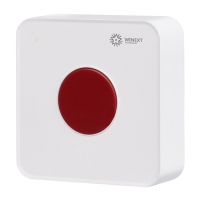
Illustrates the physical appearance and dimensions of the AN-301 SOS Button with front and back views.
Lists the items included in the AN-301 SOS Button package, such as the button, back plate, and screws.
Describes the operational performance of the AN-301 SOS Button, including alarm activation and self-monitoring.
Outlines the workflow for establishing a network connection for the AN-301 SOS Button using LoRaWAN.
Explains the components and functionality of the alarm system, including the SOS button and gateway.
Provides a diagram illustrating the overall structure of the alarm system, showing end-devices, gateway, and platform.
Details the step-by-step operation of the AN-301 SOS Button, including turning on/off, joining networks, and triggering alarms.
Highlights essential safety precautions to be observed before and during the installation of the AN-301 SOS Button.
Lists the recommended tools required for the proper installation of the AN-301 SOS Button.
Provides a step-by-step guide for installing the AN-301 SOS Button using roof-mounted or wall-mounted methods.
Lists the necessary tools and software required for configuring the AN-301 SOS Button for wireless communication.
Details the process of wirelessly configuring the AN-301 SOS Button using the provided tools and software.
Introduces the wireless configuration tools, including the laptop, USB dongle, and manage APP.
Provides instructions on how to install the CP210x driver, essential for the wireless configuration tool to function.
Explains how to set various parameters for the AN-301 SOS Button using the wireless configuration tool.
Describes how to remotely configure the AN-301 SOS Button using AT commands issued from the platform.
Addresses issues related to device malfunction or power depletion, advising on replacement procedures.
Provides an estimate of the AN-301 SOS Button's battery life based on its capacity and reporting frequency.
Explains the conditions under which the AN-301 SOS Button needs to re-join the network after gateway changes.
Guides on selecting the correct frequency settings for the AN-301 SOS Button to match the gateway.
Offers troubleshooting steps for configuration command failures, focusing on serial port settings and configuration mode.
 General
| Brand | Winext |
|---|---|
| Model | AN-301 |
| Category | Security System |
| Language | English |

 To Next Page