AN-301 SOS Button User Manual
16
5.2.3 Parameter setting
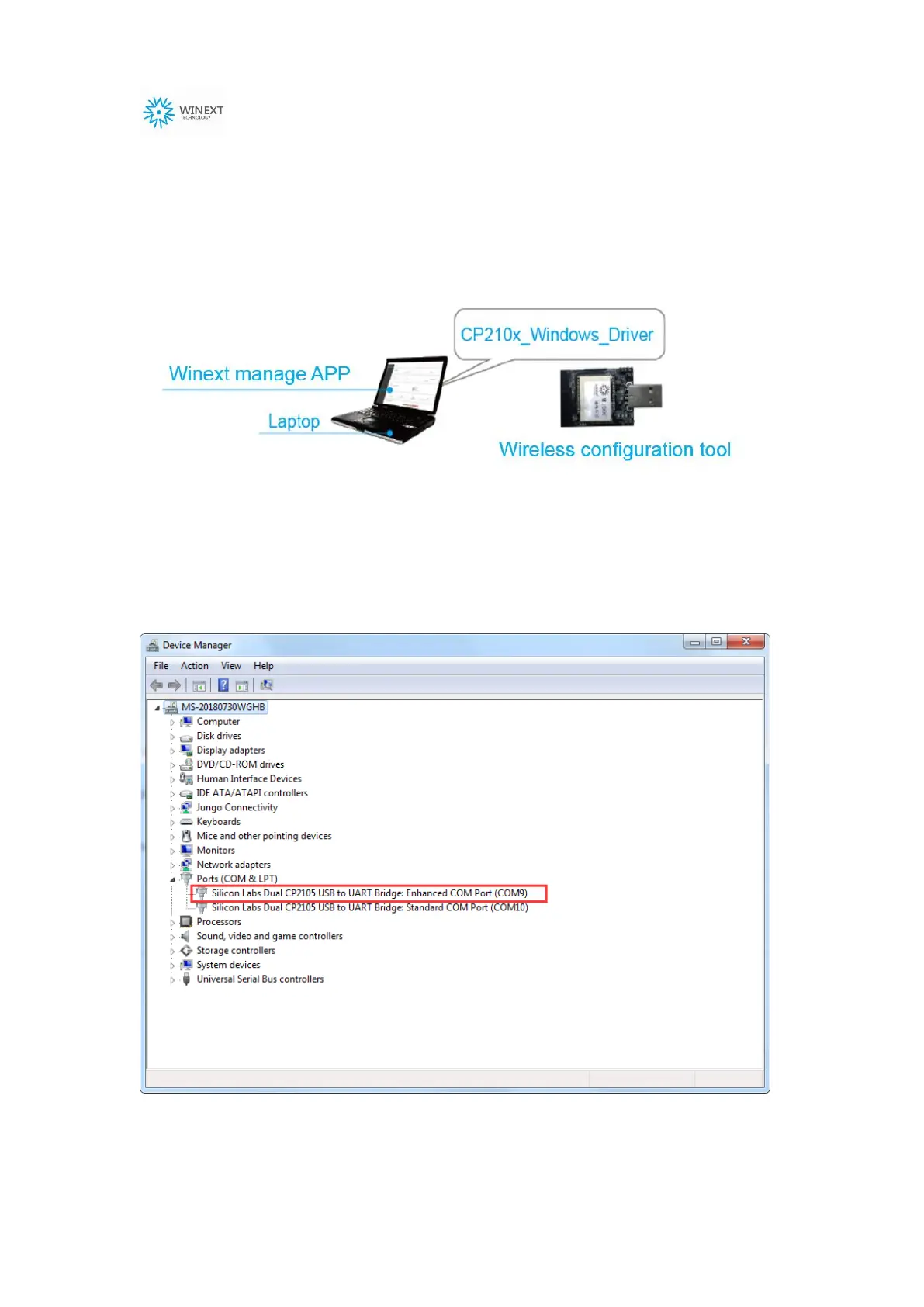
(1) Insert the wireless configuration tool into the laptop USB port. Start host
configuration near the device installation location.
(2) Insert the wireless configuration tool to the USB port. Click on
Computer-Attribute-Device manager and find the correct port (Enhanced COM
Port), as below:
Note: there are two ports for wireless configuration tool, only one of them is for
configuration (Enhanced COM Port)


 To Next Page