23
SETUP Menu
NO – Select to leave the SETUP menu settings alone.
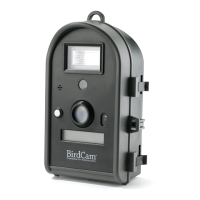
EASY PHOTO – Select this value to reset all SETUP menu set-
tings to the default values (as they were when the BirdCam left
the factory). These settings will be suitable for the average user.
For a chart showing the EASY PHOTO default values, see the
table below.
EASY VIDEO – Select this value to reset all SETUP menu set-
tings to the default values, but sets the BirdCam to take video
instead of photos. These settings will be suitable for the average
user, when videos are preferred. For a chart showing the EASY
VIDEO values, see the table below.
EASY PHOTO and EASY VIDEO Settings
Setting NO EASY PHOTO EASY VIDEO
RESET TO EASY? No EASY PHOTO EASY VIDEO
PHOTO OR VIDEO? saves current setting Photo Video
PHOTO QUALITY
1
saves current setting Medium (see note 2)
DELAY saves current setting 5 min 5 min
#PHOTOS/EVENT
2
saves current setting 3 -
#VIDEOS/EVENT
2
saves current setting - 1
SENSITIVITY saves current setting Medium Medium
IMPRINT INFO? saves current setting Yes - Keep Yes - Keep
REMOTE CONTROL saves current setting Off Off
ERASE IMAGES? No No No
TEST CAMERA? No No No
1 - PHOTO QUALITY setting does not appear when PHOTO OR VIDEO? is set to VIDEO
2 - #PHOTOS/EVENT becomes #VIDEOS/EVENT when PHOTO OR VIDEO? is set to VIDEO



 To Next Page