11
② ③①
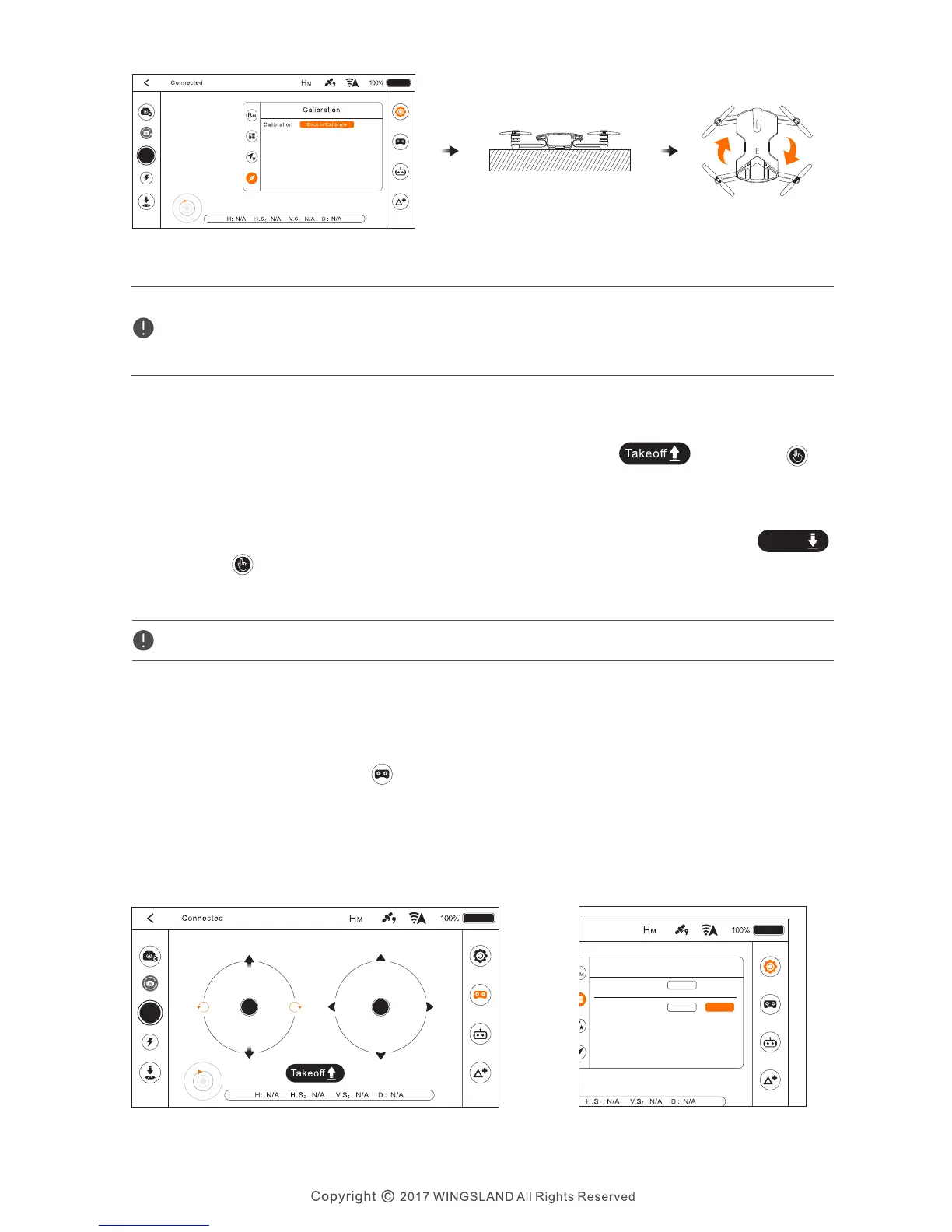
● Do not calibrate in strong magnetic field.
● If the repeated calibration is not successful, please transfer to other places for calibration.
● Do not be in the vicinity of high-rise buildings or metal surface calibration.
Takeoff: In the flying interface, tap the Auto Takeoff icon ,then tap to
active the feature. The aircraft will automatically hover up in a preset altitude above
the ground and stabilize.
● Virtual Joystick Mode
Landing: After takeoff, the Auto Takeoff icon will change to Auto Landing icon
Tap the icon and the aircraft will automatically perform the landing. Check the
landing area condition and make sure no obstacles are in landing way before the landing.
Auto Takeoff/Landing
Control Mode
landing
One-key Takeoff hover up attitude reference: Indoor 1.5m / Outdoor 2.5m.
ln the flying interface, tap two virtual joysticks will be displayed on the APP
screen to correspond the operation of the remote control sticks. The virtual
joysticks are set to Mode2 by default (Mode1 and Mode2 can be switched under
general settings). The left joystick controls the throttle and rotation of the aircraft,
the right joystick controls forward, backward, left, right movement of the aircraft.
Virtual Joystick Mode


 To Next Page