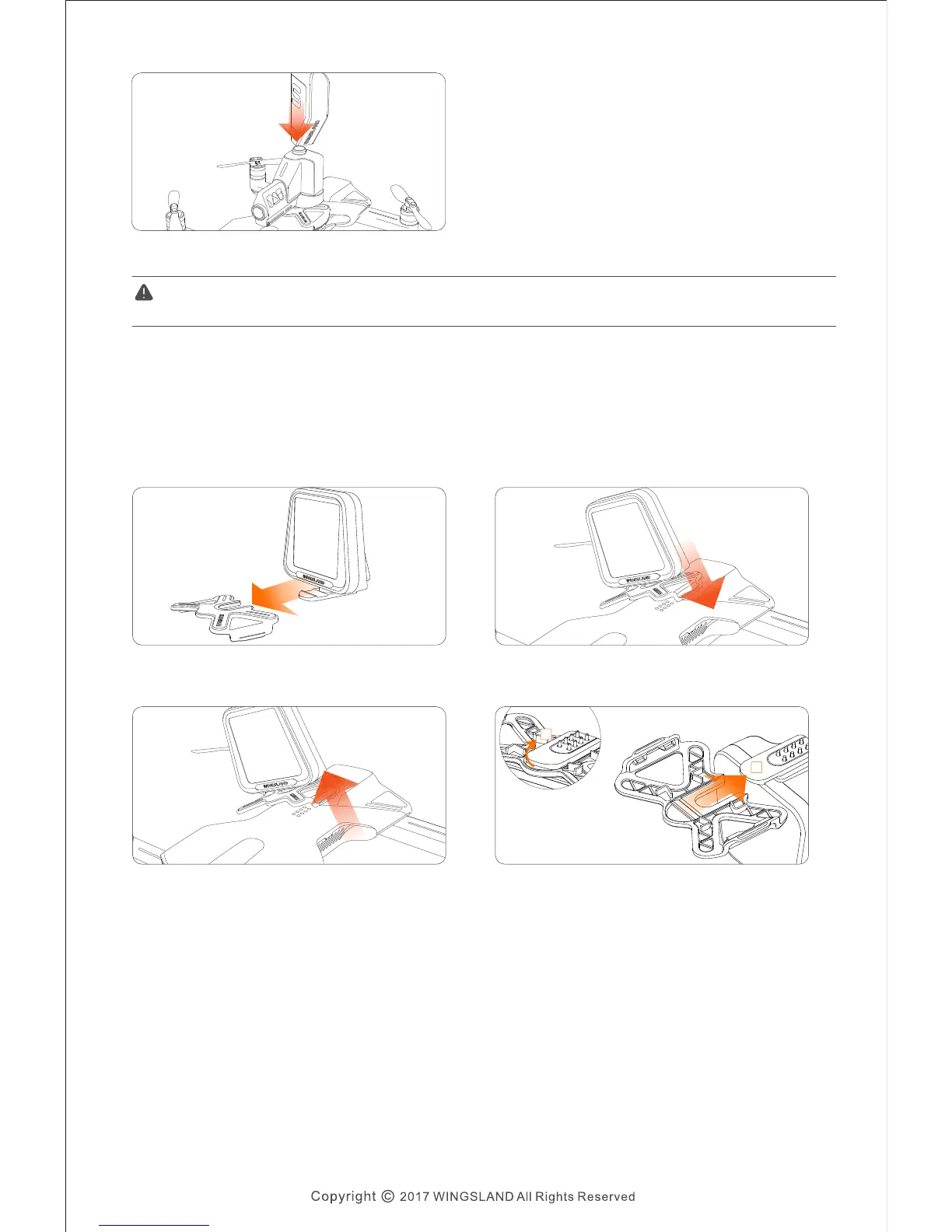
⑤ Use bullet clip to fill the Boom Boom.
Do not aim at people or animals. WINGSLAND is not responsible for any losses and damage
if caused by the BOOM BOOM.
The display board will show the numbers, letters or emojis which are typed through
the app.
Emoji Display Installation:
① Slide the Emoji Display into the buckle. ② Clasp the buckle on one side first, then push
the buckle down to lock it on both side.
③ To remove the buckle, gently lever up one
side first, then take off the buckle.
④ Lever Emoji Display’s bottom up , and push A
it out of the buckle .B
A
B
● Emoji Display
S6 User Manual
16


 To Next Page