rotate it to change the value of the parameter. The set value is showed on the bottom of the
windows (see points ❹ and ❺ on the above image).
Push the lower membrane button to go on the next windows.
The following table recaps the settable values on the 3 windows:
NOTE: High Q factor means narrow bandwidth. Low Q factor means wide bandwidth.
Synchronization
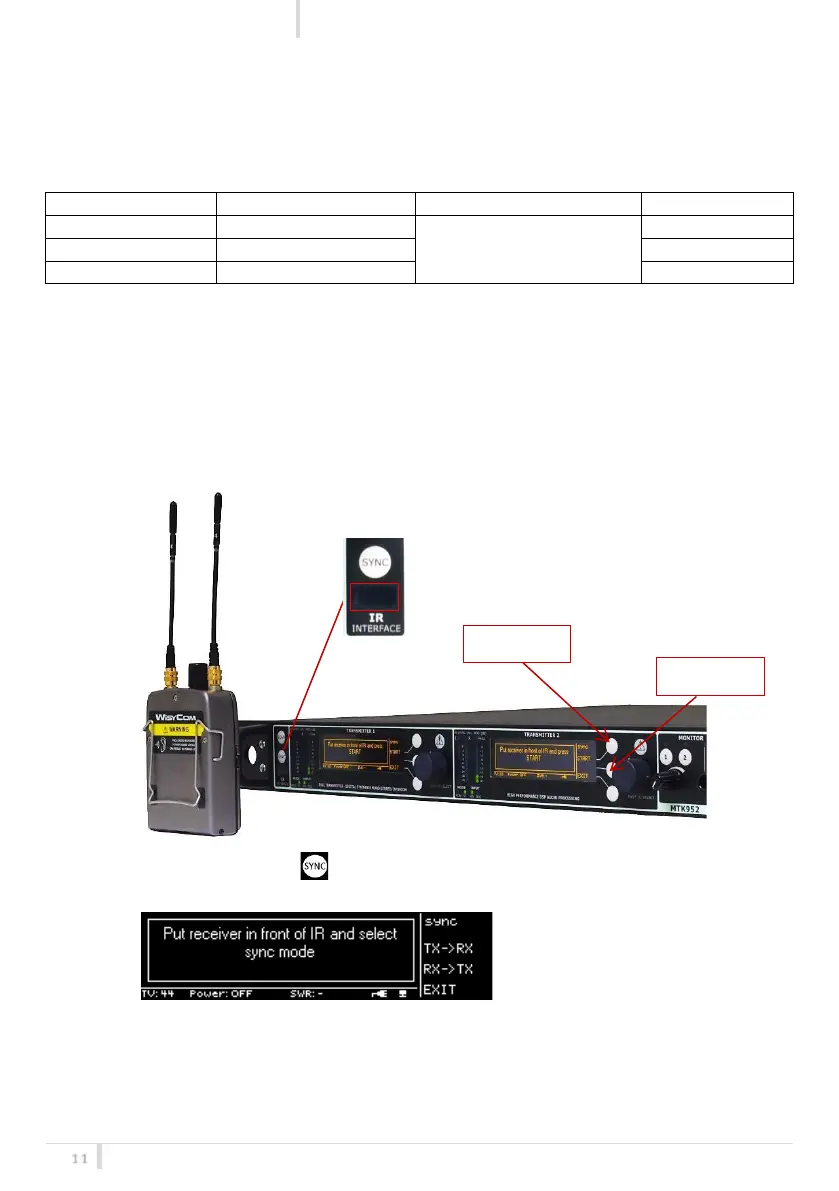
The SYNC function is useful to tune a transmitter on the same frequency of the receiver via the IR
interface.
➢ Enable the IRDA on the receiver and place the IR windows of the receiver in front of the
IR interface of the transmitter as indicate in the below image.
➢ Press the SYNC button on the transmitter: the following message is showed on
both the displays
➢ Using the membrane buttons of the desired transmitter (TX1 or TX2) select:
• TX->RX to set the receiver at the same frequency of the transmitter:



 To Next Page