POWERING UP
Move the wireless power switch (see Fig. 1) in “I” position to activate wireless transmission: the
front LED ❷ lights up red and then green when the RF transmission power is on (blinking when
battery is low!)
SETUP CONTROL
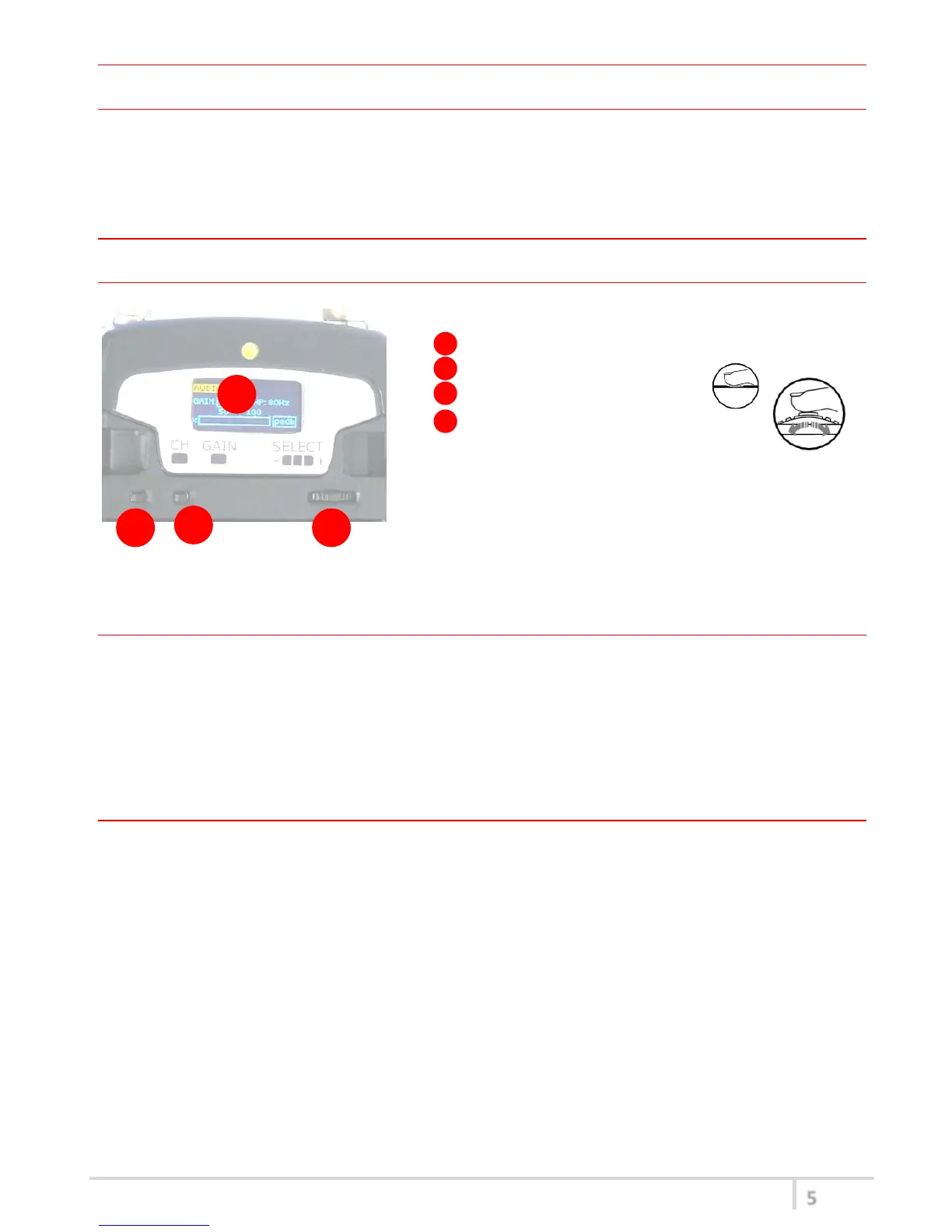
Open transmitter Body to access the “display and controls” area (Fig. 3):
A. Graphics Display (OLED)
B. Channel selection buttons (ch)
C. MIC gain setup buttons (gain)
D. 3 position selector (up / down / click)
Fig. 3
OLED Power UP (OLED IS IN OFF CONDITION)
Pushing down selector (click), oled turns on. A first menu with Serial Number and brand logo is
displayed, then <status> menu enters automatically.
Turn on the transmitter pushing and holding selector (click) > 2 sec, Serial Number menu is displayed
till (-/+) is selected.
OLED Power DOWN (OLED IS IN ON CONDITION)
Pushing and holding selector (click) > 2 sec, display is turned off.
Display turns off automatically after 15 sec, unless in <AUDIO> menu (with audio level < 5% from
nominal).



 To Next Page