Using <+/-> selector all menus can be accessed in sequence, push <click> to enter edit mode:
<+/-> to setup field
<click> again to confirm changes and exit.
exit without confirmation if no button is pressed after a few seconds time out.
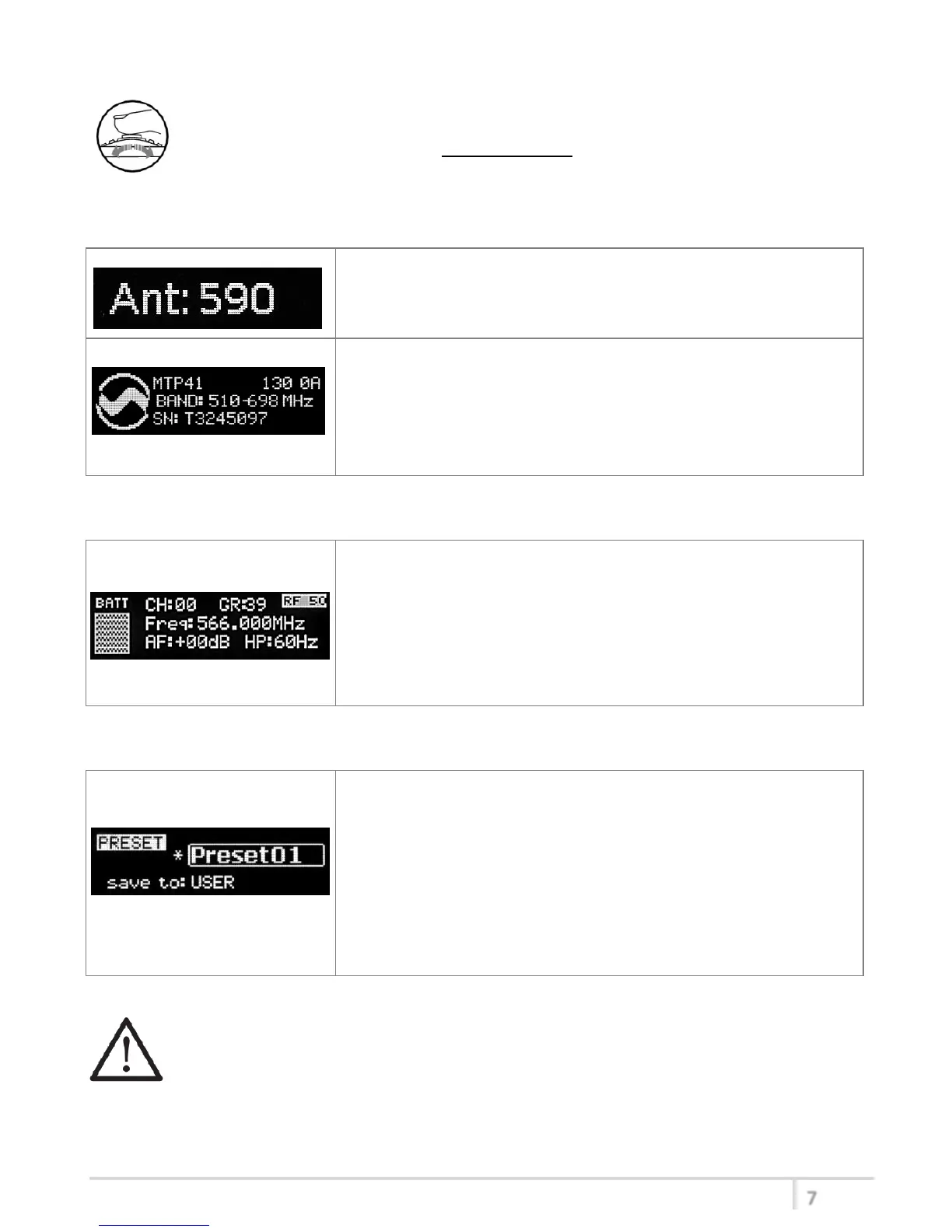
<START UP> menu
These menus are displayed during power up for few seconds.
First one gives information of antenna to be used.
The number displayed is the center-band of the antenna to be
used.
The second menu gives indication on product:
- product id (MTP41),
- the firmware release (ex. 1.30.0A),
- the band in extended format and
- the serial number.
Keep selector pushed to hold this menu!
<STATUS> menu
This is the first menu displayed after power up.
Major info are displayed:
- Current channel/group (i.e. CH:00 GR:39)
- Current frequency (i.e. 566.000 MHz)
- Mic gain (i.e. AF: +00dB) and high pass filter (i.e. HP:60 Hz)
- If in the top right there is “RF 50” or “RF 10”, the transmission is
active respectively at 50mW or 10mW
- On left side, the battery bar is displayed
<PRESET> menu
This menu can be entered by scrolling selector
MTP41 can recall configuration presets.
“FACTORY” recalls the Wisycom factory configuration.
“USER” recalls the user configuration (the transmitter configuration
is copied into the USER using the “save to” submenu).
All “USER” menus are not locked by default, thus this is quick way to
unlock features!
When the user changes some parameters from the PRESET
configuration (for less than frequency) an asterisk appears on the
top-right corner until a save command is executed.
The other 8 configuration presets are user programmable thru the infrared and the PC interface (using
the programmer UPK 300/UPK
Mini
or the receiver MRK950/MRK960).
We provide the device with some preset configurations specifically designed for certain types of
microphone or applications (it’s possible to change these presets in any time using the TX manager).
All parameters can be “left unchanged”, “changed” or “changed and lock”, allowing a very flexible way
to pre-program MTP41 configuration.



 To Next Page