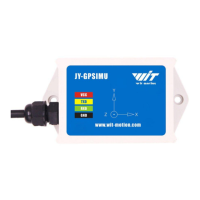
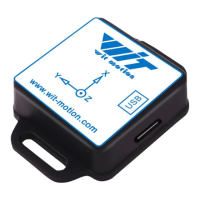
The HWT9053(RS485) is an IP67 inclinometer designed for high-precision motion posture measurement. This device integrates gyroscopes, accelerometers, and MMC3630 magnetic field sensors, leveraging high-performance microprocessors and advanced dynamics calculation with Kalman dynamic filtering algorithms to provide real-time motion posture data.
Function Description:
The primary function of the HWT9053 is to accurately measure and output the current attitude of a module in various environments. It achieves this through a combination of integrated sensors and sophisticated filtering algorithms. The device is capable of providing highly stable and accurate attitude measurements, even in dynamic conditions. Its advanced digital filtering technology is specifically designed to reduce measurement noise, thereby enhancing the overall accuracy of the data. The module includes an attitude solver that, in conjunction with the dynamic Kalman filter algorithm, ensures precise attitude output. This makes it suitable for applications requiring extremely high stability and precision in inclination sensing. The HWT9053 also features its own voltage stabilization circuit, allowing it to operate reliably within a wide voltage range of 5V to 36V. Furthermore, it supports a 485 interface, offering flexibility in connection methods, and its serial port rate is adjustable from 4800bps to 921600bps to accommodate different communication requirements. The device is built with 4-layer PCB board technology, contributing to a thinner, smaller, and more reliable design.
Usage Features:
The HWT9053 is designed for ease of use, particularly with PC software compatible with Windows systems.
- Connection Method: The device connects to a PC via a serial converter. Users need to ensure correct PIN connections for VCC (5~36V), A, B, and GND. Recommended tools include 3-in-1 or 6-in-1 serial converters, for which specific driver installation (CH340 or CP2102) is required. Once connected, the "com port" needs to be confirmed in the Device Manager.
- Software Interface: The PC software provides a comprehensive interface for monitoring and configuring the inclinometer. Users can select the appropriate COM port and baud rate (default 9600), then initiate an "Auto-search" to detect the HWT9053. The main menu offers various functions, including launching recorded HEX files, displaying/hiding toolboxes, recording data, and accessing a 3D DEMO for visualization.
- Configuration Options: The configuration menu allows users to adjust several parameters:
- Algorithm Selection: Choose between 6-axis or 9-axis algorithms.
- Installation Direction: Set the module for vertical or horizontal installation. This involves physically rotating the module 90 degrees around the X-axis and then selecting the "Vertical" option in the software.
- Baud Rate: The module supports multiple baud rates, with 9600 being the default. Users can change the baud rate through the communication rate drop-down box. It's important to note that after changing the baud rate, the module will only output data when the new baud rate is selected in the PC software.
- Bandwidth: The default bandwidth is 20Hz, which can be adjusted as needed.
- Data Recording and Playback: The software enables data recording, allowing users to capture motion data. Recorded data is saved as a BIN file, which can later be loaded and played back through the software. During playback, the rate can be adjusted.
- Applications: The HWT9053 is versatile and suitable for a wide range of applications, including AGV trucks, platform stability systems, auto safety systems, 3D virtual reality, industrial control, robotics, car navigation, UAVs, and truck-mounted satellite antenna equipment.
Maintenance Features:
To ensure optimal performance and longevity of the HWT9053, several maintenance and calibration features are provided:
- Warning Statement: Critical warnings include avoiding more than 36 Volt across the sensor wiring to prevent permanent damage, not connecting VCC directly to GND to prevent circuit board burning, using original factory-made cables for proper grounding, and refraining from accessing the I2C interface. For secondary development, using WITMOTION's compiled sample code is recommended.
- Calibration: Calibration is crucial for first-time usage and maintaining accuracy.
- Accelerometer Calibration: This process removes the zero bias of the accelerometer. It requires keeping the module horizontally stationary and then clicking the "Accelerometer calibration" button in the software. After calibration, the X and Y axis angles should be around 0°, and the Z-axis acceleration should be approximately 1g when the module is horizontal.
- Magnetic Field Calibration: This removes the zero bias of the magnetic field sensor, which can significantly affect the accuracy of the Z-axis (heading) angle. For this, the sensor should be placed at least 20CM away from magnetic and iron materials. The calibration involves opening the Config menu, clicking "Magnetic Filed calibration," and then slowly rotating the module 360° around its X, Y, and Z axes. After rotation, "End calibration" should be clicked. Successful calibration ensures most data points fall within an ellipse. If unsuccessful, magnetic interference should be checked.
- Gyroscope Automatic Calibration: The gyroscope automatically calibrates angular velocity. It is recommended to inactivate automatic calibration only if the module rotates at a constant speed.
- Reset Z-axis Angle: This function allows setting the initial Z-axis angle to 0 degrees relative to the northeast sky. It's particularly useful if the Z-axis drift is large or to avoid magnetic interference by switching to a 6-axis algorithm. The module will automatically return to 0 on power-up. To manually reset, keep the module static, open the configuration bar, and click "Reset Z-axis Angle."
- Restore Factory Setting: If needed, the module can be restored to its factory settings. This involves connecting the HWT9053 to the computer via the USB to RS485 module, accessing the configuration option, and clicking "Reset." After resetting, the module needs to be powered on again. Users should be aware of the module's baud rate in advance, as an incorrect baud rate will prevent the instruction from taking effect.

 Need help?
 General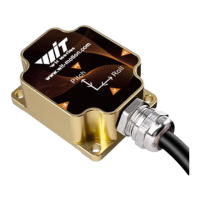

 To Next Page