29
User Manual WMF1500 S
Operation | Switch off the coffee machine
3.15 Switch off the coffee machine
Take care to work hygienically
• Germs that are hazardous to health can
grow in the coffee machine.
> Perform daily cleaning before switching off
the coffee machine.
Follow the manual
• If this is not observed, the liability is
invalidated in the event of any resultant
damage.
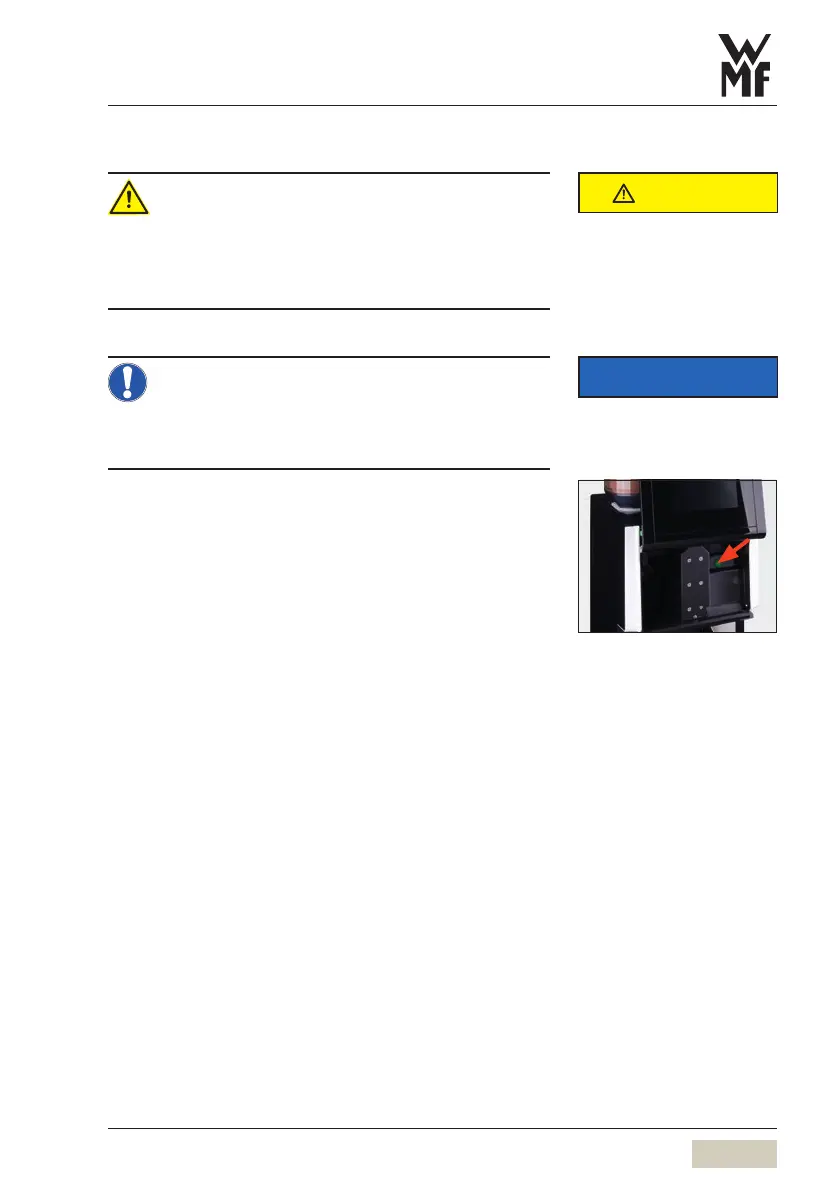
Slide the operating panel upward
The ON/OFF switch is on the right side, behind the
operating panel.
Press the ON/OFF switch briefly (approx. 1second)
Coffee machine switches off.
Disconnect mains plug
Turn off main water supply tap
CAUTION
Follow the Safety chapter
w starting on page 4
Clean the coffee machine as shown
in the manual.
Care
w starting on page 61
IMPORTANT
Observe the Warranty chapter
w starting on page 99
PIN access control
w PIN rights
page 50



 To Next Page