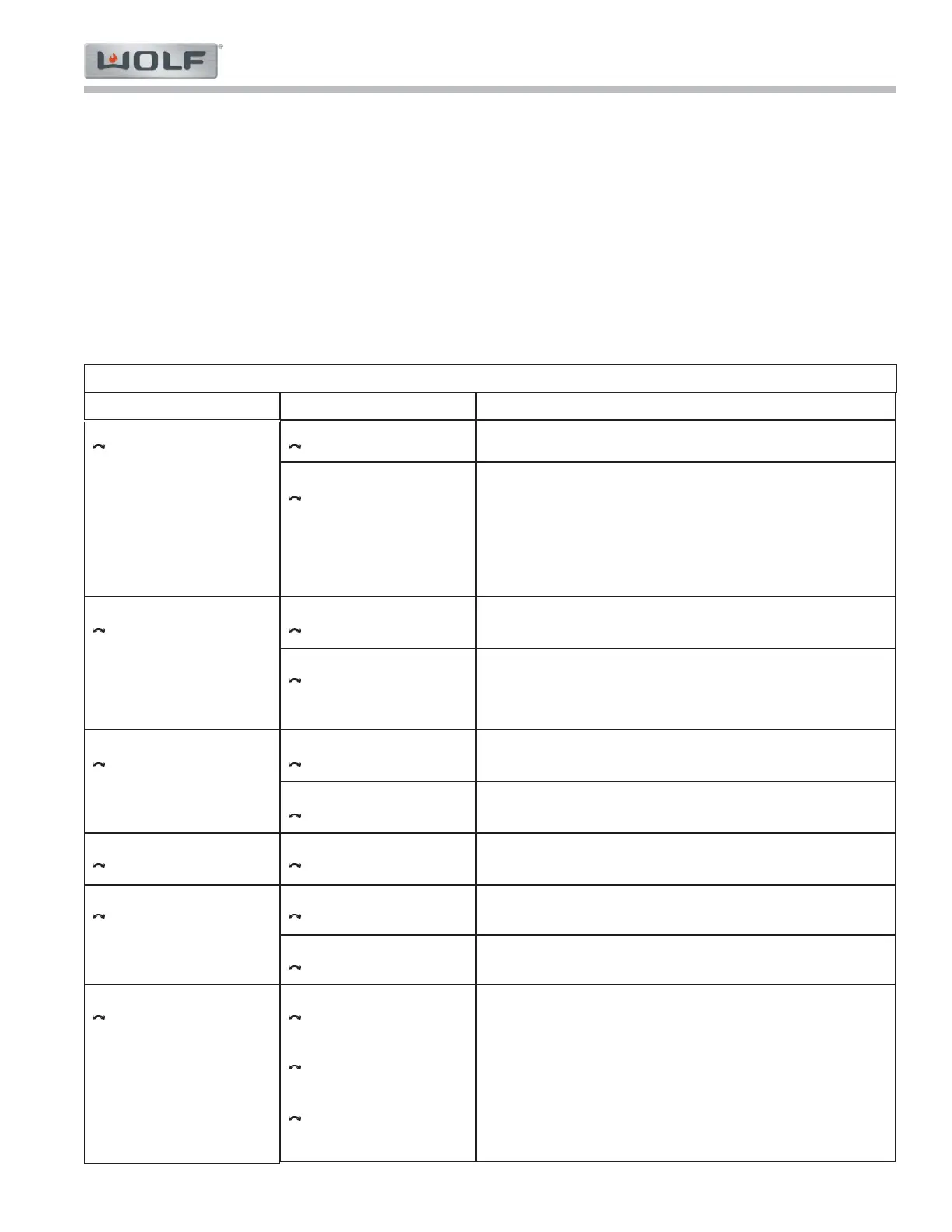
Menu Level 1 Description
Troubleshooting Guides
CSO24 and CSO30 (SWS #13508346)
5-11
#9001333 - Revision A - August, 2014
Menu Level 2
Diagnostic mode
Error history
Diagnostic mode
Error counter
Diagnostic mode
Clear history/counter
Diagnostic mode
Operating hours counter
Diagnostic mode
Event counter
Diagnostic mode
Version numbers
No history entries
ww: Entry number.
xxx: Error code of malfunction that has occurred (e.g.
E03).
yyy: Error message of malfunction that has occurred (e.g.
F05, U01 or H11).
zzzzzhzz:: Total operating hours at the time the malfunction
occurred.
All error counters show zero.
ww: Entry number.
xxx: Error code (e.g. E03)
yyy: Error message (e.g. F05 or U01)
zzz Number of events
Do not clear error history / counters.
Clear error history / counters.
xxxxx: Total number of operating hours (rounded)
xxxxx: Number of resets
xxxxx: Number of times descaling performed
xx.xxxx: Software number
yy: Software version
xx.xxxx: Process number
yy: Process version
xx.xxxx: Hardware number
yy: Hardware version
Diagnostic Mode
This mode shows only error history and different time information. If the appliance has an error, that error code will
appear on the display when it is happening to the appliance without entering diagnostic mode.
Requirements: In order to turn the diagnostic mode on / off, the appliance must be OFF (all displays - with the
exception of the time display - should be dark) or in the error mode (error message is displayed).
To Turn ON: - Press and hold the "LIGHT" + "OK" buttons for ten (10) seconds. «Diagnostic mode»
«Error history» appears in the display.
Menu - Use the "OK" adjusting knob and button to navigate the menu (see table below).
To Turn OFF: - Press the "Off" button. Alternatively, the diagnostic mode turns off automatically after 1
hour.
MENU STRUCTURE
Error history
Error history is empty.
Error history
ww) xxx / yyy zzzzzhzz
Error counter
Error counters show zero
Error counters
ww) xxx / yyy zzz
Clear history/counter
no
Clear history/counter
yes
Operating hours counter
Total operation xxxxxh
Event counter
Hardware reset xxxxx
Event counter
Descale xxxxx
Version numbers
Software xx.xxxx-yy
Version numbers
Process xx.xxxx-yy
Version numbers
Hardware xx.xxxx-yy



 To Next Page