Theory of Operation
CSO24 and CSO30 (SWS #13508346)
3-13
#9001333 - Revision A - August, 2014
Diagnostic Mode
This mode shows only error history and different time information. All error codes will appear on the display when
they are happening to the appliance without entering diagnostic mode.
Requirements: In order to turn the diagnostic mode on / off, the appliance must be in the OFF mode (all displays -
with the exception of the time display - should be dark) or in the error mode (error message is dis-
played).
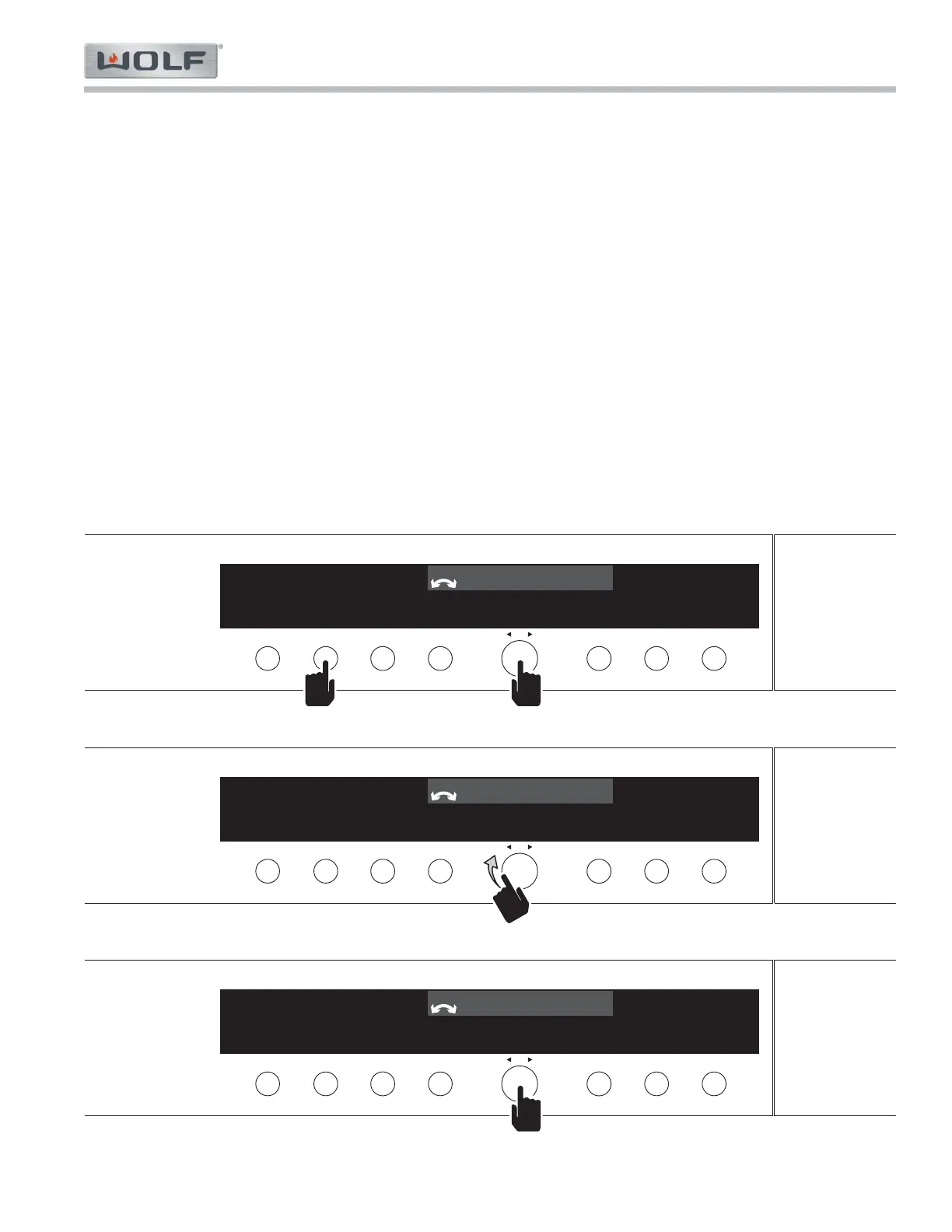
To Turn ON: 1. Press and hold the "LIGHT" + "OK" buttons for ten (10) seconds. «Diagnostic mode» «Error
history» appears in the display. (See Figure 3-10)
Menu 1. Use the "OK" adjusting knob and button to navigate the menu.
a. Turn the “OK” knob to toggle through the different menu level one (1) diagnostic mode set-
tings (See Figure 3-11)
1. Error history
2. Error counter
3. Clear history / counter
4. Operating hours counter
5. Event counter
6. Version numbers
b. Press the “OK” button to toggle through the different level two (2) indicators of each mode
setting (See Figure 3-12).
To Turn OFF: 1. Press the "Off" button. Alternatively, the diagnostic mode turns off automatically after 1 hour.



 To Next Page