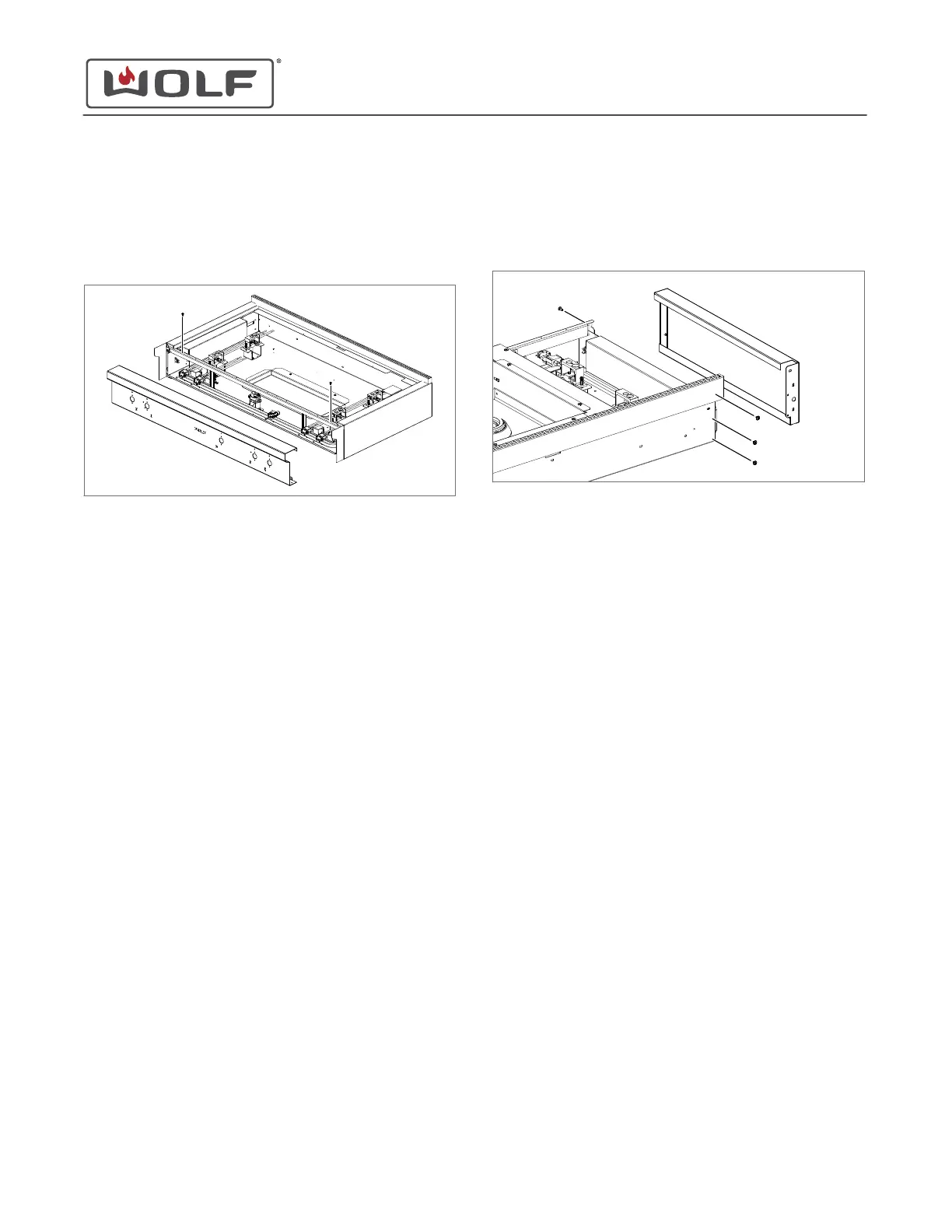
2 Use a T-15 Torx bit to remove the screws holding the
bullnose to the burner box supports.
3 Lift the bullnose off of the screws around the outside of the
burner box.
4 Remove the bullnose from the unit.
BULLNOSE INSTALLATION
Install the Bullnose
1 Set the bullnose onto the unit so that the screws on the
burner box engage with the notches on the edges of the
bullnose.
2 Use a T-15 Torx bit to install the screws holding the bullnose
to the burner box supports.
3 Use a
5
/
16
" socket to install the mounting nuts that hold the
bullnose PEM studs to the mounting brackets.
TIP: Check for proper alignment of the bullnose before
tightening the nuts.
SIDE PANEL REMOVAL
To remove the side panel, first remove:
1
Flat wok grate
2
Wok grate
3
Wok top plate
4
Burner grate(s)
(one for 36" units, two for 48" units)
5
All burner caps
Uninstall the unit
. Then, remove:
1
All burner assemblies
2
Burner pan(s)
(one for 36" units, two for 48" units)
3
All knobs
4
All bezels
5
Bullnose
Remove the Side Panel
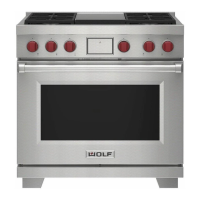
1 Use a Phillips screwdriver to remove the side panel
mounting screws.
2 Remove the side panel from the unit.
SIDE PANEL INSTALLATION
Install the Side Panel
1 Place the side panel onto the unit.
2 Use a Phillips screwdriver to install the side panel mounting
screws.
BURNER BOX SUPPORT REMOVAL
To remove the burner box support, first remove:
1
Flat wok grate
2
Wok grate
3
Wok top plate
4
Wok frame assembly
5
Burner grate(s)
(one for 36" units, two for 48" units)
6
All burner caps
Uninstall the unit
. Then, remove:
1
All burner assemblies
2
Burner pan(s)
(one for 36" units, two for 48" units)
3
All knobs
4
All bezels
5
Bullnose
6
Both side panels
Remove the Burner Box Support
1 Use a
1
/
4
" socket to remove the burner box support
mounting screws.
Sealed Burner Rangetop with Wok Service Manual
Component Removal and Installation
REMOVE THE BULLNOSE (continued)
service.subzero.com
828990 REV. A
14


 To Next Page