4-6 Using the Tools Page Rev AB
Wolke m600 Universal Operator Manual
Printhead Setting
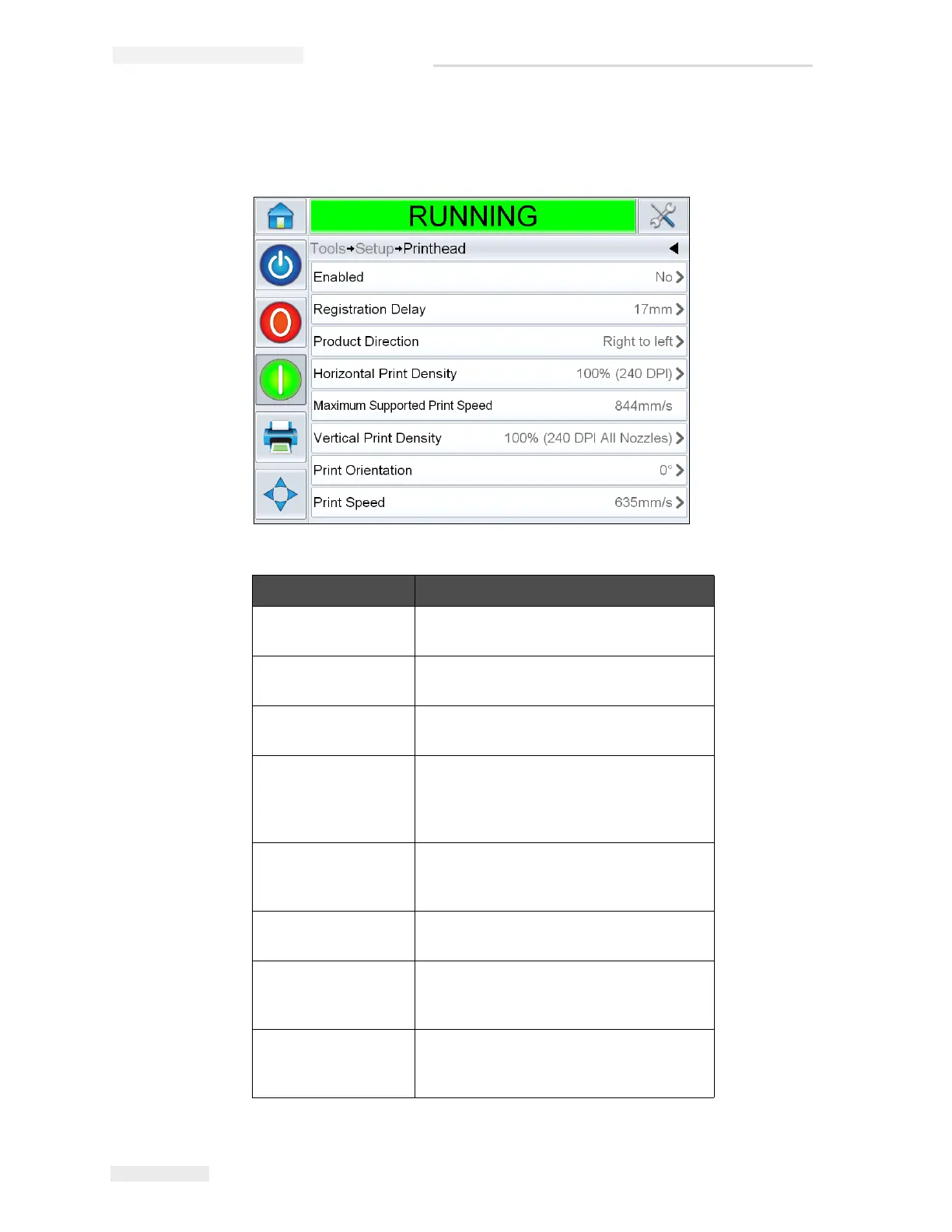
Navigate to Tools > Setup > Printhead (see Figure 4-4).
Buttons Description
Enabled Allows the user to enable or disable the
printhead for printing.
Registration Delay Allows the user to set the print
registration in millimeter (mm).
Product Direction Configures the direction of product travel
as viewed from behind the printhead
Horizontal Print
Density
Allows the user to set the print
resolution. For more information, refer
“How to Adjust Print Resolution” on
page 5-17.
Maximum Supported
Print Speed
Shows the maximum value of the print
speed that can be set in millimeter per
second (mm/s).
Vertical Print Density Allows the user to set the print
resolution.
Print Orientation Allows the user to set the print
orientation to 0 or 180 degrees
depending on requirements.
Print Speed Allows the user to set the print speed in
millimeter per second (mm/s) if
configured for ‘Fixed speed printing’.
Table 4-3: Printhead Setting
Figure 4-4: Printhead Setting



 To Next Page