EasyManua.ls Logo

Wolverine SNAP-20MP - User Manual

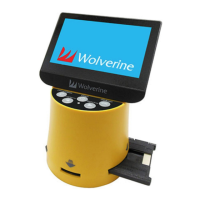
Wolverine SNAP-20MP
16 pages
Print Icon
To Next Page IconTo Next Page
Loading...
SNaP-20MP
20 Megapixels
Slide Negative and Photo
Digital Converter
User Manual
Version 1.00
Question and Answer IconNeed help?

Do you have a question about the Wolverine SNAP-20MP and is the answer not in the manual?

Summary

Before Using the SNaP Converter

Having Difficulty Using This Product?

Function of Keys

Getting Started

Attach Power Cord

Instructions on connecting the power adapter and USB cable to the device.

Convert Photo to Digital Images

Step-by-step guide for converting physical photos into digital format.

Home Menu Displayed in Film Mode

Convert Film to Digital Images

Playback and Edit Images

Connect SNaP to Computer to Upload Images

Delete Images from the Internal Memory or the SD;SDHC Card from a PC

Delete Images from the internal memory or the SD;SDHC card from an Apple Computer

Connect SNaP to a TV set

Technical Support

Specifications

Quick Start

Summary

Before Using the SNaP Converter

Having Difficulty Using This Product?

Function of Keys

Getting Started

Attach Power Cord

Instructions on connecting the power adapter and USB cable to the device.

Convert Photo to Digital Images

Step-by-step guide for converting physical photos into digital format.

Home Menu Displayed in Film Mode

Convert Film to Digital Images

Playback and Edit Images

Connect SNaP to Computer to Upload Images

Delete Images from the Internal Memory or the SD;SDHC Card from a PC

Delete Images from the internal memory or the SD;SDHC card from an Apple Computer

Connect SNaP to a TV set

Technical Support

Specifications

Quick Start

Wolverine SNAP-20MP Specifications

General IconGeneral
BrandWolverine
ModelSNAP-20MP
CategoryMedia Converter
LanguageEnglish

Related product manuals