10
Part Name Function
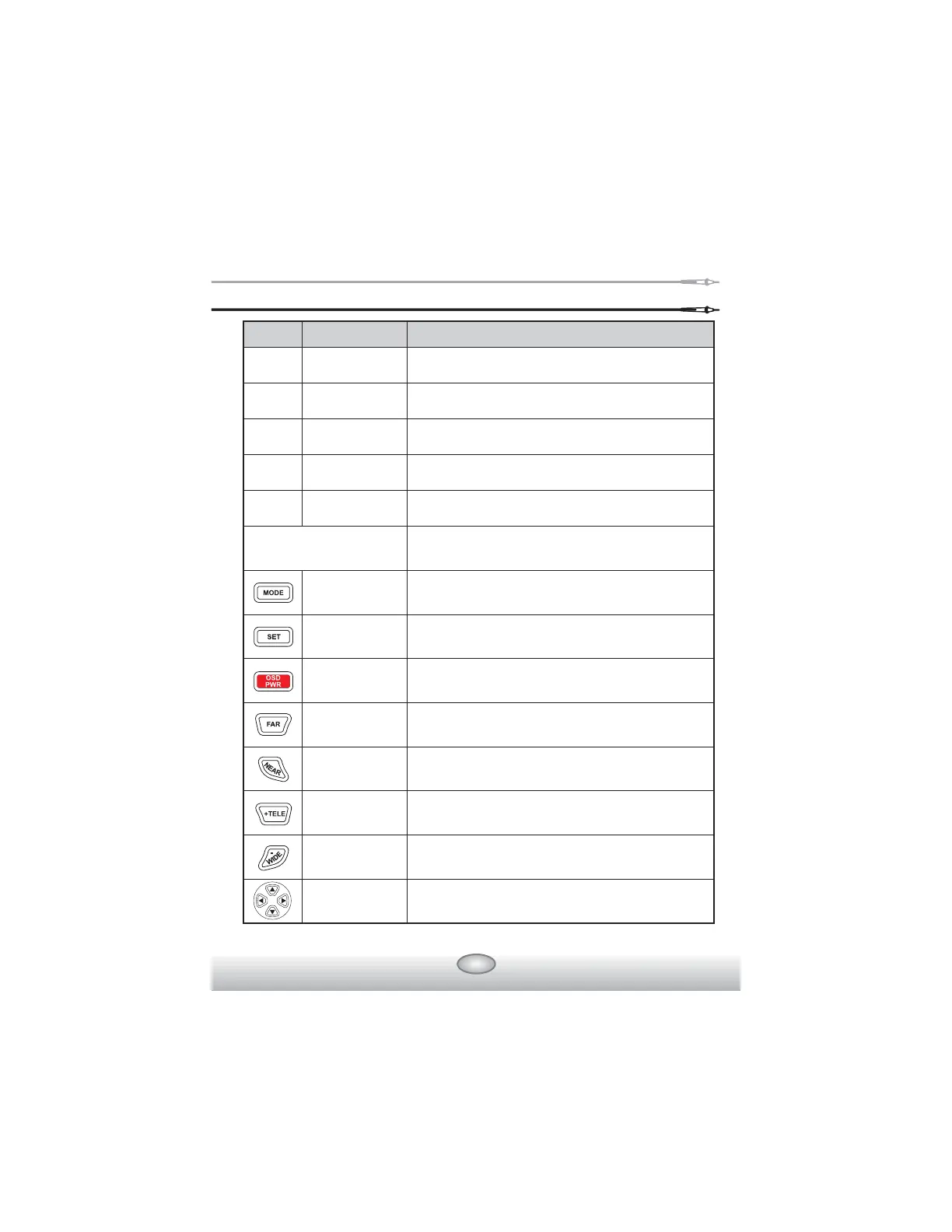
ྞ Key Button Controlling External Devices of Rapport337
MODE Button
SET Button
OSD Button
FAR Button
NEAR Button
TELE Button
WIDE Button
Shift Setup
Button
Mode Select
(Video, Multi Meter, PTZ Control, UTP Test)
It is used when setup is changed
It toggles OSD & POWER on/off
It adjusts PTZ focus (far direction) &
Video Mode Brightness
It adjusts PTZ focus (near direction) &
Video Mode Brightness
It zooms PTZ(zoom in) &
adjusts Video Mode Contrast
It zooms PTZ(zoom out) &
adjusts Video Mode Contrast
It shifts up, down, right, left for PTZ &
for menus & others
Power LCD
Charge
Indicating LED
Data Transmitting
LED
Data Receiving
LED
LCD
Red LED is on when the system is switched on
Green LED is on when being charged
Red LED is on when data is transmitted
Red LED is on when data is received
TFT LCD
ྙ
ྚ
ྛ
ྜ
ྜྷ



 To Next Page