10
LS-Node
Sección 2: Conguration & Operation
2.1 Web Server Access
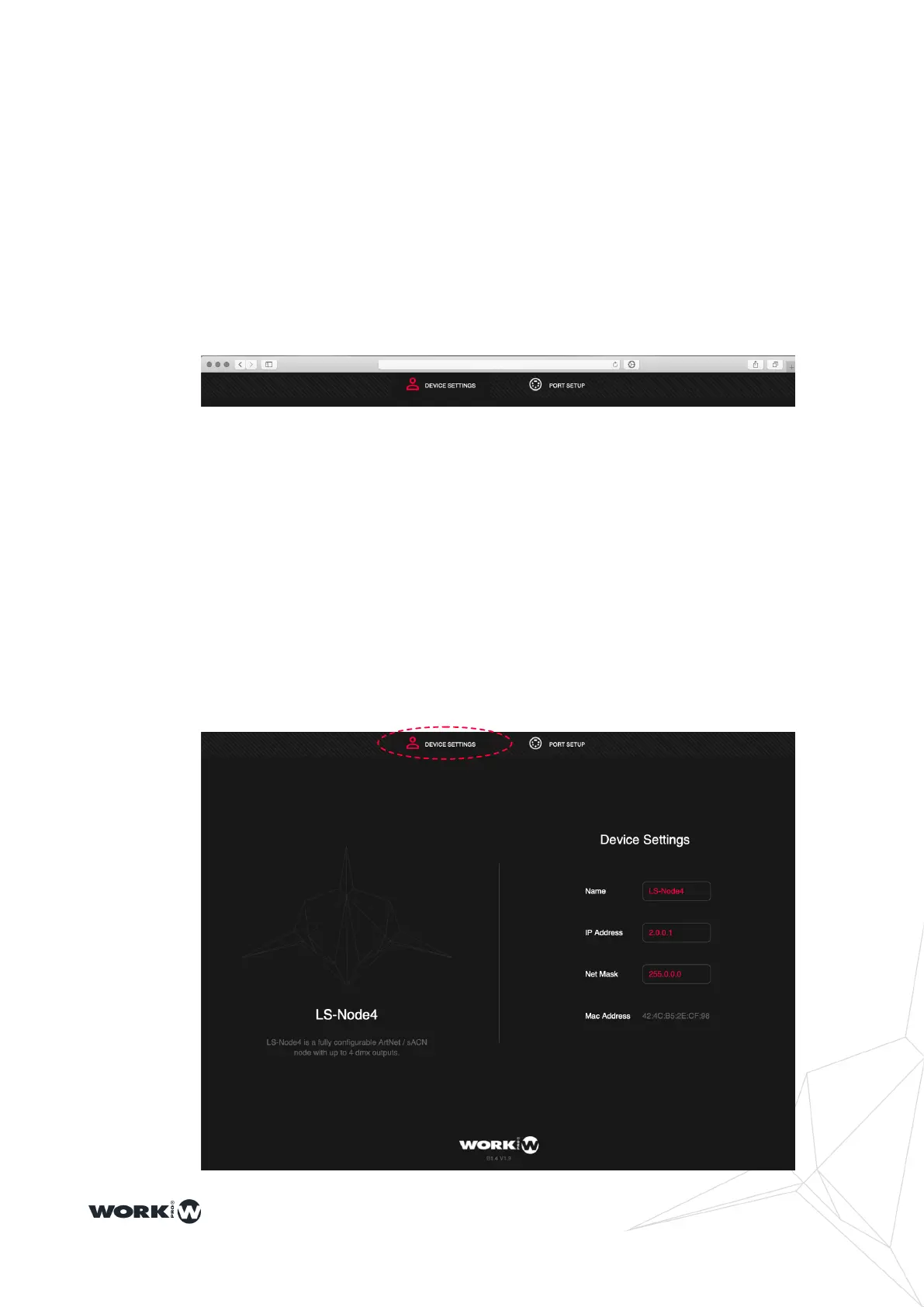
LS-Node devices are congured through WebServer. To access, connect your LS-Node
device to the LAN and from a laptop, tablet, or smartphone ... access the IP address 2.0.0.1
NOTE Note that the computer or tablet from which you want to connect must be in the same
subnet as the nodes.
NOTE The use of Safari, FireFox, or Chrome web browsers is recommended.
NOTE If you use iOS devices, the minimum software version required in iOS9
NOTE It is possible to congure LS-Node devices over the Internet, you only need to
redirect port 80 on your router to the IP address of the device.
From the DEVICE SETTINGS window it is possible to adjust the IP address of the devices
and their name.


 To Next Page