17
LS-Node
Sección 3: Updating & Reset
3.1 Firmware Update
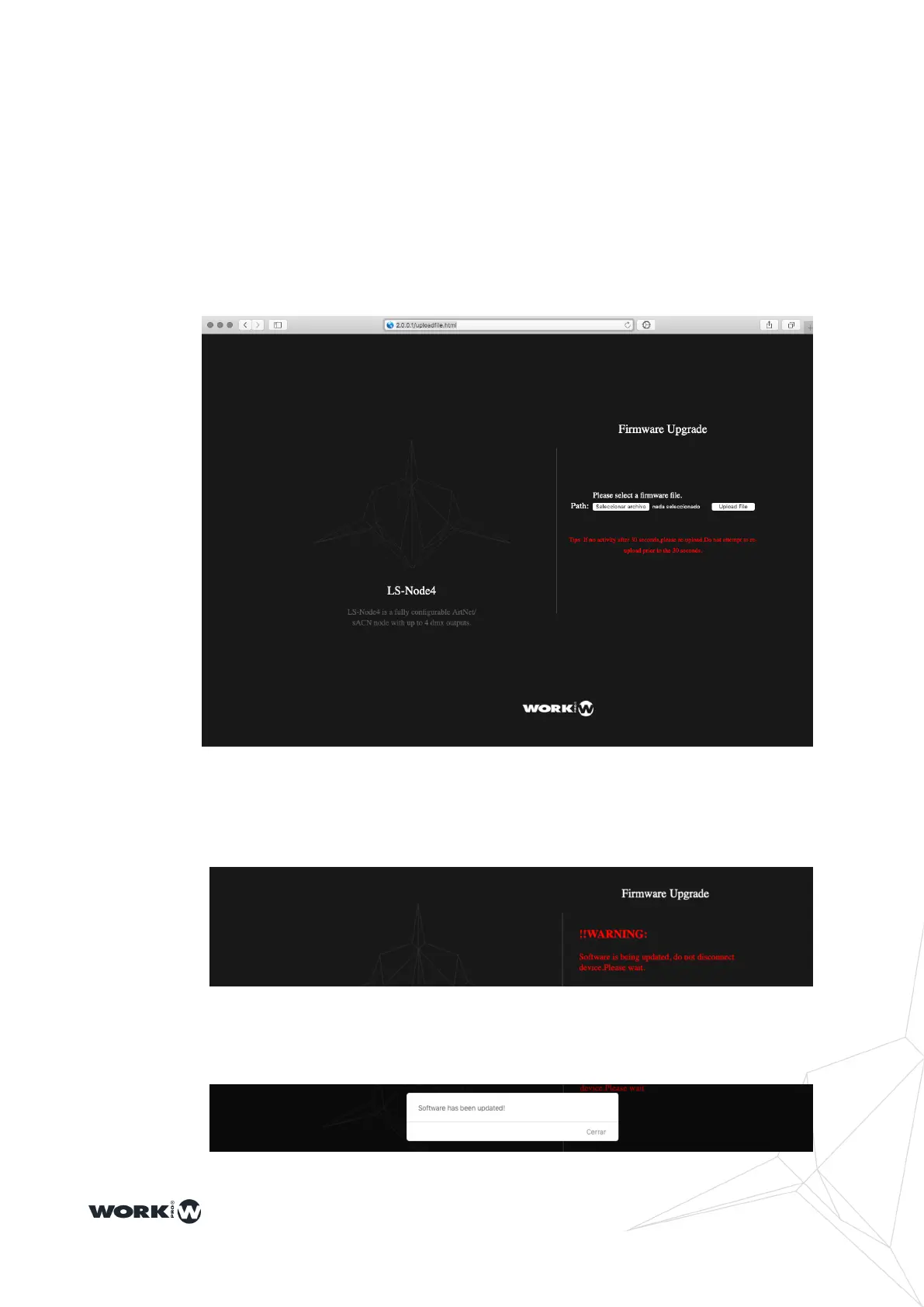
LS-Node devices allow rmware updates via the web server by connecting to the following
address: http://2.0.0.1/uploadle.html
The latest rmware update can be found on the WorkPro website. Please download it
and click on the "SELECT FILE" button, you will be shown the le browser where you
should select the downloaded rmware. Then press the "UPLOAD FILE" button.
You should wait 30 seconds while the device is updated and restarted. Do not turn off or
disconnect the device during this process. A conrmation message will be displayed
when the update is complete.


 To Next Page