1 2 3
11
LS-Node
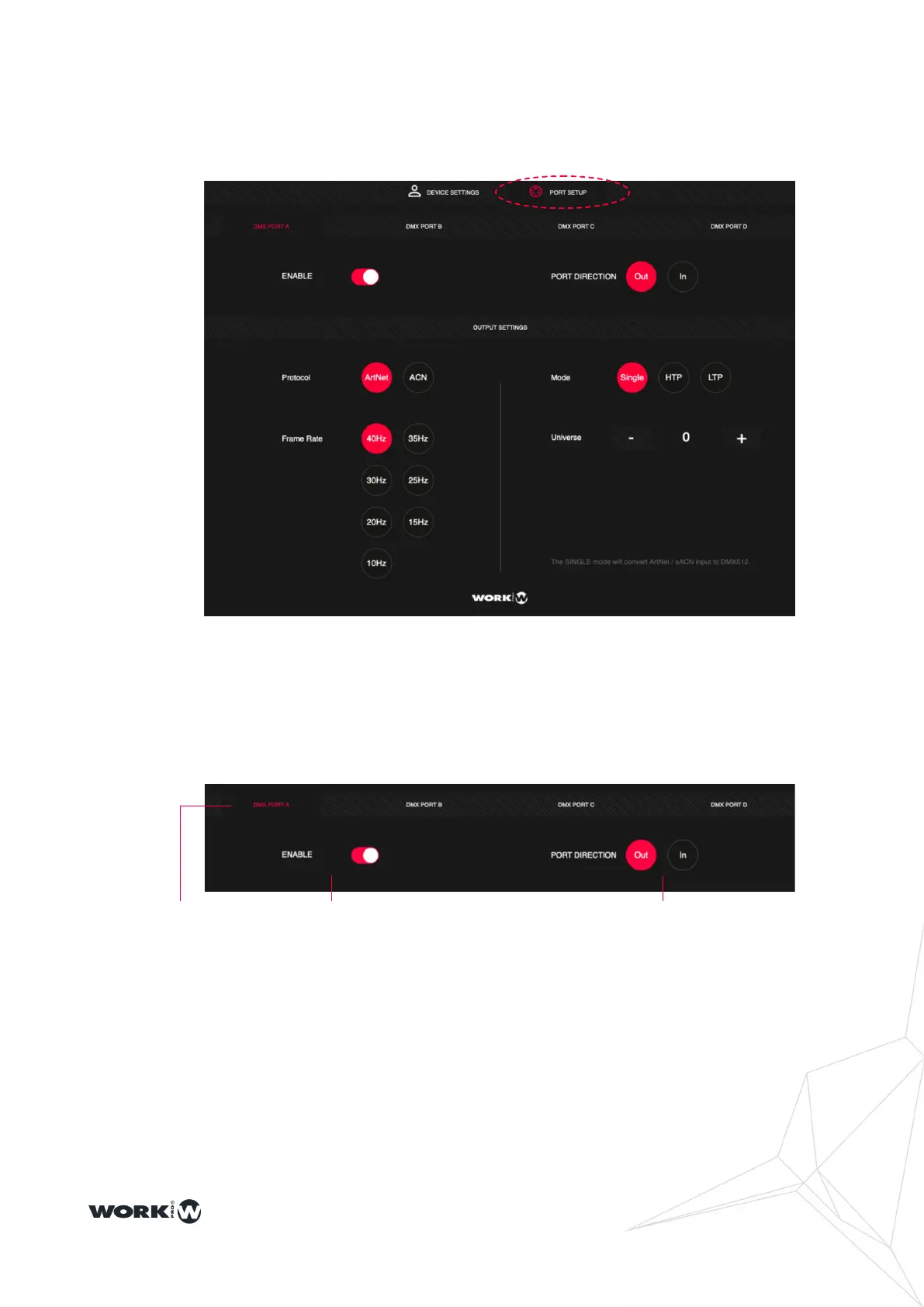
From the PORT SETUP window it is possible to congure each of the ports of the LS-Node
devices.
2.2 Port Conguration
Select PORT SETUP window to congure each of the ports of the LS-Node devices.
1: Port selection, allows you to select between each of the different ports. Note that
depending on the LS-Node model selected you will have access to more or less
ports.
2: ENABLE, allows you to enable or disable each port independently.
3: PORT DIRECTION, allows you to select to congure each port independently as
input or output. Note that the LS-Node 1 and 2 models have specic connectors for
input or output, while the LS-Node4 uses the same connectors as input or output.


 To Next Page