10.
Operating
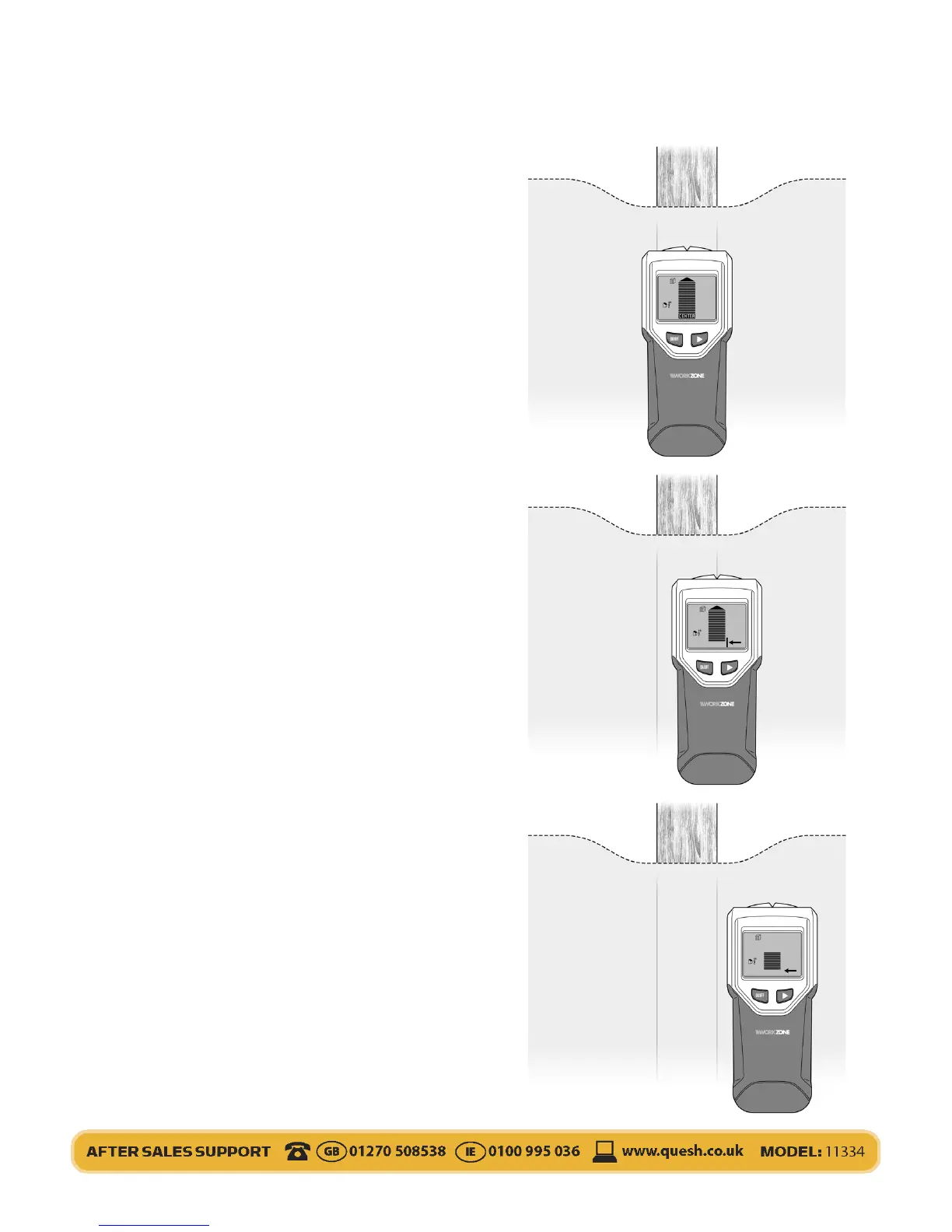
When the detector nds the center of the
stud, there will be an audible beep. The
screen will show a full level bar, an arrow at
the top and ‘CENTER’ and the bottom. Use
the ‘V’ groove to mark the centre of the stud
with a pencil if required.
Keep moving in the same direction, if
required to nd the other stud edge. Look
for the opposite arrow with a line. this will
indicate the opposite edge to the one
previously found. Use the ‘V’ groove to
mark the centre of the stud with a pencil if
required.
If you go too far the arrows on the screen
will indicate which direction to move in if it
detects an object. The center levels bar will
rise or lower depending on how close you
are to an object.


 To Next Page