EasyManua.ls Logo

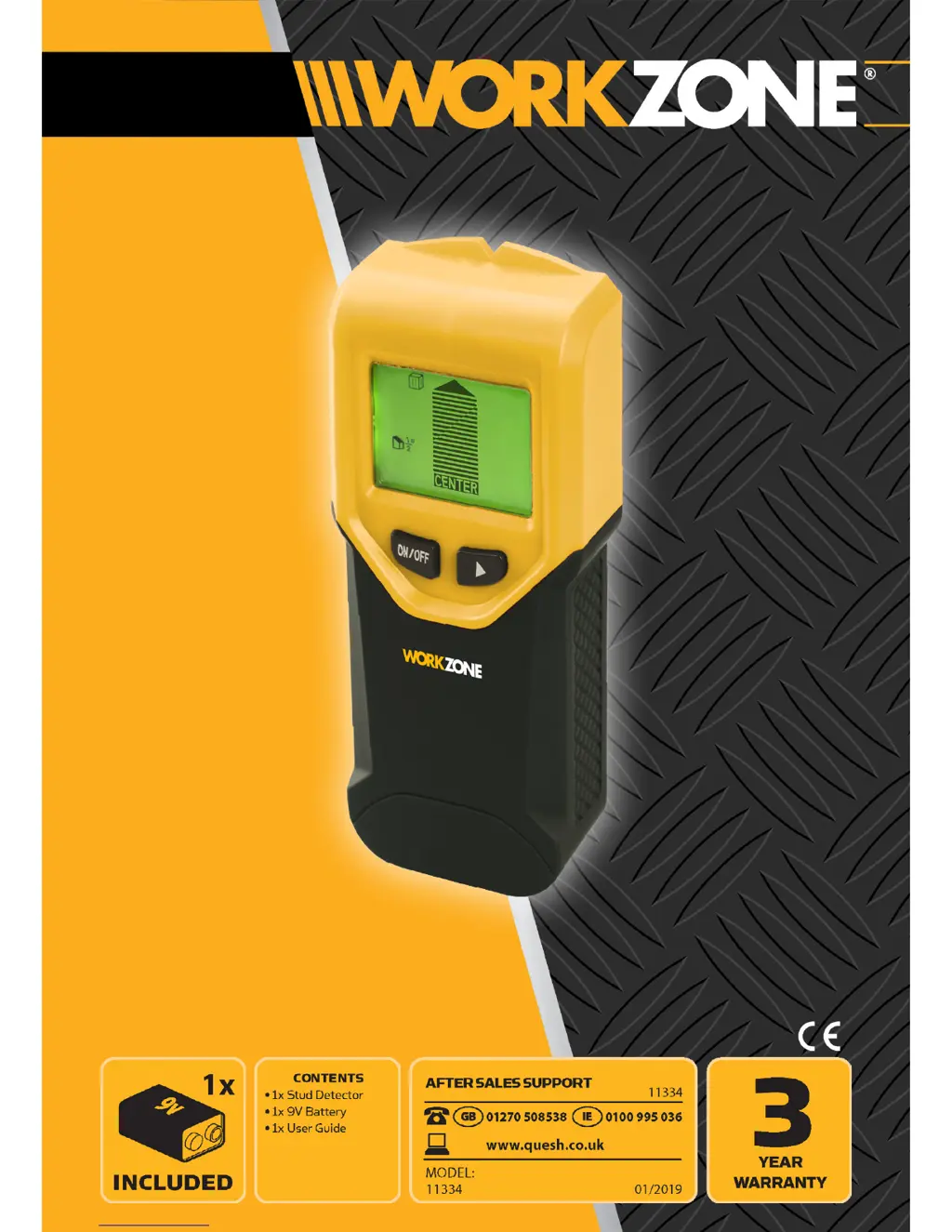
Workzone 11334 - User Manual

Workzone 11334
20 pages
Print Icon
To Next Page IconTo Next Page
Loading...
ELECTRICAL
Stud
Detector
User Guide

Questions and Answers

Summary

Welcome Section

General Information & Safety Instructions

Live AC Cable Detection

Explains the detector's AC power cable warning alert.

General Product Care

Provides guidance on keeping the detector clean and protected.

Contents & Features

General Layout

Screen Icons Overview

Details the various symbols and indicators displayed on the detector's screen.

Setting Up

Installing The Battery

Step-by-step instructions for inserting the 9V battery into the detector.

Turning On;Off

How to power the stud detector on and off manually and its auto-off feature.

Operating

Selecting A Mode

Explains the different scanning modes available on the Stud Detector.

Calibrating Before Use

Instructions on how to calibrate the detector before each use for accurate readings.

Stud Scanning Mode

Guide on how to use the detector to find studs accurately.

Stud Scanning On Different Surfaces

Advice for scanning studs on various wall materials and conditions.

Metal Scanning Mode

Instructions for using the detector to locate metal objects.

AC Power Cable Scanning Mode

Guide for using the detector to find live AC power cables.

Trouble Shooting

Power On Failure

Addresses the issue of the detector not turning on.

Detection and Battery Issues

Covers low battery indication and general detection inaccuracies.

False Object Detection in Stud Mode

Explains how to handle detecting non-stud objects in stud mode.

Inaccurate Detection Areas

Addresses when detected AC power or metal areas seem larger than actual.

Electrical Wiring Detection Challenges

Provides guidance for when electrical wiring is suspected but not detected.

Specifications

Warranty Information

Warranty Terms and Coverage

Details the duration and coverage of the product's warranty.

Proof of Purchase Requirement

Explains the need for a purchase receipt for warranty claims.

Service During Warranty Period

Guidelines for packaging and sending the product for service.

Warranty Extent and Limitations

Specifies what product defects are covered and what is excluded.

Normal Wear and Tear Clause

Clarifies that normal wear and tear are not covered by the warranty.

Warranty Exclusions List

Lists specific conditions and scenarios that void the warranty.

Summary

Welcome Section

General Information & Safety Instructions

Live AC Cable Detection

Explains the detector's AC power cable warning alert.

General Product Care

Provides guidance on keeping the detector clean and protected.

Contents & Features

General Layout

Screen Icons Overview

Details the various symbols and indicators displayed on the detector's screen.

Setting Up

Installing The Battery

Step-by-step instructions for inserting the 9V battery into the detector.

Turning On;Off

How to power the stud detector on and off manually and its auto-off feature.

Operating

Selecting A Mode

Explains the different scanning modes available on the Stud Detector.

Calibrating Before Use

Instructions on how to calibrate the detector before each use for accurate readings.

Stud Scanning Mode

Guide on how to use the detector to find studs accurately.

Stud Scanning On Different Surfaces

Advice for scanning studs on various wall materials and conditions.

Metal Scanning Mode

Instructions for using the detector to locate metal objects.

AC Power Cable Scanning Mode

Guide for using the detector to find live AC power cables.

Trouble Shooting

Power On Failure

Addresses the issue of the detector not turning on.

Detection and Battery Issues

Covers low battery indication and general detection inaccuracies.

False Object Detection in Stud Mode

Explains how to handle detecting non-stud objects in stud mode.

Inaccurate Detection Areas

Addresses when detected AC power or metal areas seem larger than actual.

Electrical Wiring Detection Challenges

Provides guidance for when electrical wiring is suspected but not detected.

Specifications

Warranty Information

Warranty Terms and Coverage

Details the duration and coverage of the product's warranty.

Proof of Purchase Requirement

Explains the need for a purchase receipt for warranty claims.

Service During Warranty Period

Guidelines for packaging and sending the product for service.

Warranty Extent and Limitations

Specifies what product defects are covered and what is excluded.

Normal Wear and Tear Clause

Clarifies that normal wear and tear are not covered by the warranty.

Warranty Exclusions List

Lists specific conditions and scenarios that void the warranty.

Workzone 11334 Specifications

General IconGeneral
BrandWorkzone
Model11334
CategoryMeasuring Instruments
LanguageEnglish

Related product manuals