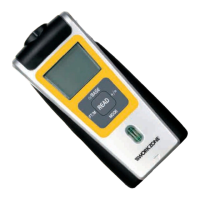
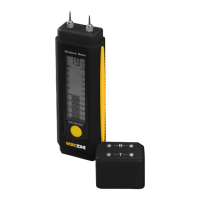
This document describes the Workzone GT1379 Power Meter, a device designed for measuring and monitoring electrical power consumption. It comes with a 3-year parts and labour warranty and dedicated after-sales support.
Function Description
The Workzone GT1379 Power Meter is used to measure various electrical parameters of connected appliances, including voltage, frequency, amperes, watts, and total energy consumption (KWh). It also allows users to set power prices (regular and discounted) to calculate the total cost of electricity consumed. A key feature is the ability to set an overload warning, which illuminates a red indicator if the connected load exceeds a predefined wattage or amperage. The device displays real-time data and accumulates consumption over time, providing insights into energy usage and associated costs.
Important Technical Specifications
- Input/Output Voltage: 220VAC-240VAC ~ 50 Hz
- Power Input: Max. 13 A / 3120 W
- Voltage Display Range: 190 V - 276 V
- Frequency Display Range: 40 - 70 Hz
- Power Input Display Range: 0.0 - 16 A
- Display Start From (Amperes): 0.02 A
- Effective Power Display Range: 0 - 3.999 W
- Resolution (Watts): 1 W
- Consumption Measurement Range: 0.00 - 9,999.99 KWh
- Display Duration (Total Consumption Time): Up to 9,999 hours 59 minutes (approximately 416 days)
- Measurement Precision:
- Volts: ± 3% of the measured value
- Amperes: ± 3% of the measured value / ± 0.04 A
- Watts: ± 5% of the measured value / ± 10 W
- KWh: ± 5% of the measured value / ± 0.1 KWh
- Operating Conditions:
- Temperature: +5 °C to +40 °C
- Relative Humidity: Max. 90%
- Environment: Only for use in enclosed rooms; not for outdoor use.
- Batteries: 2 x LR-44 or AG-13 button cells (included) for internal clock and settings retention.
Usage Features
The power meter features an LCD display divided into "left," "right," and "bottom" fields, each showing different parameters. It has several buttons for operation:
- Arrow Up (1): Switches between time formats (time with seconds/time with day of the week), increases the value being set.
- Arrow Down (2): Switches display between voltage/frequency, amperes/frequency, max. amperes/frequency, watts with power factor, max. watts, and overload. Also reduces the setting value.
- PRICE (3): Switches display between total consumption time, power price RP (regular), power price DP (discounted), total price, and total consumption KWh. Press and hold for 3 seconds to delete total consumption values.
- SET (4): Used to enter settings mode for time, overload values, and to confirm entries.
- OVERLOAD (5): Illuminates red when the set overload value is exceeded.
- LCD Display (6): Shows various measurements and settings.
Initial Setup:
- Battery Insertion: Insert 2 x LR-44 or AG-13 button cells into the battery holder, ensuring correct polarity. Remove the black protective strip before first use.
- Initialization: If the display is unusual or buttons are unresponsive, remove the battery holder, press and hold the SET button, then re-insert the battery holder.
- Setting the Time: Use the SET button to cycle through hours, minutes, and day of the week, adjusting values with the arrow buttons.
- Changing Time Format: Press and hold the arrow up button for 3 seconds to switch between 24-hour and 12-hour display.
- Entering Power Prices:
- Press the PRICE button twice to display "Price kWh €".
- Press SET. The first digit of "PRICE KWh €" will flash.
- Use the arrow buttons to set the number and SET to confirm and move to the next digit. Repeat for all digits.
- After confirming the last digit, the display will flash for hours in the "left" field, identified by "RP" (regular power price). Set the start time for the regular power price.
- Confirm with SET. The "bottom" field will show "PRICE KWh 2 €" for the discounted power price (DP). Repeat the entry process for the discounted power price and its start time.
- Setting Overload Warning:
- Switch to the display of time, frequency, and voltage using the arrow up button if necessary.
- Press SET. The "right" display will show "000" with a flashing "W" (watts) and "OVERLOAD".
- Use the arrow up/down buttons to select "W" (watts) or "A" (amperes) for the overload warning.
- Press SET to enter the value. The display will show a flashing placeholder.
- Set the desired overload value using the arrow buttons and confirm with SET. The maximum entry for watts is 3999W, and for amperes is 19.99A. If the set value is exceeded, "OVERLOAD" flashes, and the red OVERLOAD indicator illuminates.
Operation:
- Connect the power meter to a properly installed and fused 230 V socket.
- Connect the consumer appliance(s) (via a power outlet strip if needed) to the power meter. Ensure the total output does not exceed 3120 watts.
- To delete accumulated consumption values (KWh, time, price), press and hold the PRICE button for 3 seconds.
Maintenance Features
- Cleaning: Always disconnect the power meter from the power source before cleaning. Do not rinse or immerse the device in liquids. Use a soft, dry cloth for cleaning.
- Battery Replacement: Always replace all batteries at the same time with the same type (LR-44 or AG-13). Do not mix old and new batteries or different types. Remove depleted batteries immediately to prevent leakage.
- Storage: If the device will not be used for an extended period, remove the batteries to prevent premature depletion and possible leakage.
- Disposal: Do not dispose of batteries or the device with household waste. Batteries must be disposed of properly at collection centers. The device, when obsolete, should be taken to a collection center for electrical and electronic devices. Packaging materials should be recycled.
- Repair: Repairs must only be carried out by qualified specialist personnel. If the device shows visible damage, contact the Service Centre.
- Warranty: The product comes with a 3-year warranty. Retain the sales receipt as proof of purchase. For warranty claims, contact the Dario London Service Centre via phone or email. The warranty does not cover damage from accident, improper use, abuse, or force majeure, and is invalidated if the appliance is tampered with.

 Need help?
 General

 To Next Page