HANGZHOU BLUE WHALE MUSIC TECHNOLOGY CO.,LTD HANGZHOU WORLDE MUSIC ELECTRONIC CO., LTD
WEBSITE: WWW.WORLDE.COM.CN EMAIL:SALES@WORLDE.COM.CN TEL:86 571 88730848
- 12 -
5.7.3 RESET
Press the MENU button repeatedly until the OLED dispays “Reset all” to reset the system restoring to factory setting, sending system
initial setting info at the same time. When this function is valid, the OLED displays the “Reset all”. It can be confirmed by Enter button. The
OLED displays the following:
5.7.4 MMC(MIDI MACHINE CONTROL)
There are 2 buttons used for MMC- [>>], [O]. It is common to set the 2 buttons as Sequencer remote control buttons, it needs to be
working with sequencer software.
6. Using The Orca mini 25 With Your DAW
6.1 Using your Orca mini 25 with Ableton Live
With Ableton Live installed, get your Orca mini 25 connected to Mac or PC ‘s USB port with USB cable and it will be automatically detected
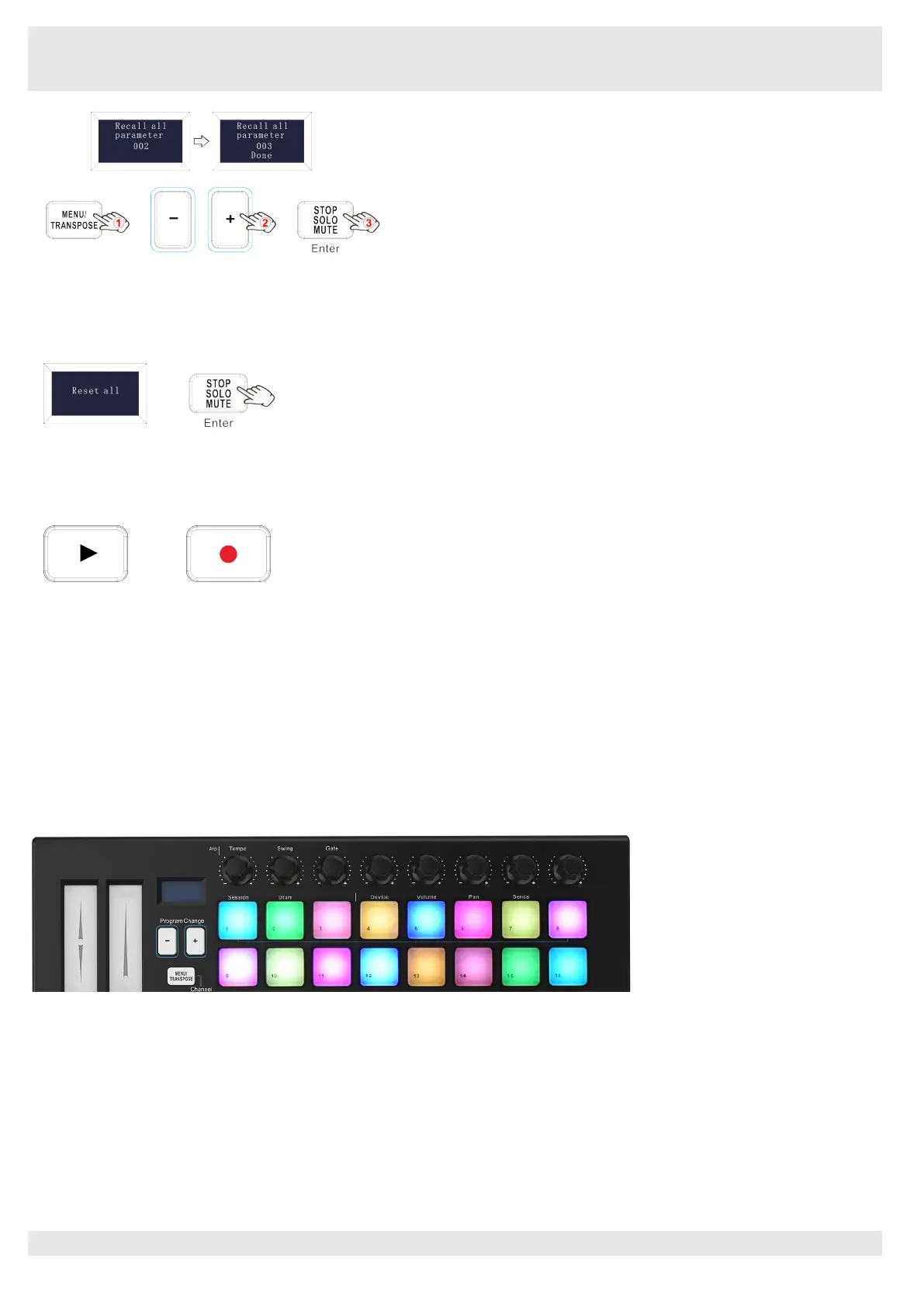
and enter Session mode. If you press the Shift button on your Orca mini 25 the pads will be lighting as shown in the picture below. The first
3 pads are used to select pad behavior and the next 5 pads to the right are for selecting knob behaviour.
If your Orca mini 25 is not automatically detected in Ableton Live, you’ll need to configure Live’s Control Surface Preferences. This could
be done in the ‘Link/MIDI’ Preferences menu in Ableton Live:
‘Link/MIDI' Preferences:
Windows:Options>Preferences>Link/MIDI
Mac:Live>Preferences>Link/MIDI
You need to make settings in the Link/MIDI tab as steps shown below. First, select the Orca mini 25(Launchkey Mini [MK3]) from the
Control Surface menu. Second, select WORLDE or WORLDE2(Windows) for Input and Output settings. Finally, match the Track, Sync
and Remote settings.



 To Next Page