HANGZHOU BLUE WHALE MUSIC TECHNOLOGY CO.,LTD HANGZHOU WORLDE MUSIC ELECTRONIC CO., LTD
WEBSITE: WWW.WORLDE.COM.CN EMAIL:SALES@WORLDE.COM.CN TEL:86 571 88730848
- 4 -
3.2 Setup
If you intend to connect your Orca mini 25 keyboard to a computer, please read sections 3.2 to 3.4 first. If you only intend to use your
Orca mini 25 keyboard to control a sound module or synthesizer using the external MIDI OUT you should skip to section 3.5.
3.2.1 Minimum System Requirements
If you are using your Orca mini 25 with a computer, the following minimum system requirements apply:
Windows Mac OS
i3 1.2GHz or higher Macintosh i3*1.2GHz/P4*1.2GHz or higher
(CPU requirement may be higher for laptops)
(CPU requirement may be higher for laptops)
1G RAM OS X 10.3.9 with 1G RAM,
DirectX 9.0b or higher OS X 10.4.2 or greater with 1G RAM
Windows XP (SP2) or higher *G3/G4 accelerator cards are not supported.
(Windows 98, Me, NT or 2000 not supported)
WORLDE suggests you also check the minimum system requirements for your software, as they may be greater than the above.
USB hubs are not supported. WORLDE suggests that you connect directly to one of your computer’s built in USB ports.
3.2.2 Using The Orca mini 25 With Your Software
When installed, the Orca mini 25 appears as a simple MIDI device with one input port and one output port. You should select the listed
USB MIDI Controller input port as the MIDI input device in your software. Once this is set, your software should be able to receive notes
and controller data from the Orca mini 25.
The port name is defined as WORLDE when connecting to USB port.
It will appear as WORLDE in the Device Manager.
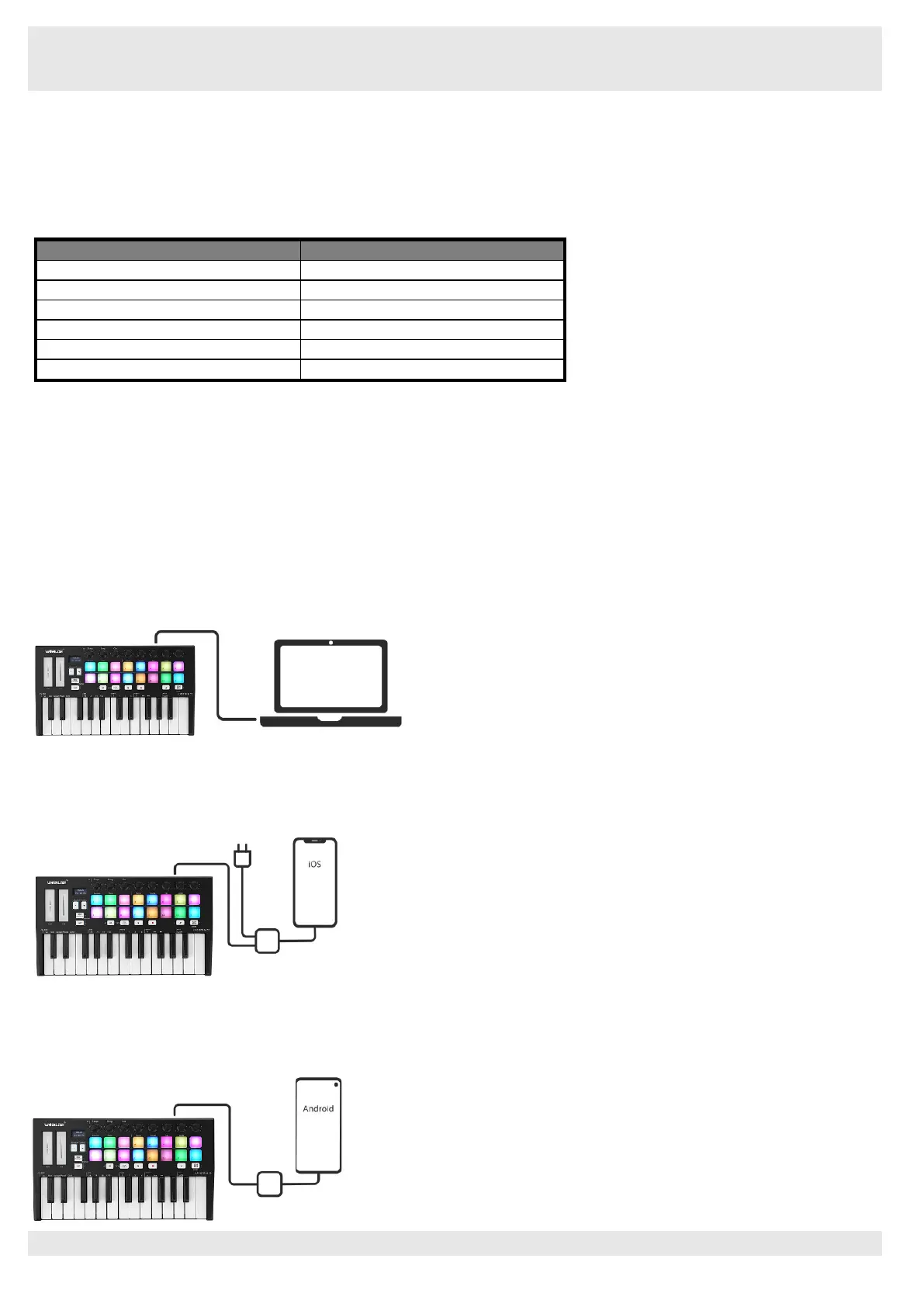
3.3 Connecting to a Computer
Orca mini 25 is bus-powered, so it turns on as soon as you connect it to your computer with a USB cable.
3.4 Connecting to Mobile Devices
3.4.1 iOS
To operate your Orca mini 25 with an iOS device, use Apple’s Lightning to USB 3 Camera Adapter with a separate 2.4A Lighting charger.
3.4.2 Android
To operate the Orca mini 25 with an Android device we’d like to recommend a USB OTG to USB adapter.



 To Next Page