HANGZHOU WORLDE DIGITAL PIANO CO.,LTD HANGZHOU WORLDE MUSIC ELECTRONIC CO., LTD
WEBSITE: WWW.WORLDE.COM.CN EMAIL:SALES@WORLDE.COM.CN TEL:86 571 88730848
- 14 -
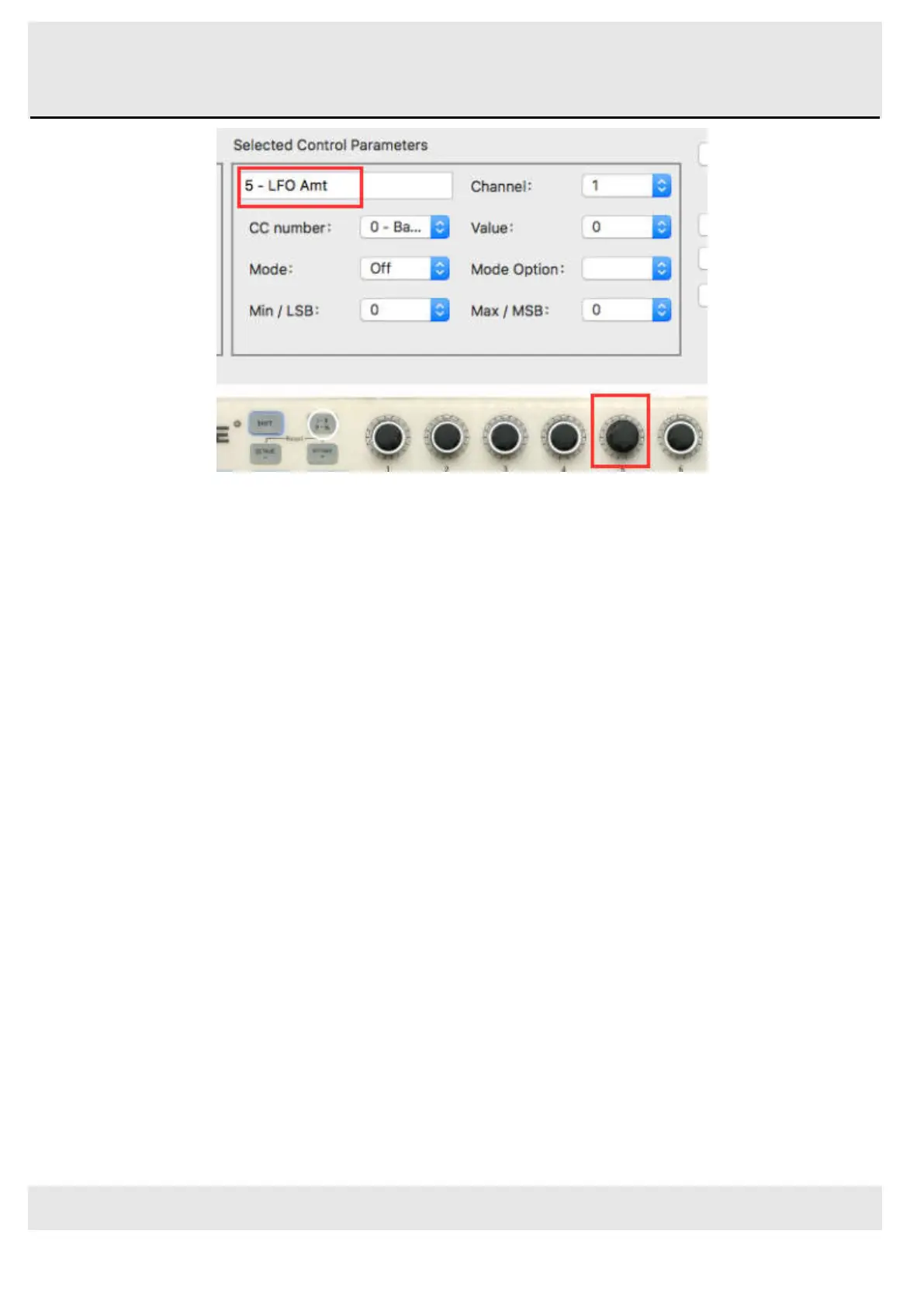
Looking at the picture above we see familiar information:
Encoder 5 has been selected. It is assigned to the Global MIDI channel; you can specify any MIDI channel from 1-16 or
leave it on the Global channel.
Its Mode is set to Continuous, which means it will transmit a MIDI Continuous Controller number when it is turned.
The second Mode field is set to Absolute, which means it will transmit in a linear fashion from fully counter-clockwise to
fully clockwise.
The CC number field shows CC# 76, the MIDI CC # that has been assigned to control Vibrato Rate.
The Min / LSB and Max / MSB fields are set in such a way as to limit Encoder 5 to operation only within a certain range.
To summarize, the settings seen above mean that Encoder 5 will control the Vibrato Rate of the target device, sweeping it
between the values of 10 and 32 only. The vibrato will not become too fast, nor will it become too slow.
Naturally you can choose settings that are appropriate for the MIDI device you are using.
You can also assign the encoders to 128 standard midi controllers(Standard MIDI CONTROLLER PARAMETER LIST can
be found in the Appendix ). For example, if we want to use Encoder 2 as Pan MSB(Pan MSB MIDI Control No. is 10 in
MIDI standard), so you should assign CC No.10 to Encoder2 with WORLDE software editor, then the Encoder2 will control
the Pan MSB of your DAW. Details should be:
1) Click the Encoder2 in the software editor or by rotating Encoder2 on the TUNAMINI.
2) Change the CC Number to 10 in software editor.
3) Change the Mode Option to “absolute” in software editor.
4) Change the Channel to 10 in software editor.
5) Click “Send to Mem to workArea or Bank 1-8”. Then click “Send to Keyboard”.



 To Next Page