HANGZHOU WORLDE DIGITAL PIANO CO.,LTD HANGZHOU WORLDE MUSIC ELECTRONIC CO., LTD
WEBSITE: WWW.WORLDE.COM.CN EMAIL:SALES@WORLDE.COM.CN TEL:86 571 88730848
- 16 -
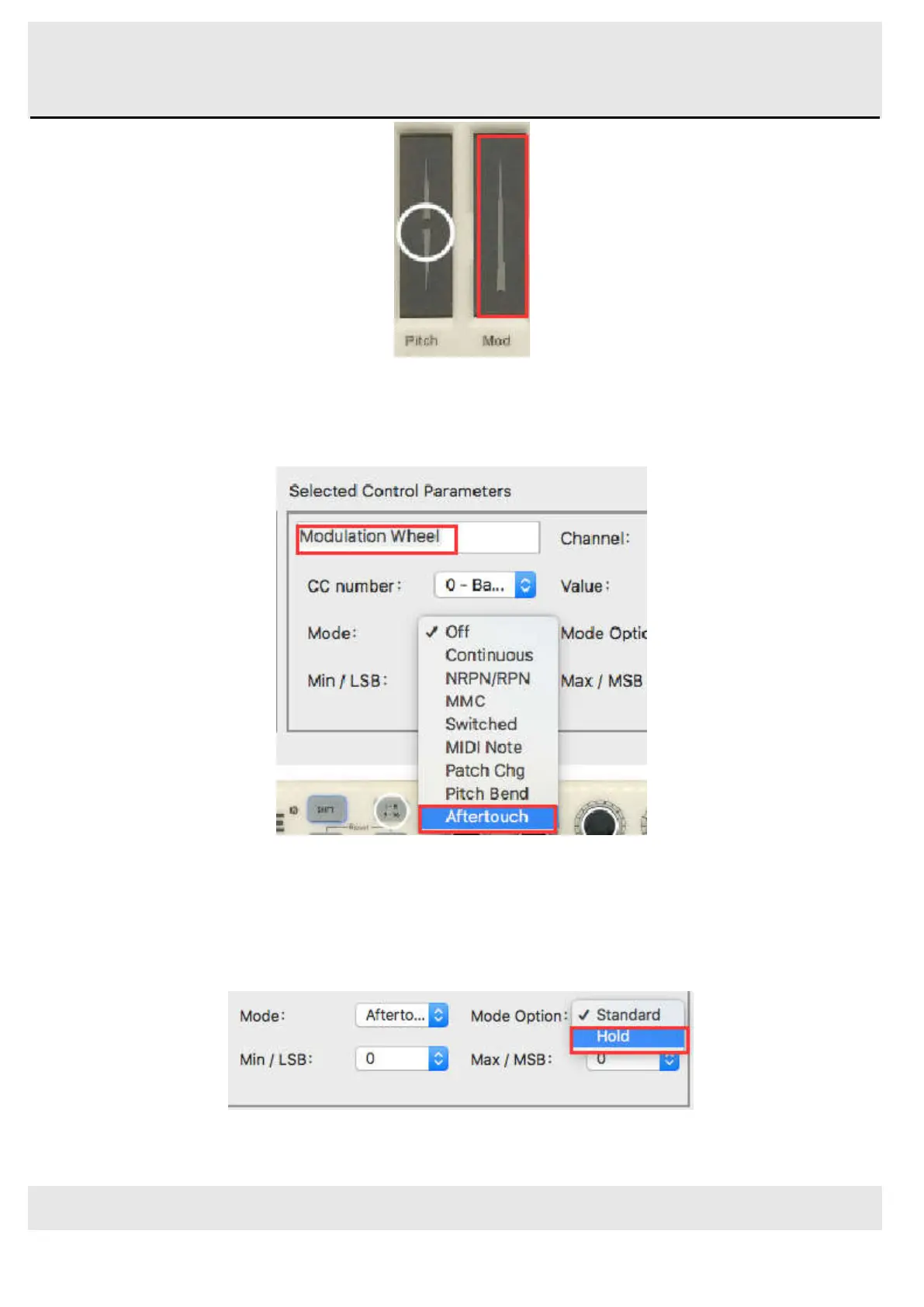
5.1.7.2 Select the Message Type (Mode)
Click on the Mode menu and select Aftertouch as the message type. It’s at the bottom of the drop-down list:
5.1.7.3 Standard vs. Hold
Next to the Mode, which you just set to Aftertouch, is another drop-down menu. It probably says “Standard”, which means
Aftertouch will ‘snap to zero’ when the Mod strip is released. If you want the Aftertouch value to remain where you put it,
select “Hold”.



 To Next Page