EasyManua.ls Logo

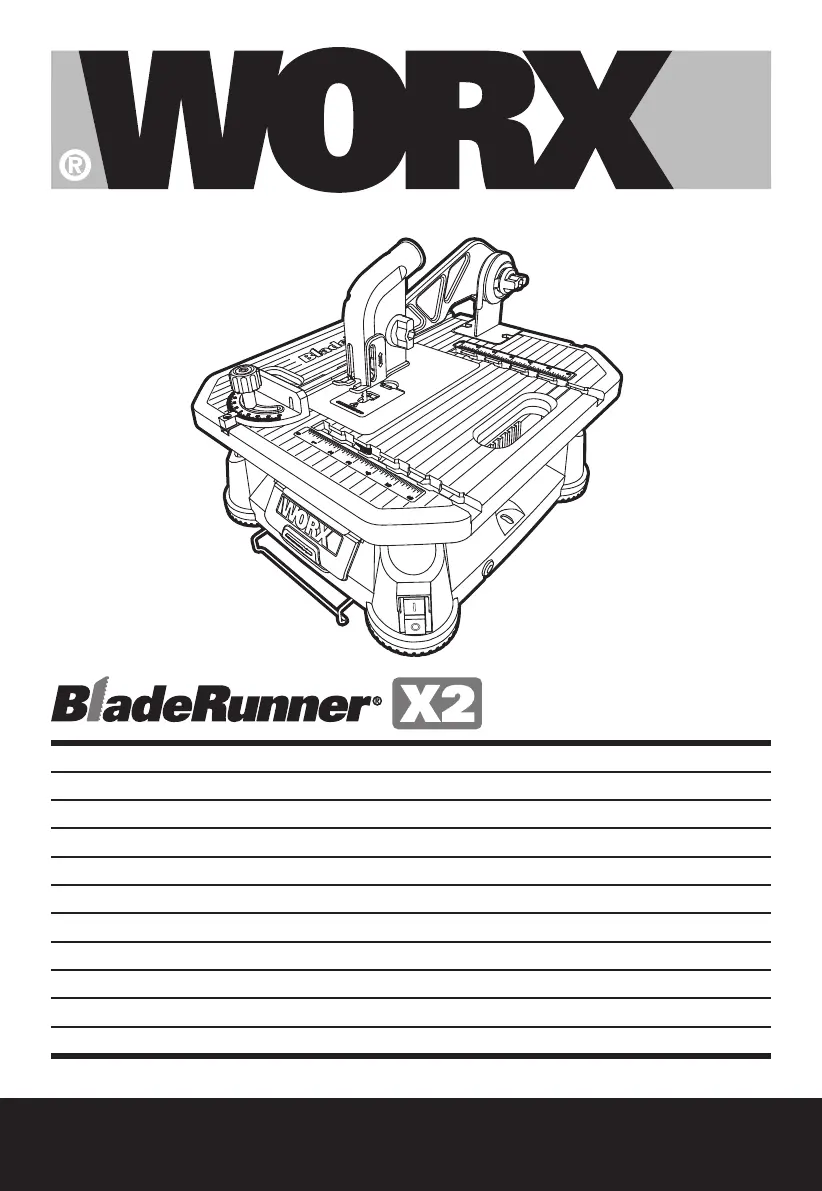
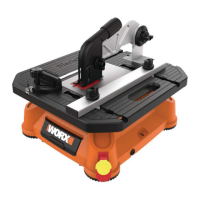
Worx BladeRunner X2 WX572 - User Manual

Worx BladeRunner X2 WX572
88 pages
Print Icon
To Next Page IconTo Next Page
Loading...
WX572
P10
P18
P26
P34
P42
P50
P58
P66
P74
P82
P90
EN
D
F
I
ES
NL
PL
HU
RO
CZ
SK
BladeRunner
®
X2
BladeRunner
®
X2
BladeRunner
®
X2
BladeRunner
®
X2
BladeRunner
®
X2
BladeRunner
®
X2
BladeRunner
®
X2
BladeRunner
®
X2
BladeRunner
®
X2
BladeRunner
®
X2
BladeRunner
®
X2

Table of Contents

Other manuals for Worx BladeRunner X2 WX572

Questions and Answers

  • R
    Rebecca KleinJul 26, 2025
    Why is the Worx BladeRunner X2 WX572 cut quality poor?
    • D
      Donna GrahamJul 26, 2025
      If your Worx Saw isn't cutting well, there are a few potential reasons. First, the blade might be dull, so ensure the blade is sharp. Another reason might be that the blade isn't installed correctly, so ensure it is installed. Lastly, you might be feeding the material too quickly; try slowing down the feed rate.
  • V
    Vincent BrownJul 30, 2025
    How to fix a Worx BladeRunner X2 WX572 Saw that will not start?
    • C
      chamberscraigJul 30, 2025
      If your Worx Saw isn't starting, the most common reason is that the power cord isn't properly connected. Check to make sure the power cord is well connected to a working outlet.
  • D
    David RodriguezAug 3, 2025
    Why is the work efficiency of my Worx Saw low?
    • W
      Wayne RamosAug 3, 2025
      Low work efficiency with your Worx Saw can stem from a couple of issues. The blade may be worn out, so make sure the blade is sharp. Also, you might be feeding the material too quickly, so try feeding the material more slowly.
  • B
    Brenda TannerAug 8, 2025
    What to do if the Guard Arm vibrates too much on my Worx BladeRunner X2 WX572 Saw?
    • M
      Mary SawyerAug 8, 2025
      If the Guard Arm of your Worx Saw vibrates too much, it's likely that the screws fixing the Guard Arm on the work table are loose. Tighten the screws.
  • S
    Suzanne GoodAug 12, 2025
    What to do if the blade is not clamped tightly by the Blade Holder on my Worx BladeRunner X2 WX572?
    • S
      Sherry HarrisAug 12, 2025
      If the blade of your Worx Saw is not clamped tightly by the Blade Holder, it might not be fully inserted. Use the blade grip to push the blade as far into the blade holder as possible before letting go of the Blade Release.
  • A
    Anthony RodriguezAug 16, 2025
    Why is the work efficiency low on my Worx Saw?
    • R
      Rebecca MillerAug 16, 2025
      If your Worx Saw's work efficiency is low, several factors could be responsible. First, ensure the blade is sharp and not broken. Next, verify that the blade is installed properly. If there's too much vibration in the material, tighten the Guard and Guard Arm firmly onto it. Excessive saw vibration can be resolved by clamping or fastening the saw base to a tabletop. Finally, if you're feeding the material too quickly, reduce the feed rate.
  • H
    Heather WashingtonAug 20, 2025
    What to do if the Rip Fence locking knob is too tight on my Worx BladeRunner X2 WX572?
    • E
      Elizabeth SmithAug 21, 2025
      If the Rip Fence locking knob on your Worx Saw is too tight, loosen it.

Summary

Safety and Operation

Additional Safety Precautions

Guidelines for safe handling, transportation, and operation of the tool.

Symbols Explained

Explanation of symbols used in the manual to convey warnings and information.

Using the Blade Runner

Pre-Operation Checks

Steps to ensure the machine is ready and safe before switching it on.

Assembly and Operation Steps

Overview of assembly and operation actions with corresponding visual guides.

Maintenance and Troubleshooting

Maintenance Guide

Instructions for tool upkeep, including dust extraction and cleaning.

Dust Extraction for Dusty Operations

Using a vacuum or dust extractor for materials like ceramic tile.

Cleaning Table Insert

How to remove and clean the table insert when dust accumulates.

Troubleshooting Common Issues

Solutions for common problems encountered during tool operation.

Regulatory and Environmental Information

Environmental Protection

Information on proper disposal and recycling of the product.

Plug Replacement (UK & Ireland)

Instructions for replacing the power plug in the UK and Ireland.

Declaration of Conformity

Statement confirming compliance with relevant EU directives and standards.

Worx BladeRunner X2 WX572 Specifications

General IconGeneral
ModelWX572
CategorySaw
Power SourceCorded Electric
Voltage120V
No Load Speed3000 RPM
Blade Diameter4 in
Blade Size4 in
Dust PortYes
Warranty3 years
Speed3000 RPM
Cutting Capacity1-1/2 in
Bevel Capacity0-45°
Blade Type CompatibilityT-shank jigsaw blades
Safety FeaturesBlade Guard

Related product manuals