EasyManua.ls Logo

Worx WX531 - User Manual

Worx WX531
176 pages
Print Icon
To Next Page IconTo Next Page
Loading...
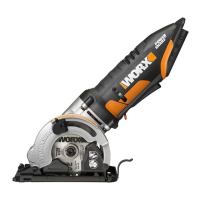
20V Cordless Brushless Circular saw
20V Akku Bürstenlose Kreissäge
Scie circulaire sans l 20V sans brosse
20V Sega circolare senza li e spazzole
Sierra circular sin escobillas inalámbrica de 20V
20V borstelloze elektrische cirkelzaag
20V bezszczotkowa elektryczna piła tarczowa
20 V kefe nélküli elektromos körfűrész
20V ferăstrău electric electric fără perie
20V bezalkalické akumulátorová kotoučopila
20V bezalkalické akumulátorová kotúčopíla
Serra circular sem escova 20V
20V borstfri elektrisk cirkelsåg
20V brezkrtačna brezkrtačni krožna žaga
P09
P20
P33
P45
P58
P70
P82
P94
P106
P118
P129
P140
P152
P163
EN
D
F
I
ES
NL
PL
HU
RO
CZ
SK
PT
SV
SL
WX531 WX531.X

Table of Contents

Other manuals for Worx WX531

Questions and Answers

  • C
    cassie83Aug 12, 2025
    What to do if my Worx WX531 Saw won't start?
    • J
      James StewartAug 12, 2025
      If your Worx Saw isn't starting, there are a few potential reasons. First, ensure the battery pack is properly connected to a working outlet. Also, check if the battery pack is powered on; if not, charge the battery. Finally, the carbon brush may be worn down, requiring replacement by a qualified maintenance person.
  • G
    gdeleonAug 16, 2025
    Why is the cutting depth less than set on my Worx WX531 Saw?
    • A
      Amanda BeckAug 16, 2025
      If the cutting depth on your Worx Saw is less than expected, it could be due to several reasons. Sawdust accumulation at the rear of the base might be the cause, so shake it out, or consider connecting a vacuum for dust collection. Also, check if the blade is not tightly engaged with the spindle; if so, remove and reassemble the blade. A dull blade can also cause this issue, so try mounting a new, sharp blade. Ensure the blade is properly mounted and that you're using a parallel guide. If restarting in the workpiece, center the blade in the kerf and ensure the saw teeth are not engaged into the material. Lastly, allow the saw blade to reach full speed prior to beginning a cut.
  • A
    ayoungAug 19, 2025
    What to do if Worx WX531 blade teeth are engaged in the material?
    • B
      butlertammyAug 20, 2025
      If the Worx Saw blade teeth are engaged in the material when starting, center the saw blade in the kerf before restarting and ensure the saw teeth aren't engaged in the material. Also, allow the saw blade to reach full speed before cutting.
  • M
    matthewmcclainAug 23, 2025
    What to do if Worx Saw blade is not tightly engaged with the spindle?
    • L
      longbrianAug 25, 2025
      If the Worx Saw blade is not tightly engaged with the spindle, remove the blade and reassemble it as described in Mounting and Removing the Blade section.
  • C
    christopher43Aug 27, 2025
    What to do if the Worx WX531 blade gets stuck?
    • T
      Theodore MillerAug 27, 2025
      To resolve this, ensure the Worx Saw blade is centered in the kerf before restarting and verify that the saw teeth aren't engaged in the material. Also, let the saw blade reach its maximum speed before cutting.
  • J
    Julia JohnsonAug 30, 2025
    What to do if the blade is not tightly engaged with the spindle of Worx Saw?
    • J
      Julie GonzalezAug 31, 2025
      If the Worx Saw blade isn't tightly engaged with the spindle, remove the blade and reassemble it following the instructions in the Mounting and Removing the Blade section.
  • K
    Karen RodriguezSep 3, 2025
    How to troubleshoot Worx WX531 that won't turn on?
    • D
      Danielle VegaSep 3, 2025
      If your Worx Saw isn't working, check the following: 1. Make sure the battery park is properly connected to a working outlet. 2. Charge the battery. 3. If the carbon brush is worn, have a qualified maintenance person replace it.
  • H
    Hailey WoodsSep 7, 2025
    What to do if sawdust accumulated at the rear of the base of Worx Saw?
    • B
      benderchrisSep 8, 2025
      To solve this problem with your Worx Saw, shake out the accumulated sawdust. You might also want to connect a vacuum for dust collection.

Summary

General Power Tool Safety Warnings

Work Area Safety

Ensures safe operation by maintaining a clean, well-lit area and keeping distractions away.

Electrical Safety

Guidelines for safe use, covering plugs, grounding, and protection against water and damaged cords.

Personal Safety Precautions

Emphasizes operator alertness, protective equipment, preventing unintentional starts, and proper attire.

Power Tool Usage and Care

Advice on correct tool selection, operation, maintenance, and safe storage to prevent accidents.

Battery Tool Use and Care

Tool Service and Maintenance

Details on professional servicing and care to ensure the power tool remains safe and functional.

Saw Operation Safety

Cutting Procedures and Techniques

Essential steps and precautions for safe cutting, including hand placement and tool control.

Kickback Cause and Prevention

Explains kickback phenomena and outlines critical safety measures to avoid it.

Circular Saw Guard Safety

Inner Pendulum Guard Function

Ensures proper operation of the lower guard for blade protection during cuts.

Additional Saw Safety Rules

Cut-Off Machine Safety Warnings

Specific safety measures for cut-off operations, focusing on guard attachment and positioning.

Kickback and Binding Prevention

Body Positioning and Control

Guidance on stance and grip to resist kickback forces and maintain tool control.

Corner and Edge Handling

Precautions for working with corners and edges to prevent snagging and loss of control.

Blade Management and Pressure

Advice on selecting correct blades and avoiding excessive pressure to prevent binding.

Battery Pack Safety Guidelines

Safe Handling, Storage, and Charging

Covers precautions for handling, storing, charging, and disposing of battery packs safely.

Understanding Product Symbols

General Safety and Operation Symbols

Explains common symbols related to safety, operation, and material compatibility.

Environmental Disposal and Recycling

Information on responsible disposal and recycling of electrical products and batteries.

Component Identification

Product Technical Specifications

Noise Emission Information

Noise Levels for Cutting Operations

Presents noise data for cutting wood, metal, and tile, recommending ear protection.

Vibration Emission Information

Vibration Levels for Cutting Operations

Details vibration values for cutting different materials and factors affecting exposure.

Operating Instructions and Best Practices

Pre-Operation and Safety Checks

Covers battery checks, safety features, and general handling precautions before starting.

Cutting Techniques and Adjustments

Guidance on rip/cross cutting, guides, depth/angle adjustments, and sawdust management.

Performance and Maintenance Tips

Advice on tool cooling, blade selection, keeping tools sharp, clean, and well-maintained.

Troubleshooting Common Issues

Battery Tool Operational Guidelines

Environmental Protection and Disposal

Declaration of Conformity

Worx WX531 Specifications

General IconGeneral
TypeCircular Saw
Power SourceCordless
Voltage20V
Blade Diameter85 mm
Battery TypeLithium-Ion
Battery Capacity2.0 Ah
Bevel Capacity45 Degrees

Related product manuals