EasyManua.ls Logo

Worx WX429 - User Manual

Worx WX429
24 pages
Print Icon
To Next Page IconTo Next Page
Loading...
WX429 WX429.1
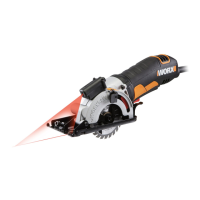
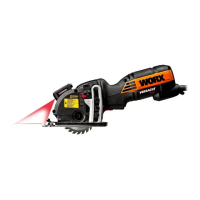
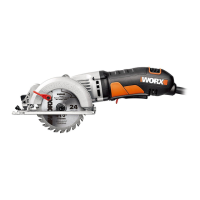
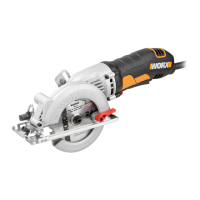
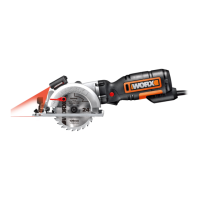
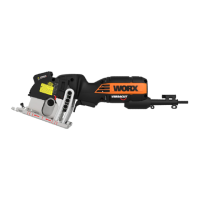
Compact Circular Saw
יטקפמוק לוגע רוסמ

Other manuals for Worx WX429

Questions and Answers

  • C
    Christine MartinJul 27, 2025
    Why Worx WX429 won't start?
    • A
      Andrew AnthonyJul 27, 2025
      If your Worx Saw isn't starting, there are several potential reasons: * The safety switch might not be pressed. Ensure you press and hold the safety switch while engaging the on/off trigger. * The power cord might not be properly plugged in. Check that the power cord is securely connected to a working outlet. * The power cord could be broken. If so, unplug it and have it replaced by a qualified maintenance person. * The carbon brush may be worn down, requiring replacement by a qualified maintenance person.
  • B
    Brian WhiteAug 1, 2025
    What to do if Worx Saw blade spins or slips?
    • J
      jennifer48Aug 1, 2025
      If the blade of your Worx Saw spins or slips, it's likely that the blade is not tightly engaged with the spindle. Remove the blade and reassemble it as described in the Mounting and Removing the Blade section.
  • D
    Debra DuncanAug 5, 2025
    How to make Worx WX429 Saw cut straight?
    • S
      Stephen HernandezAug 5, 2025
      If your Worx Saw blade isn't cutting a straight line, consider the following: * The blade may be dull. Try mounting a new, sharp blade. * The blade might not be mounted correctly. Double-check that the blade is properly mounted. * You may not be guiding the saw properly. Use a parallel guide to assist.
  • M
    Molly HunterAug 9, 2025
    Why cutting depth is less than set on Worx WX429?
    • J
      Joe WoodwardAug 9, 2025
      If the cutting depth of your Worx Saw is less than set, it may be caused by sawdust accumulated at the rear of the base. Shake out the sawdust. You might also consider connecting a vacuum for dust collection.
  • N
    nathanmitchellAug 14, 2025
    What to do if Worx WX429 blade kicks back when beginning a cut?
    • T
      tammydiazAug 14, 2025
      If your Worx Saw blade kicks back when starting a cut, it might be because the saw blade teeth are engaged in the material. Make sure to center the saw blade in the kerf and check that the saw teeth are not engaged into the material. Alternatively, the blade might not be spinning fast enough; allow the saw blade to reach full speed before cutting.
  • H
    heatherfieldsAug 17, 2025
    How to fix Worx Saw blade that will not cut a straight line?
    • H
      Harold YoungAug 17, 2025
      If your Worx Saw blade won't cut a straight line, it could be due to a dull blade. Try mounting a new, sharp blade on the saw. Also, check that the blade is properly mounted.
  • J
    janet54Aug 22, 2025
    Why is the cutting depth less than that is set on my Worx Saw?
    • A
      Andrew NunezAug 22, 2025
      If the cutting depth of your Worx Saw is less than set, this is because sawdust accumulated at the rear of the base.

Summary

General Power Tool Safety Warnings

Work Area Safety

Keep work area clean and well lit; avoid explosive atmospheres and distractions.

Electrical Safety

Ensure proper grounding, avoid body contact with earthed surfaces, and protect cords.

Personal Safety

Stay alert, use PPE, prevent unintentional starting, and dress properly.

Power Tool Use and Care

Use the correct tool for the job, do not force, maintain tools, and disconnect power.

Service

Safety Instructions for All Saws

Kickback Causes and Related Warnings

Understand kickback causes and take precautions to avoid uncontrolled reactions.

Safety Instructions for Abrasive Cutting-Off Operations

Cut-off Machine Safety Warnings

Use correct guards and accessories, and follow safety procedures for abrasive cutting.

Additional Safety Rules for Your Circular Saw

Symbols

Explains various symbols used in the manual for user guidance and safety.

Technical Data

Accessories

Operating Instructions

Assembly and Operation

Guides through mounting, safety checks, cutting, and adjustments with figures.

Working Hints for Your Tool

Offers tips on preventing overheating, blade care, and ensuring cutting quality.

Maintain Tools with Care

Instructions on cleaning, storing, and maintaining the tool for safety and performance.

Environmental Protection

Information on proper disposal and recycling of the tool and its components.

Worx WX429 Specifications

General IconGeneral
No Load Speed3500 RPM
Battery Voltage20V
Weight5.3 lbs
Bevel Capacity0-45 degrees
Voltage20V
TypeCircular Saw
Blade Diameter4.0 inches
Arbor Size10 mm

Related product manuals