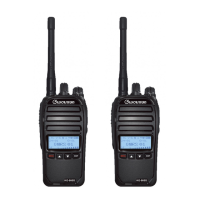
What to do if my Wouxun Two-Way Radio cannot power on?
- HHannah JohnsonJul 28, 2025
If your Wouxun Two-Way Radio won't power on, first ensure the battery pack is correctly attached. If it is, verify that the battery pack is fully charged.
What to do if my Wouxun Two-Way Radio cannot power on?
If your Wouxun Two-Way Radio won't power on, first ensure the battery pack is correctly attached. If it is, verify that the battery pack is fully charged.
How to fix receive indicator on but no sound on Wouxun Two-Way Radio?
If the receive indicator is on but you hear no sound from your Wouxun Two-Way Radio, first check the volume level. If the volume is adequate, disable CTCSS/DCS, ensuring your settings match the incoming transmission. Also, check your squelch settings.
What to do if Wouxun Two-Way Radio keypad is unresponsive?
If your Wouxun Two-Way Radio's keypad is unresponsive, check if the keypad has been locked. Also, make sure that no other keys are currently pressed.
Why is the battery life lower than expected on my Wouxun Two-Way Radio?
If the battery life of your Wouxun Two-Way Radio is lower than expected, ensure the charger indicates the battery is fully charged. Keep in mind that the battery pack capacity will naturally diminish over a number of charge cycles, as is the case with all lithium batteries.
Details the requirement for a GMRS license and how to obtain it.
Explains the device's compliance with FCC Part 15 rules and conditions.
Provides guidelines on safe radio operation and exposure to RF energy.
Lists the key features and capabilities of the KG-905G radio.
Identifies and explains the components and controls on the radio's front panel.
Details the buttons and connectors located on the sides of the radio.
Explains the icons, indicators, and information shown on the radio's LCD screen.
Provides an overview of the General Mobile Radio Service and the KG-905G.
Guides the user through the initial steps of powering on and selecting a channel.
Explains how channels are organized into groups for easier management and access.
Covers the functionality and usage of the radio's built-in repeater channels.
Lists the specific receive and transmit frequencies for the repeater channels.
Instructions on how to control the radio's volume and power settings.
Explains how to use the channel scanning feature to monitor activity.
Details the process for scanning for CTCSS/DCS tones to identify compatible settings.
Configures the LCD display backlight timeout and behavior.
Allows adjustment of the radio's transmit power level (High/Low).
Enables voice-activated transmission without using the PTT button.
Adjusts the squelch sensitivity to control speaker muting based on signal strength.
Sets the receiving CTCSS or DCS tone for a selected channel.
Sets the transmitting CTCSS or DCS tone for a selected channel.
Configures the behavior of the channel scanning function (TO, CO, SE).
Manages the list of channels included in the scan feature.
Selects which keys are disabled when the radio's keypad lock is activated.
Restores the radio's settings and parameters to their original factory defaults.
Provides detailed technical specifications for the radio's hardware and performance.
Lists the standard CTCSS tones and their corresponding numerical values.
Details the default channel assignments, names, frequencies, and power levels.
Lists the default frequencies and power for the radio's repeater channels.
| Brand | Wouxun |
|---|---|
| Model | KG-905G |
| Category | Two-Way Radio |
| Language | English |