EasyManua.ls Logo

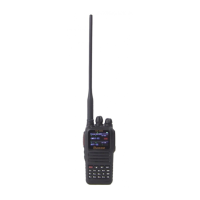
Wouxun KG-935G - User Manual

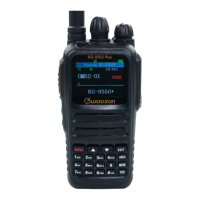
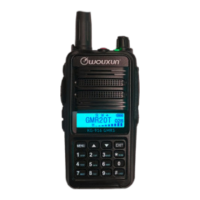
Wouxun KG-935G
86 pages
Print Icon
To Next Page IconTo Next Page
Loading...
ank you for purchasing the Wouxun KG-935G portable GMRS radio.
Your feedback makes our products better. Please share your thoughts.
feedback@buytwowayradios.com
www.buytwowayradios.com

Table of Contents

Questions and Answers

Summary

Safety Information

FCC Compliance

Device complies with Part 15 of FCC Rules, subject to two conditions regarding interference.

FCC Licensing Information

Details on GMRS license requirements for the KG-935G radio and how to obtain one.

Getting Started

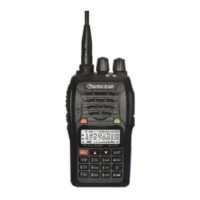
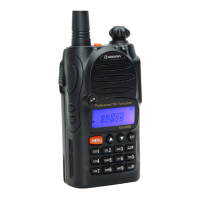
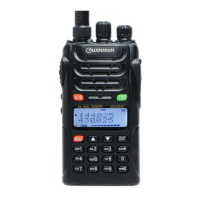
Front Panel Guide

Identifies and describes the components of the radio's front panel for user operation.

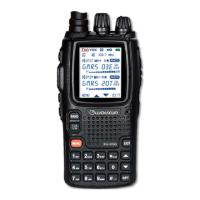
Display Guide

Explains the various icons, indicators, and information displayed on the KG-935G screen.

Dust and Water Protection

Information on the radio's IP66 rating and precautions for maintaining its dust and water resistance.

Installing and Removing the Battery

Step-by-step instructions for correctly attaching and detaching the lithium-ion battery pack.

Charging the Battery

Guide on how to use the intelligent desktop charger to power the radio's battery.

Antenna Information

Details about the radio's antenna, connector type, and usage warnings.

Operation

Power On;Off and Adjusting Volume

Instructions for powering the radio on/off and controlling the audio volume level.

Dual Display: Using Areas “A” and “B”

Explanation of the dual display feature for monitoring two channels simultaneously.

Channel and Frequency Modes

Details on switching between channel and frequency modes for tuning and selecting channels.

Channels and Privacy Codes

Information on using GMRS channels, CTCSS tones, and DCS codes for communication.

Channel Scan

How to activate and use the channel scanning feature to monitor multiple frequencies.

NOAA Weather Mode

Guide to accessing and using the NOAA weather broadcast reception feature.

Side Key Functions

Explanation of programmable PF1 and PF2 buttons for custom functions and shortcuts.

Menu Functions

Squelch

Mutes the speaker when no signal is detected; sensitivity can be adjusted.

Output Power

Sets the transmit power level of the radio to Low, Medium, or High.

Receive CTCSS Tone

Sets the CTCSS tone for receiving signals on the selected channel.

Receive DCS Code

Sets the DCS code for receiving signals on the selected channel.

Scan Mode

Configures how the radio behaves when a signal is detected during scanning.

CTCSS;DCS Scanning

Scans incoming signals to identify or confirm CTCSS or DCS tones.

Factory Reset

Resets transceiver to factory defaults, with options for function settings or all parameters.

Advanced Operation

DTMF Encoding

Explains how to use the keypad to send dual-tone multi-frequency (DTMF) codes.

Setting Non-Standard CTCSS or DCS

Guide on configuring CTCSS tones and DCS codes that are not part of the standard list.

Troubleshooting

No Sound Heard

Solutions for when the receive indicator is on but no audio is audible.

Keypad Unresponsive

Troubleshooting steps for a keypad that is not responding to input.

Unwanted Interference

Methods to filter out or avoid unwanted radio interference.

Transmits Without PTT

Diagnosing and fixing accidental transmissions when PTT is not pressed.

Cannot Power On

Checks to perform if the radio fails to power on.

Battery Life Issues

Solutions for unexpectedly short battery life and capacity degradation.

Technical Information

Specifications

Detailed technical specifications of the KG-935G radio, including frequency range and dimensions.

Standard CTCSS and DCS Tones

Lists of standard CTCSS frequencies and DCS codes supported by the radio.

Default GMRS Channels and Frequencies

Table showing pre-configured GMRS channels, their names, frequencies, and power levels.

Optional Accessories

Limited Warranty

Wouxun KG-935G Specifications

General IconGeneral
Output Power5W (high), 0.5W (low)
Battery Capacity2600 mAh
Frequency RangeGMRS
Channels8 repeater channels
DisplayLCD
AntennaRemovable, SMA Female

Related product manuals