EasyManua.ls Logo

Wouxun KG-935G Plus - User Manual

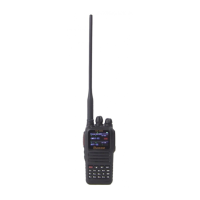
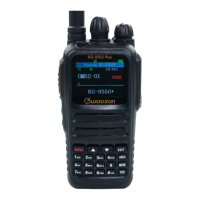
Wouxun KG-935G Plus
110 pages
Print Icon
To Next Page IconTo Next Page
Loading...
ank you for purchasing the Wouxun KG-935G Plus portable GMRS radio.
Your feedback makes our products better. Please share your thoughts.
feedback@buytwowayradios.com
www.buytwowayradios.com

Table of Contents

Questions and Answers

  • N
    Nancy KennedyJul 29, 2025
    What to do if my Wouxun KG-935G Plus Two-Way Radio cannot power on?
    • M
      Michael PalmerJul 29, 2025
      If your Wouxun Two-Way Radio won't power on, first ensure the battery pack is correctly attached. If it is, verify that the battery pack is fully charged.
  • A
    Anne GarciaAug 3, 2025
    Why is my Wouxun KG-935G Plus Two-Way Radio receiving unwanted interference?
    • D
      Donna WaltonAug 4, 2025
      If you are receiving unwanted interference on your Wouxun Two-Way Radio, try enabling CTCSS or DCS tone to filter out unwanted transmissions. Alternatively, try using a different channel.
  • D
    Daniel DicksonAug 10, 2025
    How to fix receive indicator on but no sound on Wouxun KG-935G Plus?
    • C
      Christopher MooreAug 10, 2025
      If the receive indicator is on but you hear no sound from your Wouxun Two-Way Radio, first check the volume level. If the volume is adequate, disable CTCSS/DCS, ensuring your settings match the incoming transmission. Also, check your squelch settings.
  • C
    Carol StoneAug 15, 2025
    What to do if Wouxun KG-935G Plus keypad is unresponsive?
    • U
      utaylorAug 16, 2025
      If your Wouxun Two-Way Radio's keypad is unresponsive, check if the keypad has been locked. Also, make sure that no other keys are currently pressed.
  • M
    Mike WoodsAug 22, 2025
    Why is the battery life lower than expected on my Wouxun KG-935G Plus Two-Way Radio?
    • O
      Oscar VargasAug 22, 2025
      If the battery life of your Wouxun Two-Way Radio is lower than expected, ensure the charger indicates the battery is fully charged. Keep in mind that the battery pack capacity will naturally diminish over a number of charge cycles, as is the case with all lithium batteries.

Summary

Safety Information

Caution

Important instructions for the safe handling, use, and operation of the radio.

Radio Operation and EME Exposure

Guidance on safe radio usage, antenna care, and avoiding modifications.

Getting Started

Feature Summary

Comprehensive list of the KG-935G Plus radio's key features and capabilities.

Front Panel Guide

Identification and explanation of all controls and indicators on the radio's front panel.

Right; Left Side Guide

Details on buttons, connectors, and ports located on the side panels of the radio.

Display Guide

Explanation of icons, symbols, and information shown on the radio's LCD display.

Dust and Water Protection

Information regarding the radio's IP66 rating and maintenance for water/dust resistance.

Installing and Removing the Battery

Step-by-step instructions for correctly attaching and detaching the battery pack.

Charging the Battery

Procedures for charging the battery using the desktop charger and USB-C port.

Antenna Information

Details about the radio's antenna, connector, and warnings related to its use.

Installing the Belt Clip

Instructions for securely attaching the belt clip to the radio unit.

Operation

Introducing GMRS and the KG-935 G Plus

Overview of the General Mobile Radio Service and the radio's capabilities within it.

Power On;Off and Adjusting Volume

Basic steps for powering the radio on/off and controlling the audio output level.

Transmitting and Receiving

Guidance on how to effectively transmit and receive signals using the radio.

Dual Display: Using Areas “A” and “B”

Explanation of how to use the dual display feature for monitoring two channels.

Channel and Frequency Modes

Understanding and switching between channel mode and frequency (VFO) mode.

Channels and Privacy Codes

Information on GMRS channels, CTCSS tones, and DCS codes for communication.

Using the Repeater Channels

How to use repeater channels to extend communication range through repeaters.

Channel Scan

Activating and configuring the channel scanning function to find active signals.

Side Key Functions

Customizing the PF1 and PF2 buttons for quick access to desired functions.

FM Radio

Instructions for tuning into and listening to commercial broadcast FM radio stations.

Advanced Operation

DTMF Encoding

Utilizing DTMF keypad for advanced signaling, radio ID, and call codes.

Sending a Radio ID

Configuring and transmitting the radio's unique identification number automatically.

Setting Non-Standard CTCSS or DCS

Procedure for setting up custom CTCSS and DCS codes beyond standard lists.

Adding and Removing Channels

Steps to add new channels or delete existing ones from the radio's memory.

Channel Wizard

Using the wizard for quick, guided programming and modification of radio channels.

Troubleshooting

Receive indicator is on but no sound is heard

Solutions for audio issues when the radio indicates reception but no sound is present.

Keypad is unresponsive

Troubleshooting steps for when the radio's keypad fails to respond to input.

Unwanted interference is being received

Methods to filter out or minimize unwanted signals and interference.

Transceiver transmits without PTT being pressed

Diagnosing and resolving accidental transmissions, potentially linked to VOX mode.

Cannot power on

Steps to resolve issues preventing the radio from powering on.

Technical Information

Specifications

Detailed technical parameters and performance metrics of the KG-935G Plus radio.

Standard CTCSS and DCS Tones

Reference list of standard CTCSS/DCS tones with their corresponding numerical values.

Default GMRS Channels and Frequencies

Table of factory-set GMRS simplex channels, frequencies, and power levels.

Repeater Channels

List of GMRS repeater channels, including receive/transmit frequencies and power.

Wouxun KG-935G Plus Specifications

General IconGeneral
Battery Capacity3200mAh
BluetoothYes
GPSNo
Frequency RangeGMRS
Channel Capacity999
Output Power5W
WeightApprox. 280g
DisplayColor LCD

Related product manuals