14 COOLIUS A50 / Y50
4.1.2 Replacing the vacuum pump oil
NOTE: Always use goggles and gloves!
Contact with the refrigerant can cause blindness and other physical injury to
the user!
IMPORTANT: Disconnect the plug from the power supply!
1. Remove the front cover (4x large head Phillips screws).
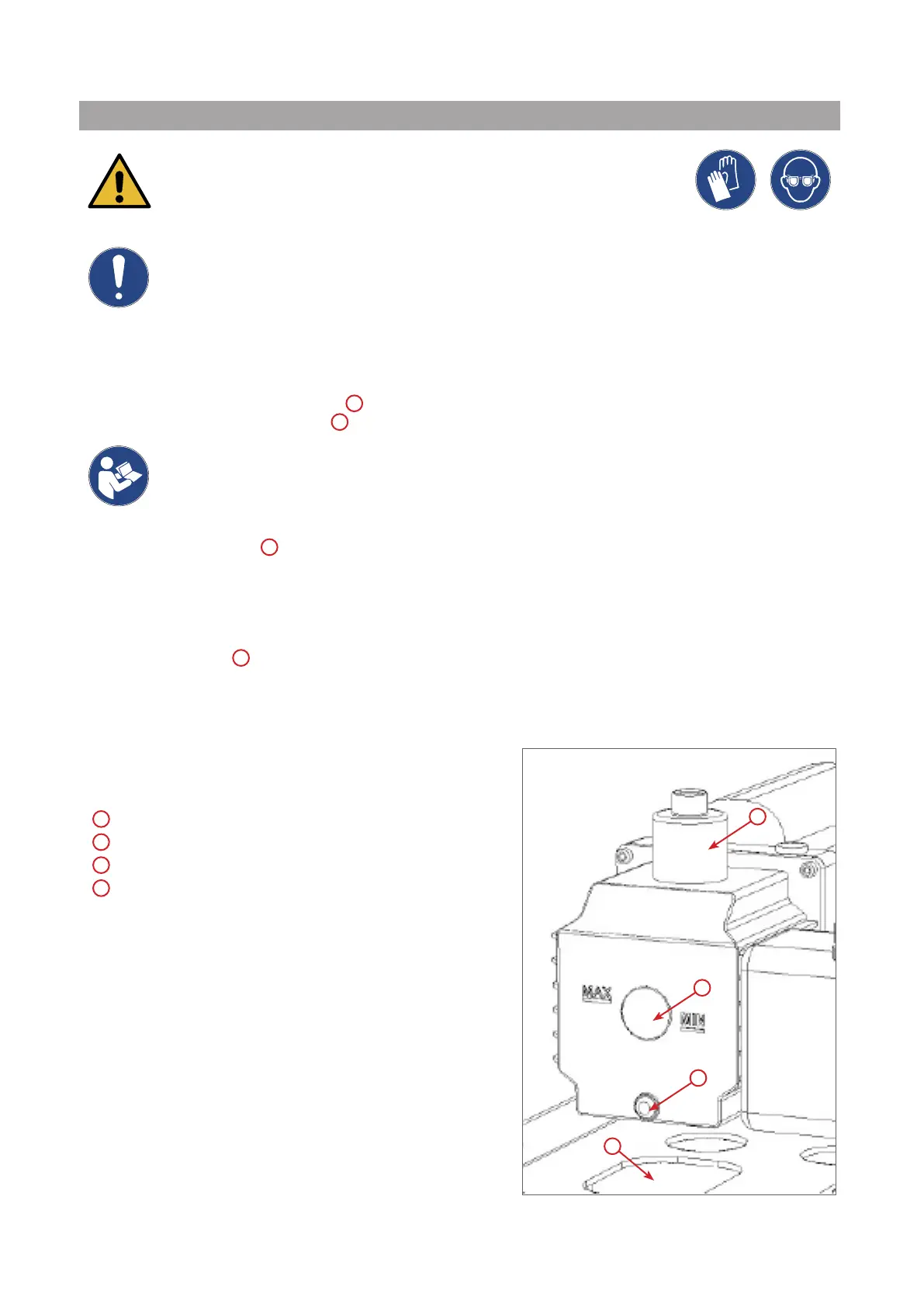
2. Unscrew the oil discharge screw
C
and wait for the oil to drain.
Thenretthedischargescrew
C
.
NOTE: Dispose according to local regulations.
3. Unscrewthemuer
A
.
4. Fill with new oil.
Thecorrectoillevelofthepumpisaroundhalfsightglass(llingcapacityapprox.350ml).
5. Retthemuer
A
.
6. Reassemble the front cover.
NOTE: Thepicturecouldshowadierenttypeofvacuum
pump.
A
Muer
B
Sight glass to indicate the oil level
C
Discharge screw
D
Discharge hole
g.001 Vacuum pump
3
1
4
2



 To Next Page