32
Card slot
SD card
Insert the SD card into the
card slot under the printer.
*
Notice:
When inserting
,
the metal contact
point of the SD card is facing
up
,
please do not insert the opposite
to avoid damage to the card slot.
Start printing
33
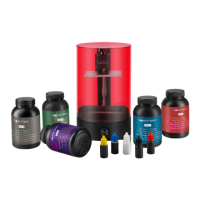
Open resin bottle and pour the appropriate resin (less than 240ml) into the
tank according to the size of the model.
*
Notice:
❶
Please do not pour in excess
resin to prevent resin from
overflowing
,
resulting in damage to
the LCD screen.
❷
Please do not drop the resin on
the screw hole of the tank
,
the outer
wall of the tank and the working
panel
,
resulting in damage to the
LCD screen. If it accidentally flows
in
,
please clean it in time.
❸
Resin remaining in the resin
bottle
,
should be sealed in a dark
shade away from children and pets.
❹
If not used for a long time
,
please
pour the resin into the storage
container. Do not place the resin in
the tank for more than two weeks.
❺
Please ensure that there are no
residual resin or obstacle on the
aluminum plate and the tank to avoid
damage to the LCD screen.
Resin
Resin bottle
Start printing


 To Next Page