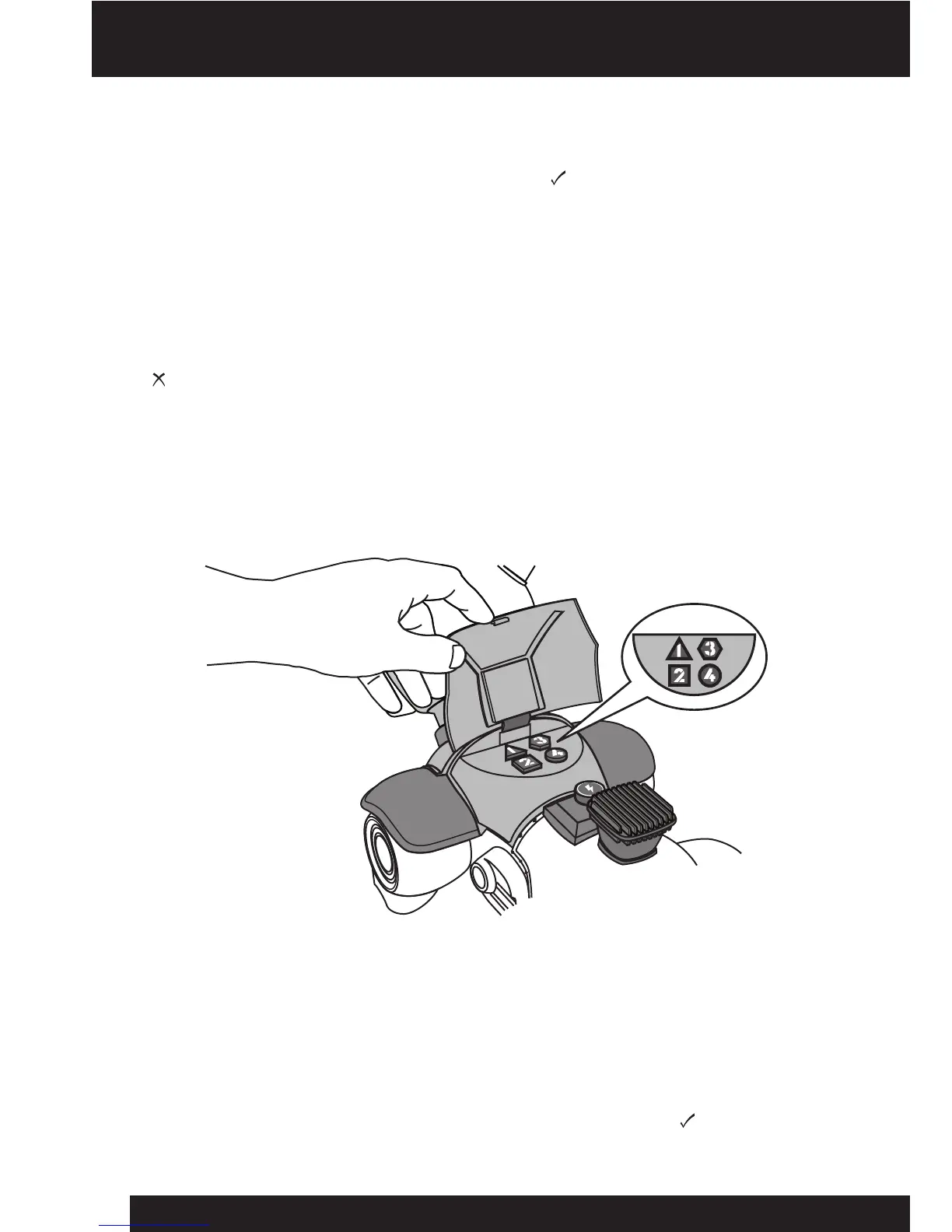
Edge Detection / Reprogramming hatch /
Turning off the IR sensors
9
Edge Detection
WrextheDawgisequippedwithEdgeDetection;thisfeatureisonlyenabledwhen
thepowerswitchissettothecorrectposition(refertopage7)andwhenWrex
theDawgismovingstraightforward.HecannotuseEdgeDetectionwhenheis
turningormovingbackward.Ifheapproachesanedgefromanangle,hemightnot
detectit.
NOTE: WrextheDawgmightnotbeabletodetectanedgenearareectivesurface,
orfalsesurfacesuchasanopendrawerorachairpushedupagainstatable.
NOTE:YoucanalsodisableEdgeDetectionmanuallybysettingthepowerswitchto
Reprogramming hatch
WrextheDawghasa“secret”reprogramminghatchonhisback,whichyoucanuse
toenterspecialcodesthatchangehisbehavior(refertopage14).
Turning off the IR sensors
IfyouwanttopreventWrextheDawgfromdetectingobstaclesyoucanturnoffhis
IRsensors.Todoso,simplytypethecode1111usingthebuttonsinhis
reprogramminghatch.NotethatthiswillalsoturnoffhisEdgeDetectionifitis
currentlyenabled.ThesamecodecanalsoturntheIRsensorsbackon,howeverEdge
Detectioncanonlybere-enabledifthepowerswitchissetto(refertopage7).
ED
ED
ED















 To Next Page