Getting started
Getting started
AfteryouhaveinsertedbatteriesinWrextheDawgandtheremotecontroller,you
arereadytomeetyournewpooch!
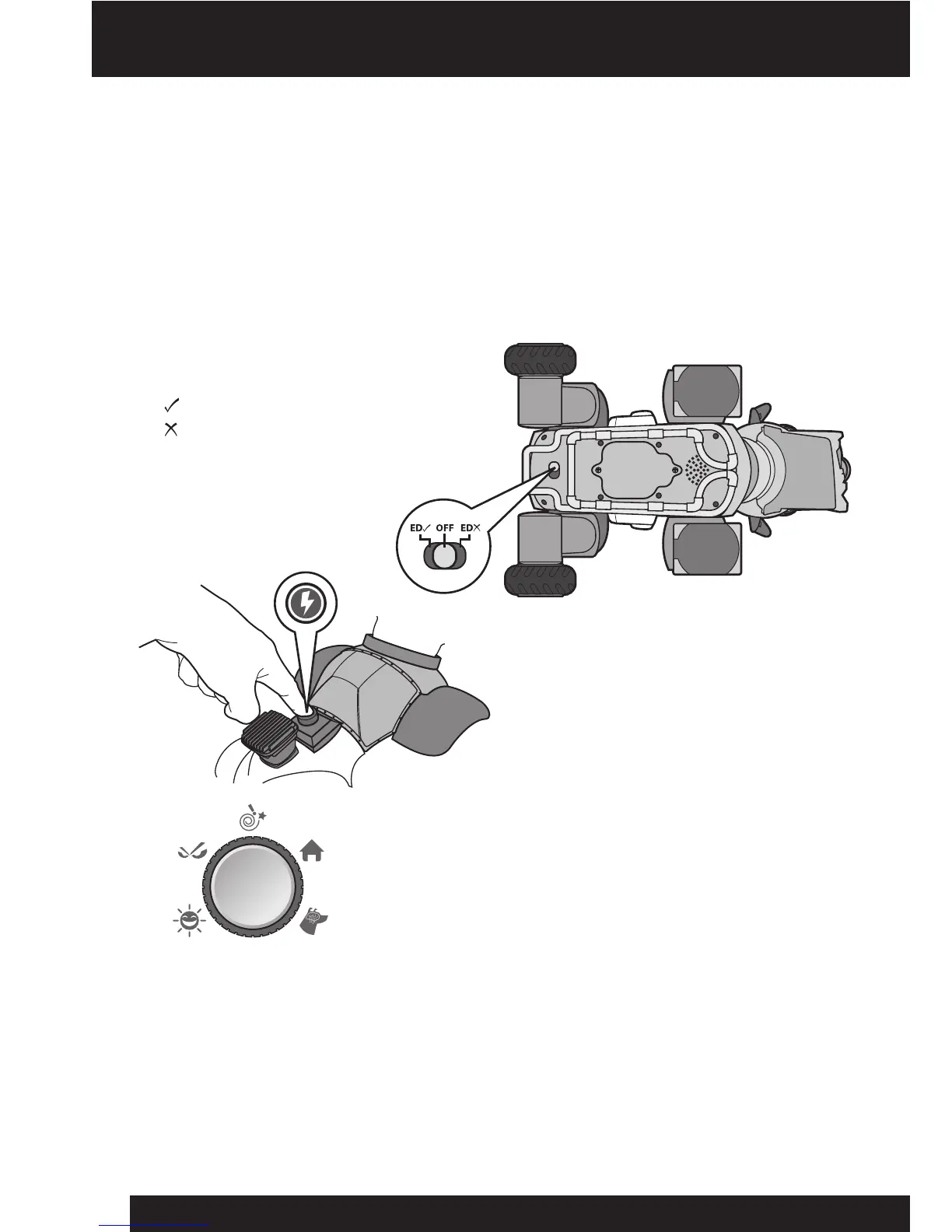
WrextheDawghastwopowersettings:onewithEdgeDetectionandtheother
without.InnormaloperationEdgeDetectioncanbeused,howeversomesurfaces
maycausehimtodetect“false”edgesandrefusetowalk.Inthiscasedisablingthe
EdgeDetectionfeatureisuseful.
1.First,locatethepowerswitchon
hisundersideandslideitto
(ONwithEdgeDetection)or
(ONwithoutEdgeDetection).
2.Next,pressandholdtheStart
buttononhisbackforapproximately
3secondsinordertobeginthestart-
uproutine.WrextheDawgwillmake
asoundtoindicatethatheisreadyto
receivecommands.
Youcanbypassthestart-uproutinebypressingthe
redStopbuttonatthecenteroftheMood dialonthe
remotecontroller.
NOTE:IfyoudonotpresstheStartbuttonwithin30seconds,WrextheDawgwill
automaticallybeginhisstart-uproutine.
NOTE:If,afterthethirdattemptyoucannotstartWrextheDawg,hewill
automaticallybeginthestart-uproutine.
3.Next,placehimupright,onalargesmooth,atsurface,awayfromedgesand
obstacles.VerifywhetherEdgeDetectionisenabledordisabled.
7
ED
ED















 To Next Page