13
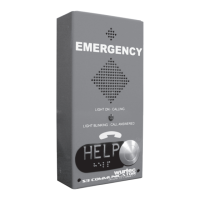
BASIC OPERATION FROM AN S3 COMMUNICATOR STATION
1. Programming the S3 Communicator
a. Full programming instructions for the S3C are located in the instruction booklet
that came with the phone, on our website Wurtec.com, or by contacting technical
support.
2. Calling Command Center
a. Program the extension 0 as an EMERGENCY NUMBER in the phone.
i. Example:
1. Press EMERG PHONE NUMB shortcut button.
2. Press 1 for first number.
3. Enter 0 then # to save.
4. * then 0 to disconnect from menu.
ii. From an S3C Master Station, there is no need to program the number because
it has a keypad on the front of the phone to dial as you would a regular
telephone.
1. Press TALK/END.
2. Enter 0 to call Command Center.
3. Calling outside line
a. To program the phone to call an outside line you must first program a 99 then *
before the number.
i. Example:
1. Press EMERG PHONE NUMB shortcut button.
2. Press 2 for second number.
3. Enter 9-9-*-[PHONE NUMBER] then # to save.
4. * then 0 to disconnect from the menu.
ii. From an S3C Master Station, there is no need to program the number because
it has a keypad on the front of the phone to dial as you would a regular
telephone.
1. Press TALK/END.
2. Enter 99 and then the number you wish to call.
4. Calling another station
a. Program the extension as an EMERGENCY NUMBER in the phone.
i. Example, to call extension 1 as the emergency number:
1. Press EMERG PHONE NUMB shortcut button.
2. Press 3 for third number.
3. Enter 1 then # to save.
4. * then 0 to disconnect from menu.


 To Next Page