HDMI/HDBaseT Wiring
IMPORTANT! Wiring Guidelines
• The use of patch panels, wall plates, cable extenders, kinks in cables, and
electrical or environmental interference can have an adverse effect on
HDMI and HDBaseT transmission limiting performance. Steps should be
taken to minimize these factors (or remove completely) during installation
for best results.
• While similar in nature, the HDBaseT protocol is different than Ethernet and
voltages provided for PoH can be higher than those provided by PoE. For
this reason, never connect an HDBaseT link to an Ethernet router or switch
to avoid damaging the connected devices.
Wiring for HDBaseT follows the EIA T568B standard.
Pin 8
Les couleurs montrées suivent la norme EIA/TIA-568B
Pin 1:
Pin 2:
Pin 3:
Pin 4:
Pin 5:
Pin 6:
Pin 7:
Pin 8:
Blanc/Orange
Orange
Blanc/Vert
Bleu
Blanc/Bleu
Vert
Blanc/Marron
Marron
Resolutions Distances
The type of category cable used and the distance between the matrix and
receiver can restrict the available video resolution.
Refer to Video Resolutions in the Specications table for the max distance
based on resolution.
IR Wiring
IR TX (Emitter) Wiring
Connection for IR TX (transmit) uses a 3.5mm (1/8in) mono plug.
Tip: Anode/5V
Sleeve: Cathode/IR Signal
IR RX (Receiver) Wiring
Connection for IR RX (receive) uses a 3.5mm (1/8in) stereo jack that outputs
+5V DC to power the included IR receiver.
IMPORTANT! IR TX Connection Guidelines
• 3rd party IR receivers may require a different voltage, refer to the
documentation provided with the IR receiver before making any
connections to avoid damaging the device.
Sleeve: Ground (GND)
• When connecting to an IR control system use the WyreStorm CAB-IR-LINK
stereo to mono cable to remove the sleeve +5V DC.
to WyreStorm
Matrix/Transmitter/Receiver
RX/Ext input
to Control System or
Connecting Block input
Voltage on Tip from RX may be different for non WyreStorm devices.
Refer to the provided documention for voltage on this connection.
IR Signal
Ground (GND)
+5V DC (lifted in cable)
Tip:
Ring: IR Signal
+5V DC
Sleeve: Ground (GND)
Tip: IR Signal
Sleeve: Ground (GND)
Power Supply Wiring
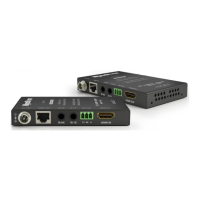
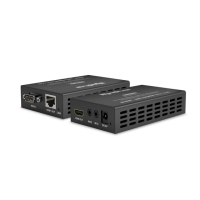
The EX-70-G2 can supply power from the transmitter to the receiver using
PoH on the same category cable that transmits audio and video. The included
power must be connected to the transmitter in order to power the receiver.
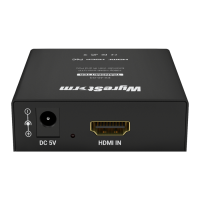
Should distance of the category cable or other factors prevent PoH from
being used, connect an 18V DC 1A power supply to both devices. Additional
power supplies may be purchased from WyreStorm.
Copyright © 2017 WyreStorm Technologies | wyrestorm.com
EX-70-G2 Quickstart Guide | 170724
North America: 518-289-1294 | EMEA/ROW: 44 (0) 1793 230 343
support@wyrestorm.com
3 of 4


 To Next Page
 Loading...