Chapter 6 LegalStuff 15
Chapter 6 – Legal Stuff
AprintedcopyoftheofficialtermsandconditionsofourLimitedWarrantywasenclosedinsideyourX7AModularComputer
packaging.
Important Safety Information
WARNING: Incorrect use of your Xi3 Modular Computer may void the manufacturer’s warranty.
Components–DONOTremoveorreplaceanyoftheindividualcomponentsfoundonanyoftheboardsinsideyourX7A
ModularComputer.Doingsowillvoidthewarranty.
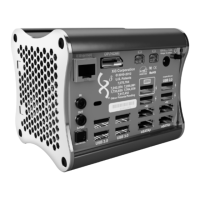
Airflow/Circulation–DONOTpermanentlyorsemi-permanentlyblockorinanywaycoveroneorbothofthehoneycombed
endcapsoftheX7AModularComputerasthiswillstoporminimizethepotentialcoolingofthevariouspartsandcompo-
nents.Doingsowillvoidthewarranty.
ReplacementParts–OnlyAuthorizedReplacementPartsmaybeusedonorinsideanX7AModularComputer.Using
non-authorizedreplacementpartswillvoidthewarranty.
Water&Liquids–Electricityandwater/liquidsdonotmix.KeepyourX7AModularComputerawayfromwaterandliquids.An
X7AModularComputersufferingwaterorliquiddamagevoidsthewarranty.
Additionally,anXi3ModularComputerisdesignedtobeinstalledinapermanentpositionlikea“DesktopComputer”ora
“RackMountedServer.”Itisnotintendedtoberoutinelymovedorcarriedfromplacetoplace.
Important Handling Information
WARNING: If you do not follow these handling instructions, you could damage your X7A Modular Computer, other prop-
erty and void the warranty.
OperatingEnvironment–OperatingyourX7AModularComputeroutsideoftheserangesmayimpairitsperformanceand/or
voidthewarranty:
•Non-OperatingTemperatures:Lowerthan-4F°orgreaterthan158F°
•OperatingElevation:Above10,000Ft.
TransportingorCarryingyourX7AModularComputer–IfyouneedtocarryyourX7AModularComputerfromoneplaceto
another,werecommendcarryingitinsideapaddedbagorcarryingcase.IfyouareshippingyourX7AModularComputer,
pleasepackitsecurelyinsideaboxorshippingcontainerwithanappropriateamountofpaddingtoprotectitduringship-
ment.Ineitherinstance,pleaseensurethattherearenosmalllooseobjectsinsidetheshippingbox,bagorcarryingcase.
AvoidPowerfulMagnets–YourX7AModularComputercontainslong-andshort-termmemory/storagesolutionsthatcanbe
erasediftheycomeincontactwithorclosetoapowerfulmagnet.
ProtectConnectors&Ports–MakesurethatallportsonyourX7AModularComputerDONOTcontainanydebrisbefore
attemptingtoconnectacableordevicetotheports.Itisimportantthatyoucorrectlyalignthecorrectcable/connectorwith
theproperport.Andneverattempttoforceaconnectorintoaport.
ConnectinganHDMIcable—Additionally,ifyouwanttoconnectanHDMIcabletothecomboDisplayPort/HDMIPorton
yourX7AModularComputer,youMUSTturntheHDMIcableupsidedownbeforeinsertingitintothecomboDisplayPort/
HDMIPortofyourX7AModularComputer.


 To Next Page