Chapter 1 Gettingstarted 3
Listedbelowareinstructionsforgettingstartedwiththetwomostcommonoperatingsystems.
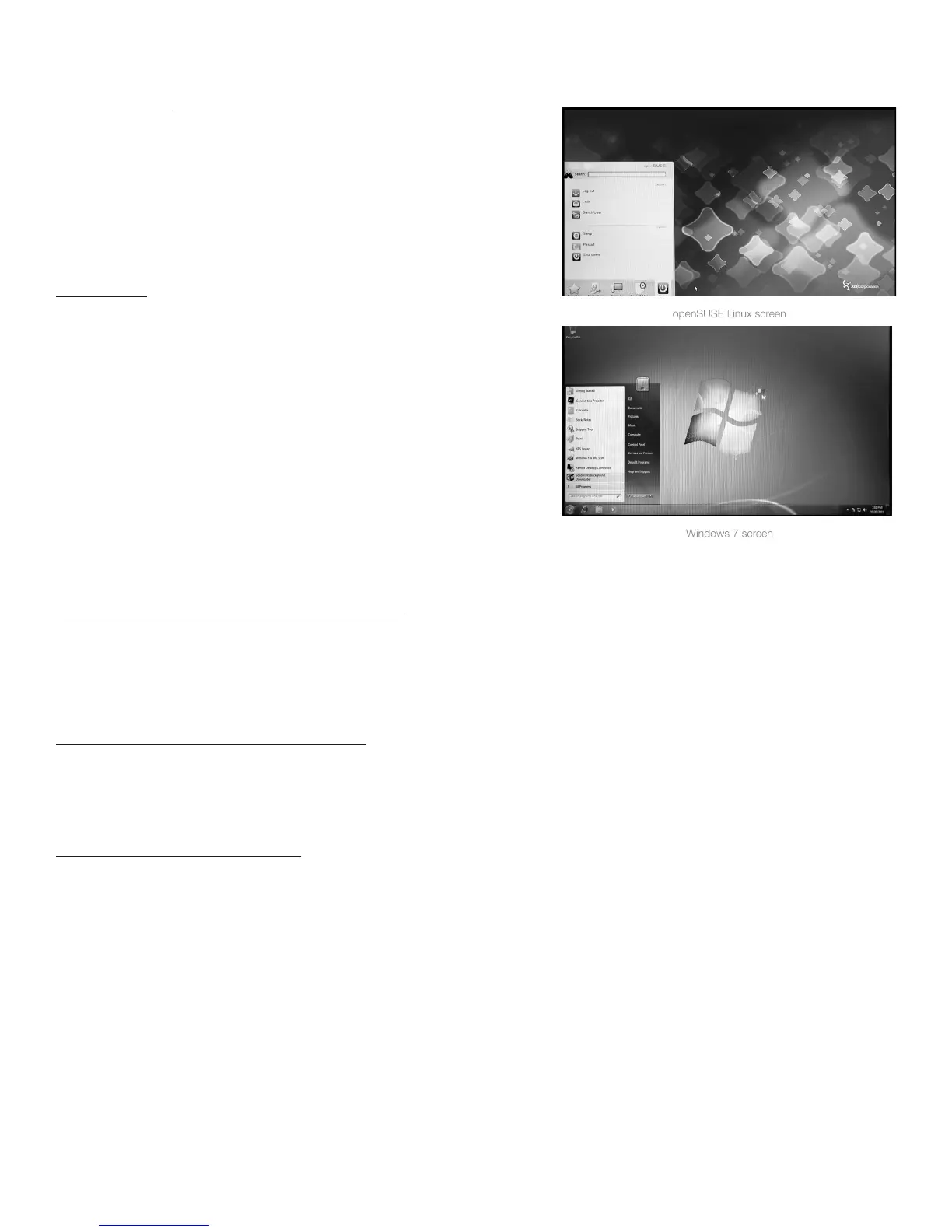
openSUSE Linux
AftercompletingStepsOnethroughSixabove(includingturningon
yourX7AModularComputerandyourcomputermonitor/display),the
mainscreenoftheopenSUSELinuxoperatingsystemshouldappear
onyourcomputermonitor,signifyingthatyouarereadytobeginusing
yourX7AModularComputer.{NOTE: When shipped from the factory,
the initial Root Password on an X7A Modular Computer pre-loaded with
openSUSE Linux is xi3password – all in lowercase. Please reset your
Root Password after initial use.}
Windows 7/8
AftercompletingStepsOnethroughSixonthepreviouspages
(includingturningonyourX7AModularComputerandyourcomputer
monitor/display),themainscreenofyourWindowsoperatingsystem
shouldappearonyourcomputermonitor,signifyingthatyouareready
tobeginusingyourX7AModularComputer.
Move Data Onto Your X7A Modular Computer
IfyoupurchasedyourX7AModularComputerwithcertainSoftware
Applicationspre-installedonyourmachine,youshouldbeabletosee
andusetheseprogramsonceyouhaveturnedonyourcomputer.
LoadingadditionalSoftwareApplicationsontoyourX7AModular
Computercanbeaccomplishedeitherbydownloading/installingtheseprogramsviatheInternetorbytransferring/installing
theprogramsfromaDVD/CDdiscorUSBdriveontoyourX7AModularComputer.
Downloading/Installing Programs from the Internet
TodownloadandinstallSoftwareApplicationsfromtheInternetontoyourX7AModularComputer,takethefollowingsteps.
1.MakesureyouareconnectedtotheInternet.
2.Gototheappropriatepageontheweb.
3.Followtheinstructionsfordownloadingtheapplication.
4.Downloadandinstalltheapplication.
Installing Programs from a USB Thumb drive
ToinstallSoftwareApplicationsfromaUSBthumbdriveontoyourX7AModularComputer,takethefollowingsteps.
1.InserttheUSBthumbdriveintoanopenUSBportonthebackofyourX7AModularComputer.
2.WithintheOperatingSystem,highlighttheSoftwareApplicationsyouwishtoinstallontoyourX7AModularComputer.
3.FollowtheOperatingSysteminstructionsandinstalltheSoftwareApplicationstoyourX7AModularComputerharddrive.
Installing Programs from a DVD/CD
ToinstallSoftwareApplicationsfromaDVDorCDontoyourX7AModularComputer,takethefollowingsteps.
1.ConnectanexternalDVD/CDdrivetoyourX7AModularComputer(typicallythroughanavailableUSBportontheback
ofyourX7A).
2.InserttheDVDorCDintoyourDVD/CDdrive.
3.WithintheOperatingSystem,highlighttheSoftwareApplicationsyouwishtoinstallontoyourX7AModularComputer.
4.FollowtheOperatingSysteminstructionsandinstalltheSoftwareApplicationstoyourX7AModularComputerharddrive.
Copying Existing Files to the X7A Modular Computer from an Older PC
Ifyouhavefiles,photos,videosorotherformsofdataonyourexistingcomputerthatyouwouldliketomoveontoyourX7A
ModularComputer,thereareseveralwaystoaccomplishthis.IfyouhavealotoffilestocopyandyouhaveaccesstoaDVD
orCDburner,youcancopythesefilesontoaDVDorCDandthenfollowthestepsoutlinedaboveintheInstallingPrograms


 To Next Page