www.xa.com/en18
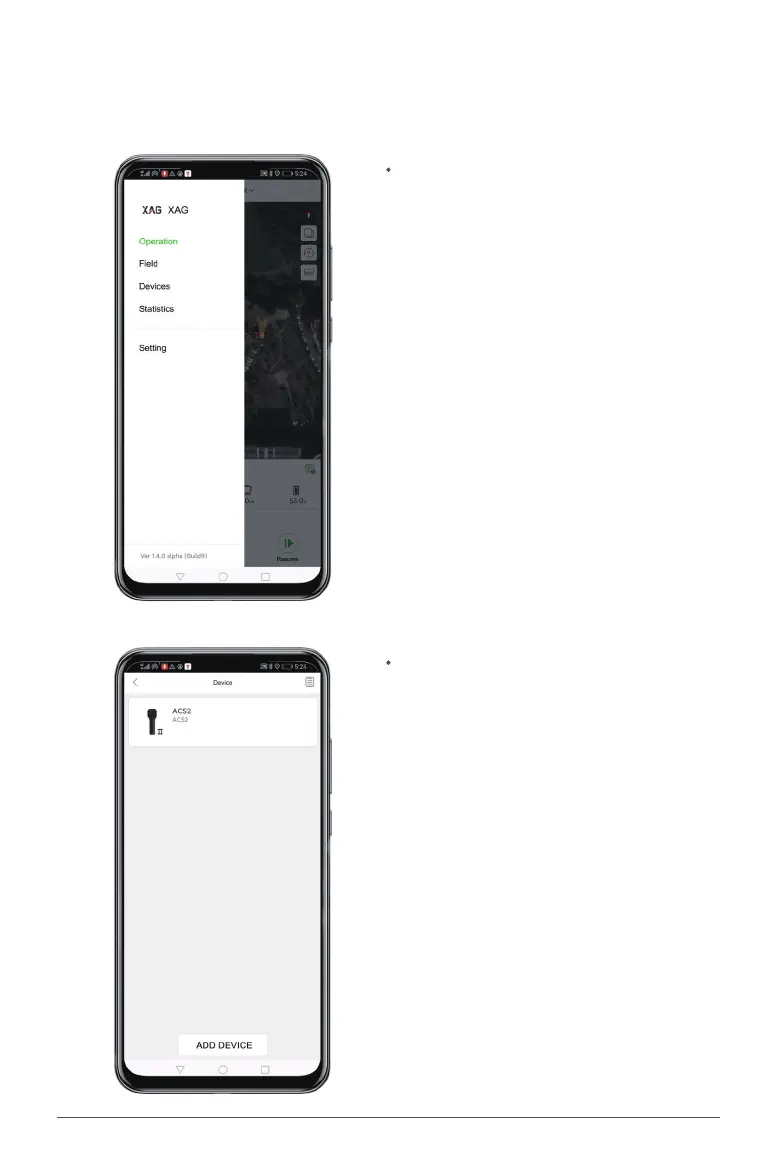
Once your ControlStick and smartphone are
connected, open the XAG AGRI App, swipe right
on the homepage or click the prole photo, and
select "Devices" to view the list of devices.
Click "ADD DEVICE" below to search for a device.
Pairing
Steps
For rst time use, please pair the device via the XAG AGRI App.


 To Next Page