www.xa.com/en44
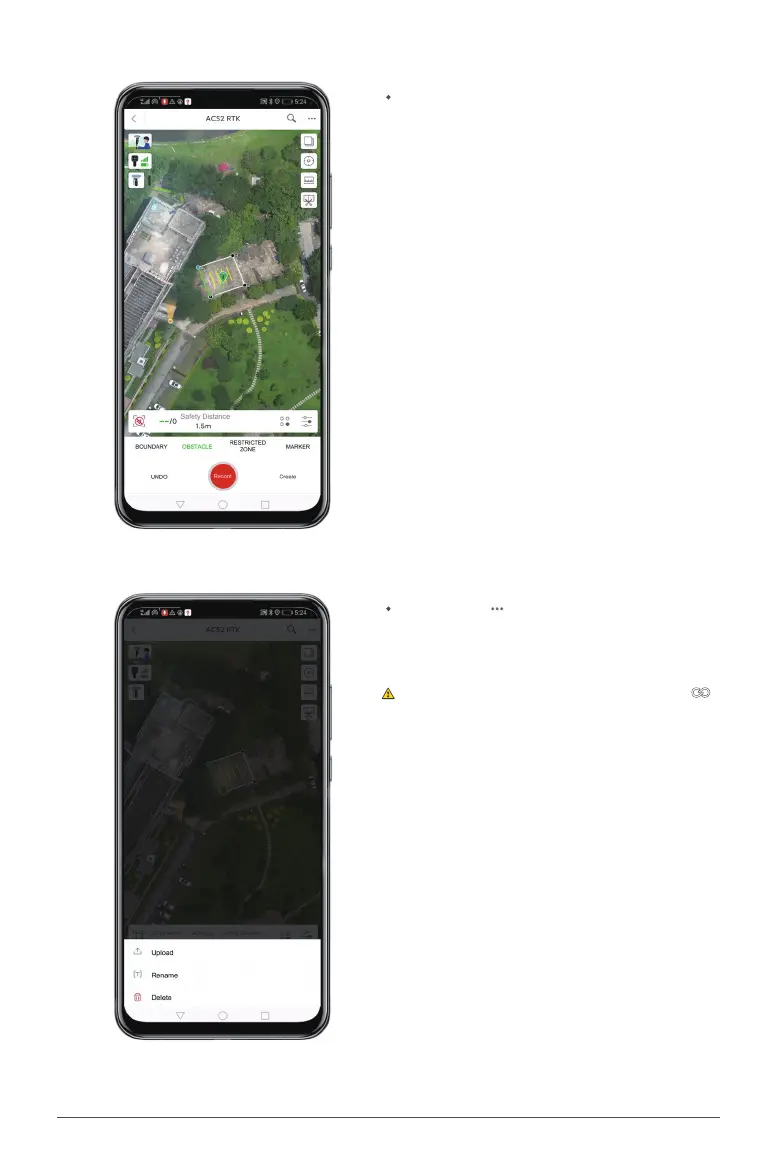
Click any boundary line of the eld, and the sys-
tem will automatically generate a route using the
boundary as the baseline.
Click the icon on the upper right and choose
"Upload" to upload the eld.
Upon completion, press and hold the button
on the ControlStick for 3 seconds to exit surveying
and mapping mode.


 To Next Page