XE210C Hydraulic Excavator Operating and Maintenance Manual 61
Radio
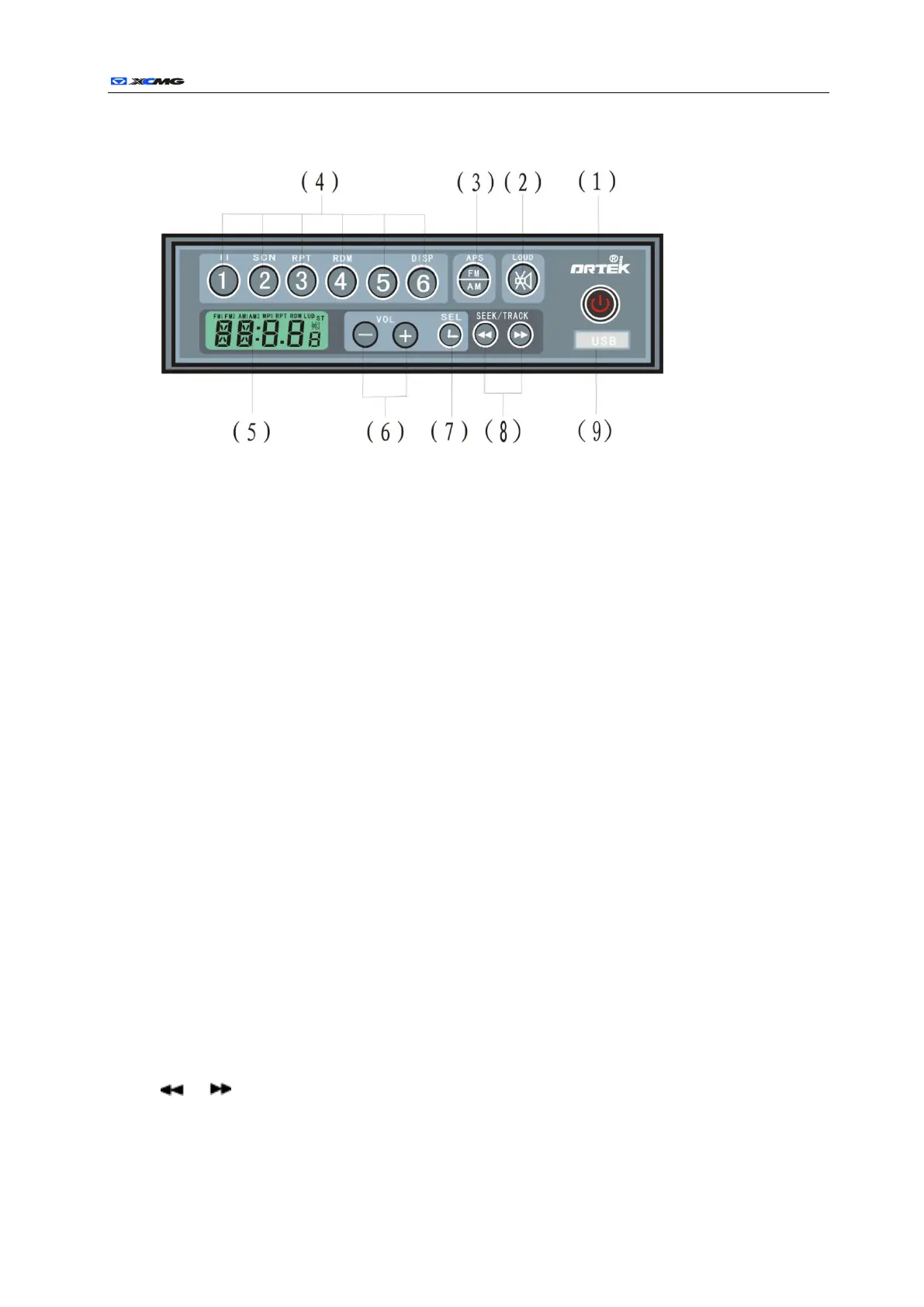
(1) Power/mode switch
◇Press the button to switch on power; hold the button under the working state to turn off the radio.
◇When the radio is powered on, press the button to toggle between FM MP3 (IN Optional).
(Press: less than 2 sec.; hold: over2 sec.)
(2) Mute/Auto volume
◇Press to toggle mute on/off.
◇Hold to toggle auto volume on/off
(3) Band switch/auto tuning
◇Press to switch among FM1/ FM2/AM1/ AM2.
◇Hold to detect and store new stations available in the preset
(4) Preset Button
◇In FM mode, press to select preset station and hold to store station.
◇In MP3 mode,
<1/PAUSE> Pause/play.
<2/SCN> Scan/ normal play.
<3/RPT> Repeat/ normal play.
<4/RDM> Random/ normal play.
<6/DISP> Display track number/duration.
(5) Screen
(6) VOL+/- Volume
Press VOL+/- to turn up or down the volume.
(7) SEL Effect/Time setting
◇Press to display time and date on screen; press within 5 seconds to view effect settings
◇In time display, hold to reset time
◇Display returns to screen information if no button is pressed within 5 seconds
(8) / FM scan & MP3 file selection
◇In FM mode, press to change frequency forward or backward
◇In mp3 mode, press to select files
(9) USB.



 To Next Page