XE210C Hydraulic Excavator Operating and Maintenance Manual 76
Operation procedure of running
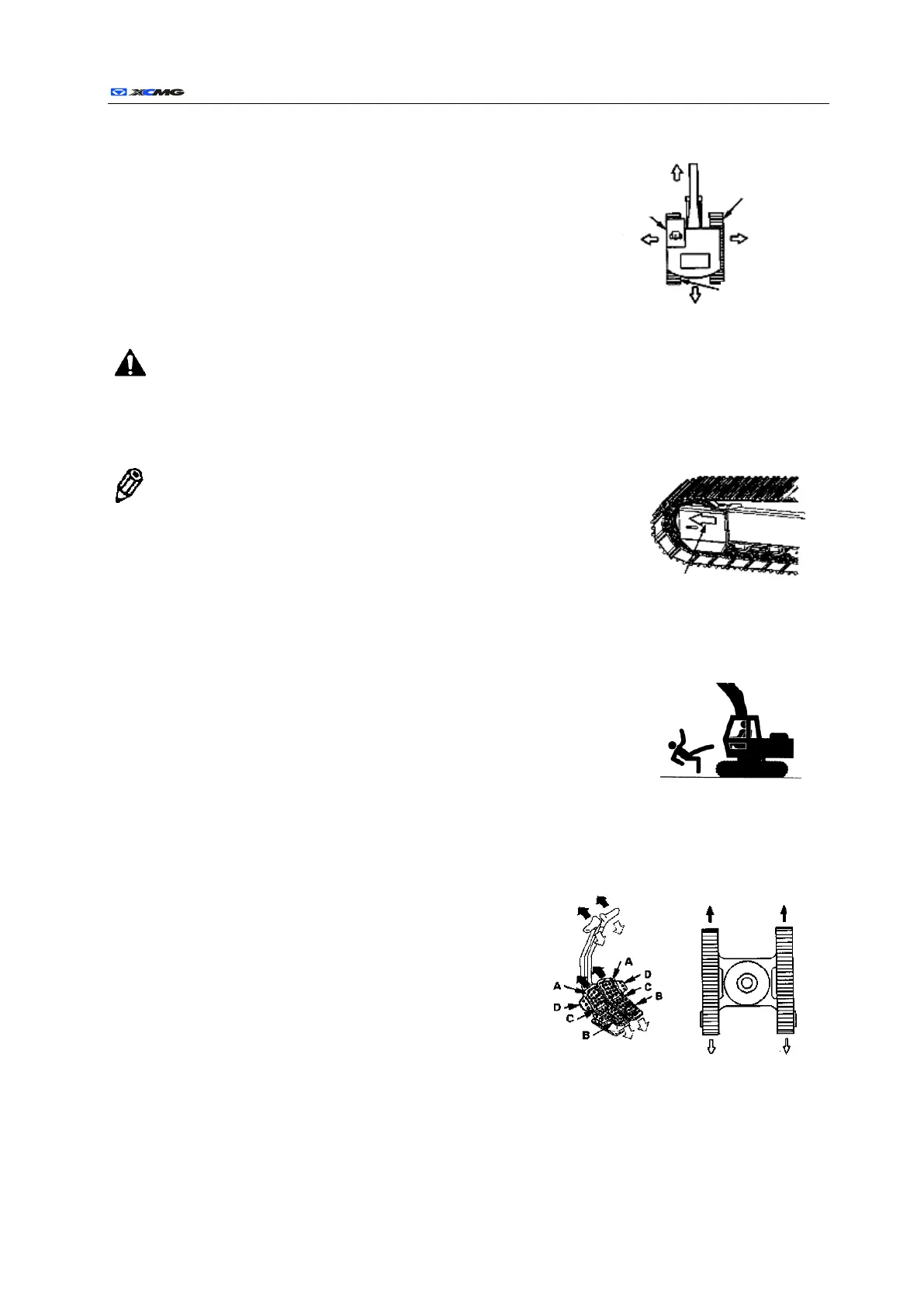
Confirm the treading direction of machine
Operational errors on treading pedal and control lever will lead to
a severe casualty.
Before driving this machine, confirm the relation between the
positions of machine’s low body and the operator.
If the treading motor is in the front of cab, the machine will move
backward when the treading pedal or control lever is pushed forward.
Caution: the standard treading position is: guiding wheel is in the front of the
machine, while treading motor and driving wheel at the rear. If the treading motor is in
the front, the treading pedal will function in reverse. Before treading, it is a must to
confirm the position of treading motor.
Note: at the side of chassis bodyframe, there is an arrow sign
indicating the front direction of machine.
Prevent the machine from carrying the passengers.
a) The passengers are easy to be wounded on the machine, for example, hit
by foreign object or cast away by the machine.
b) Only the driver rather than other passenger is allowed to be on the
machine.
c) Sometimes the passenger will block the view of driver, leading to the
operation of machine under unsafe condition.
Use pedal to drive the machine
a) travel forward:Step down the front of two pedals (A
in picture).
b) travel backward:Step down the rear of two pedals (B
in picture).
c) Middle position:When treading pedal is in middle
position(C in picture), the machine will be braked by
treading brake.
d) Turn right: step down the front of left pedal.
e) Turn left: step down the front of right pedal.
f) Rotate at the original position (self-rotation): step down the front of one pedal and the rear of another
one.



 To Next Page