XE210C Hydraulic Excavator Operating and Maintenance Manual 54
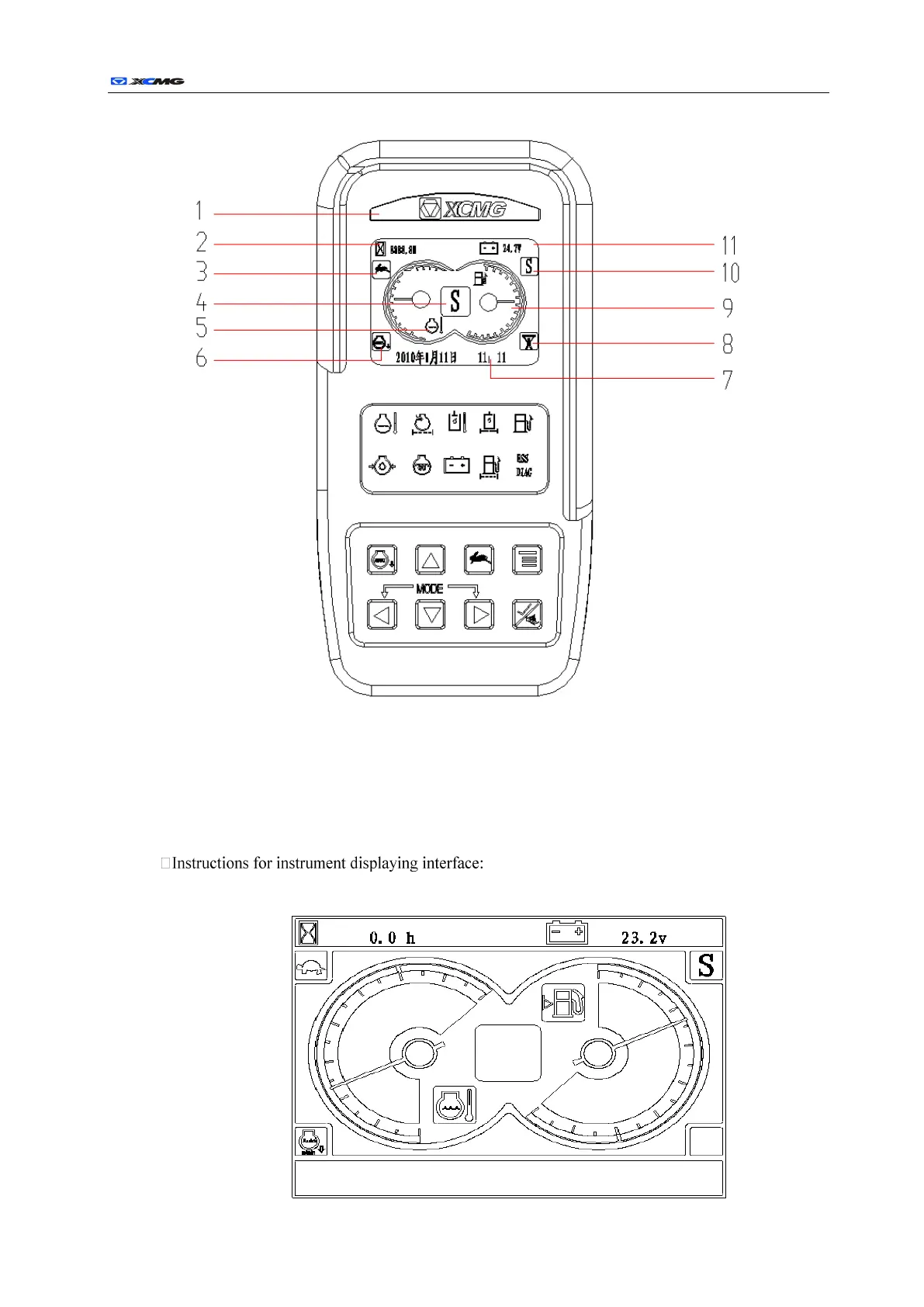
Displaying interface of main screen:
1 Trademark 2 Working hour meter 3 Moving speed low/high indicator
4 Alarm and switch blink 5 Water thermometer 6 Automatic idle indicator
7 Time and information prompt 8 Instantaneous reinforcement indicator
9 Oil level display 10 Working mode indicator 11 System voltage indicator
a) When the key switch is turned to ON, internal parameters initialization of the instrument is
started, and three seconds later, it switches to the following interface:
Date time and information display area


 To Next Page