Adjust the pad volume
Save kit
10
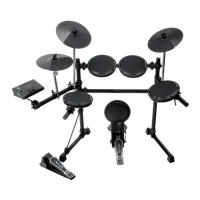
In voice selecting mode, press [volume] button to enter
pad volume adjusting mode, volume indicator lights,
3-digit LED displays the current pad volume value.
Press [+] and [-] button to adjust its value (0-16, not in
cycle).
Press [voice] button again to enter voice selecting mode.
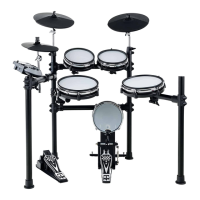
Press [save] button to enter KIT saving mode, 3-digit
LED displays the user KIT number to save, KIT indicator
lights and user KIT number flash.
Press [+] and [-] button to choose the user KIT (11-15,
in cycle) to save. During choosing the KIT, the user KIT
number will be kept flashing.
Press [save] button again, the current KIT setting
(includes all pads voice numbers and volume ) is saved
into the chosen user KIT.
When in recording mode, the user are not allowed to use
this function.
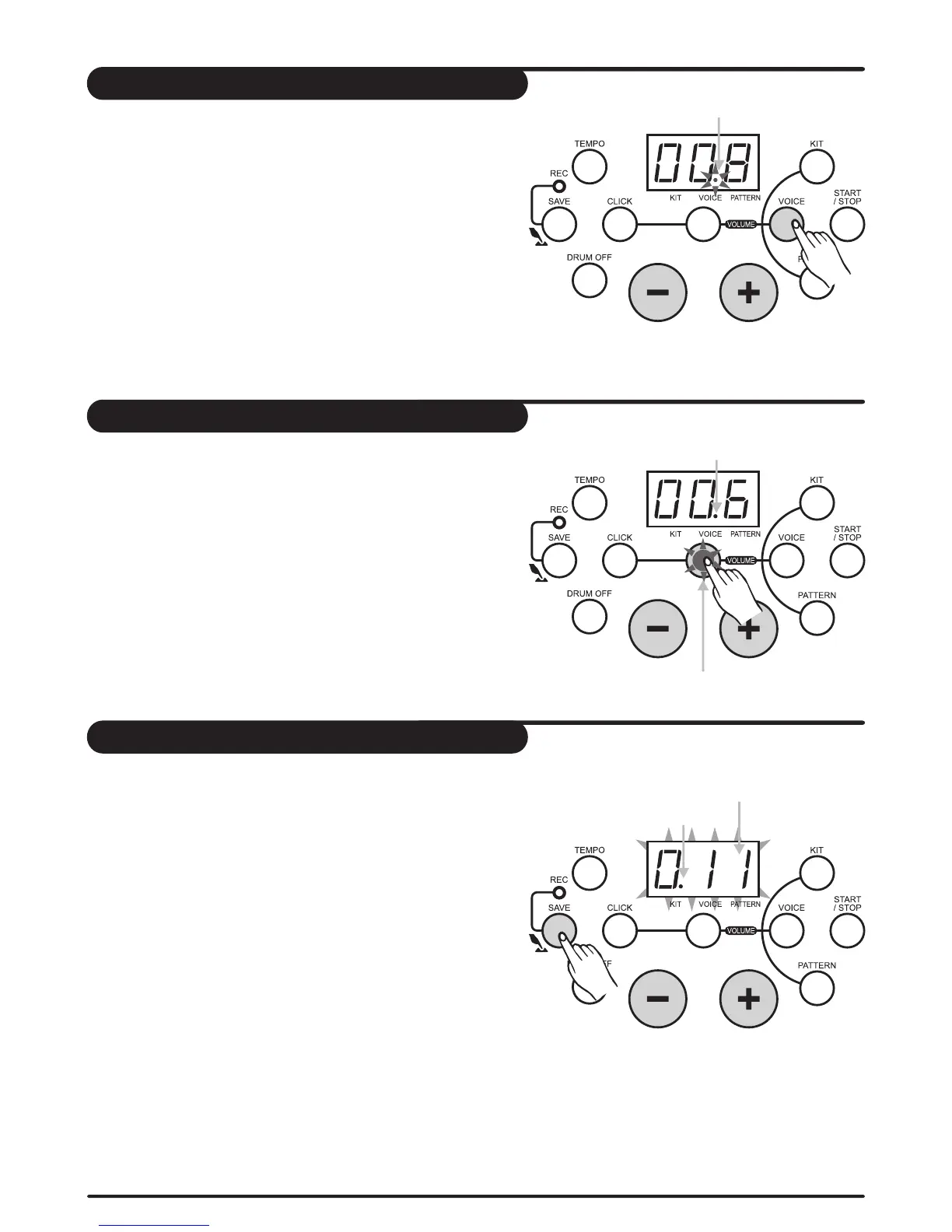
Select a pad voice
It provides 108 built-in drum voices in all to choose.
Press [voice] button to enter pad voice selecting mode,
3-digit LED displays the current pad voice number and
voice indicator lights.
In the pad voice selecting mode, press [+] and [-] button
to choose the voice of current pad or cymbal (1-108, in
cycle).
Voice indicator
Voice indicator
Kit indicator
flash
Volume indicator lights


 To Next Page