Factory reset
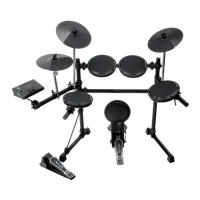
Press [+] and [-] button at the same time to turn on the
drum module, it resets to factory setting. The following
data will be replaced to the factory data:
All users kits (include voice, volume setting).
Clear recording data.
volume lights
press at
the same time
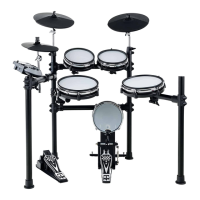
Hi-Hat control
Open Hi-Hat: Strike the hi-hat without stepping the pedal.
Closed Hi-Hat: Strike the hi-hat with the pedal stepped.
Foot Closed: Completely step down the pedal.
Splash: play the hi-hat with the pedal fully stepped and
then instantly releasing it.
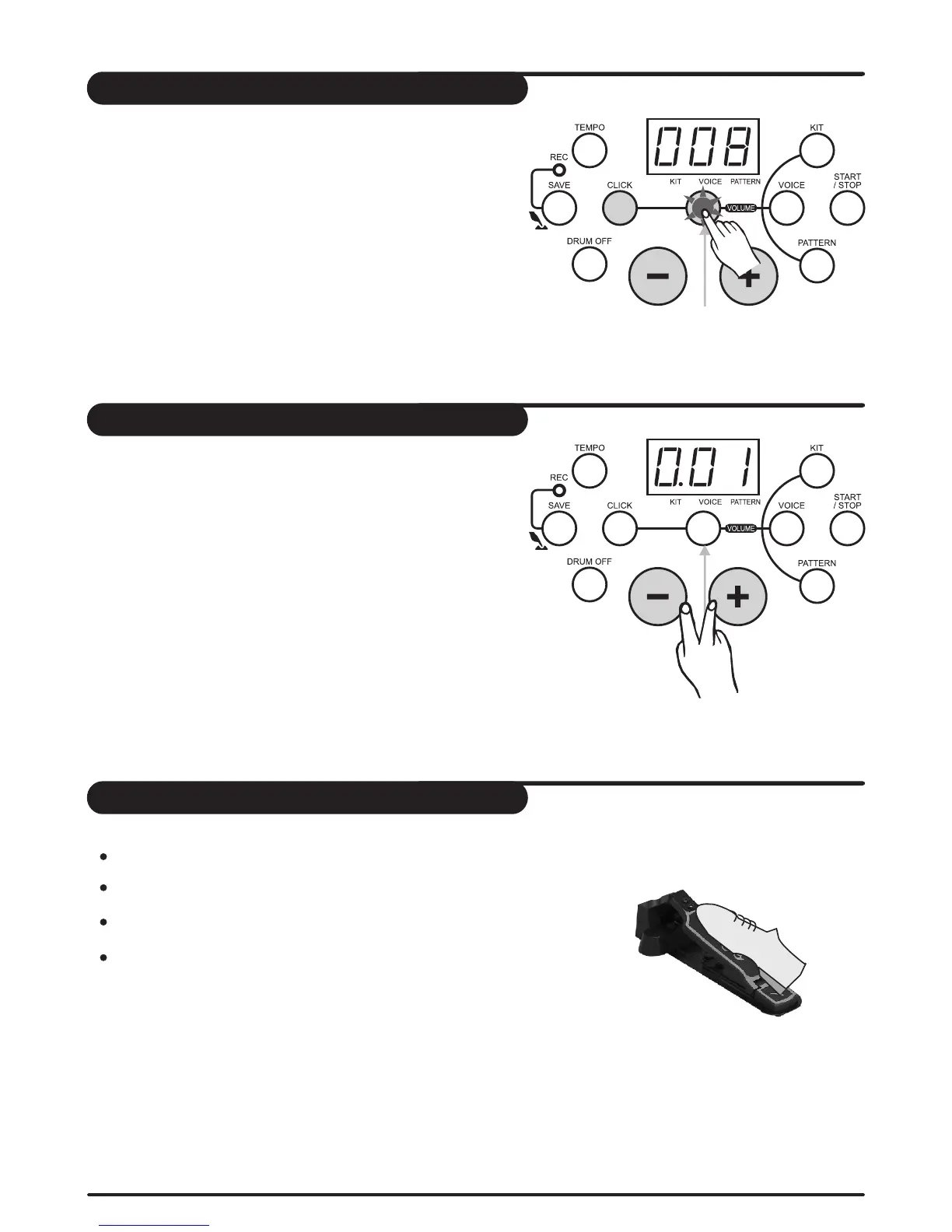
Adjust the click volume
In click time signature choice mode, press [volume]
button to enter click volume adjusting mode, volume
indicator lights, 3-digit LED displays the click current
volume value; Its volume value can be, adjusted by
pressing [+] and [-] button (0-16 not in cycle).
Return click time signature choice mode
In click volume adjusting mode, press [click] button to
exit volume adjusting mode, return to click time signature
choice mode.
volume indicator lights
15


 To Next Page