Functions
9
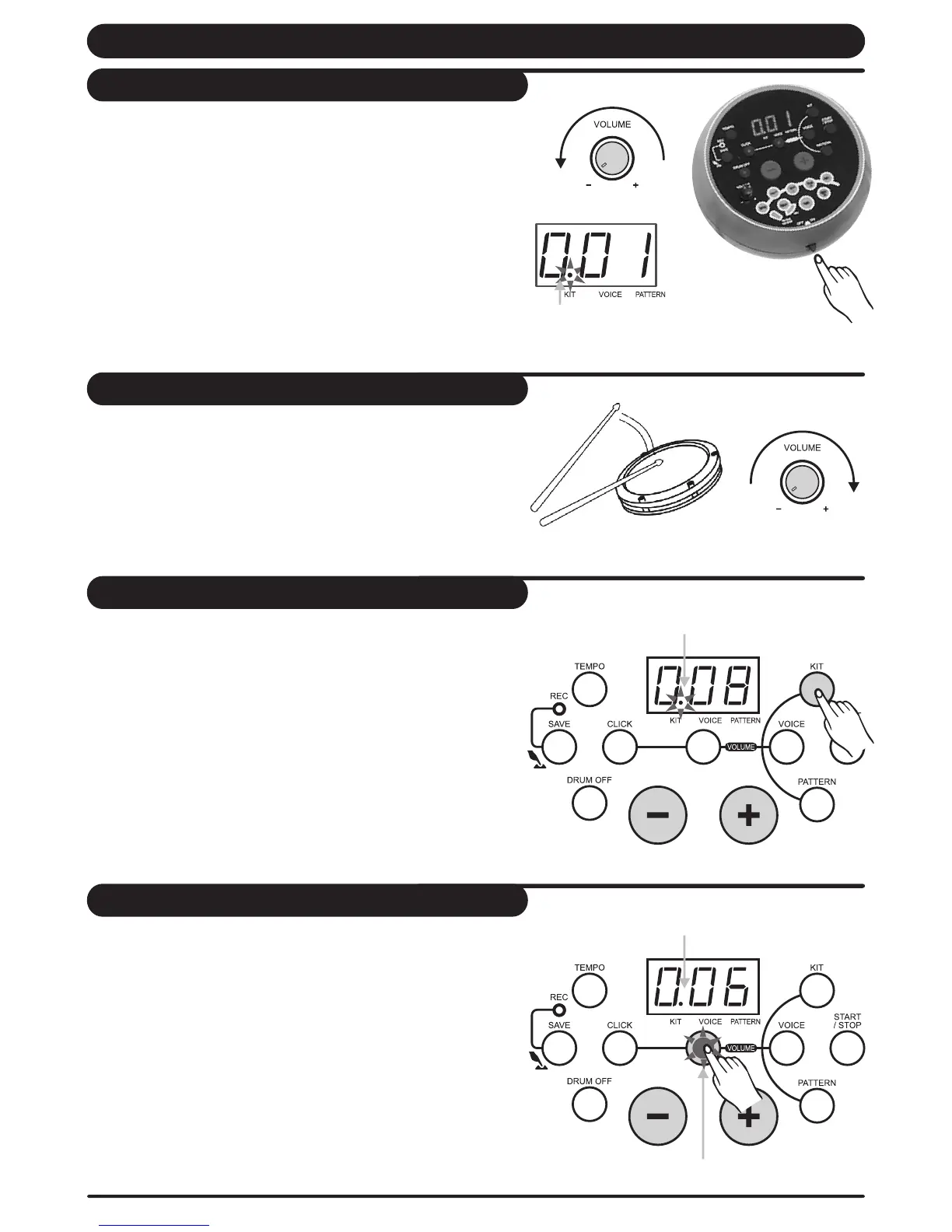
After confirming all connection have been completed, rotate
the volume knob to the left ( minimum volume level) before
switching the power on.
Set the power switch to "on" position to switch on the power.
Display shows the kit s number and its indicator lights up.'
Kit indicator
Switch the power ON
While hitting a pad, gradually rotate the volume knob until a
comfortable volume level is reached.
Set the main volume
The unit comes with 10 (001-010) preset drum kits and 5
user kits (011-015).
Press [kit] button to enter KIT selecting mode, 3-digit LED
displays the current KIT number and KIT indicator lights up.
In kit selecting mode, press [+] or [-] button to choose any
KIT(001-015,in cycle) as the current KIT.
Select a drum kit
Adjust the kit volume
In KIT selecting mode, press [volume] button to enter volume
adjusting mode, volume indicator lights, 3-digit LED displays
the current kit volume value, adjust its value by pressing [+]
and [-] button. (0-16, not in cycle); Then press [kit] button
again to enter KIT selecting mode and volume indicator off.
Be note that in recording waiting mode, the KIT volume value
could be shown on LED but it could not be adjusted.
Kit indicator
Kit indicator
Volume indicator lights


 To Next Page