20 Xerox Phaser 5400 Laser Printer
Loading Media
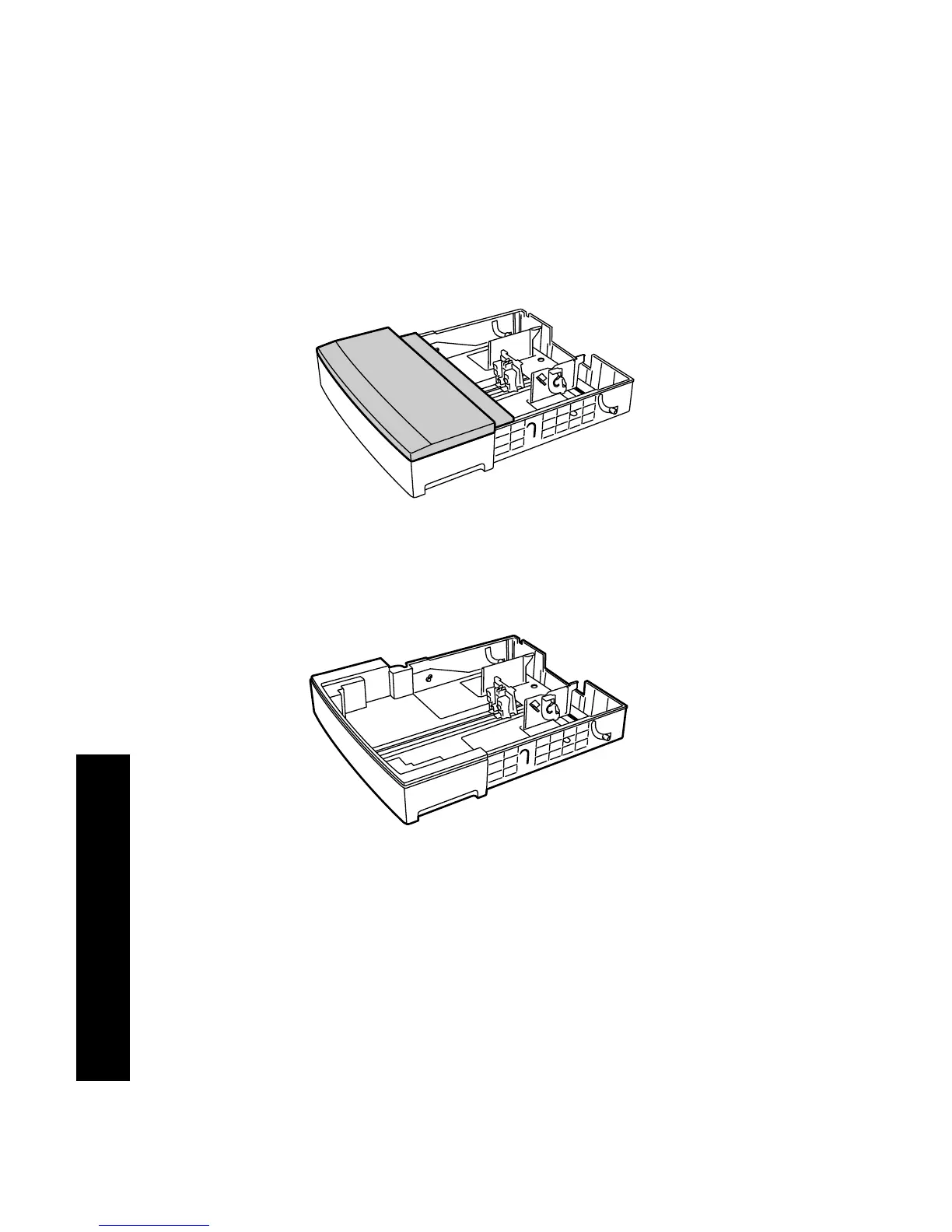
A3-/Ledger-Size Tray
1. Remove the tray from the printer:
a. Pull out the tray until it stops.
b. Gently remove the tray from the printer while lifting up.
c. Place the tray on a flat surface.
2. Remove the tray cover.
If you are loading paper of the same size, skip to Step 5.
3925-19
3925-20










 To Next Page