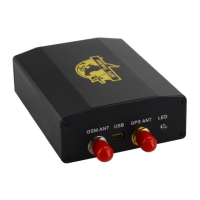
XT-009 Gps tracker user manual
9
9.5 Auto-track
z Send SMS t030s005n+password to the unit, it will report the Geo-info at 30s intervals for 5
times(s: second, m: minute, h: hour).
z The setting must be in 3 digits and at maximum 255 in value.
z Send SMS t030s***n+password to the unit, it will reply SMS heaps of times
z Cancel: Send notn+password to delete the “ auto track ”
Remark: the interval must not be less than 5s.
9.6 Tlimit function
z Set up: Send SMS tlimit123456 50 , it will reply “tlimit ok” , you also can change to the other
meters, like 100, 500 or 1000, the maximum is 6000meters, this function should use with
auto-track together.
If the tracker stop moving, it will not send any data to cellphone or server, until the distance is
more than 50 meter.
z Cancel : Send SMS tlimit123456 0 to cancel tlimit function
9.7 Geo-fence
z Setup: Send SMS stockade+password+space+longitude,latitude; longitude,latitude to
the unit to set the restricted district. The unit will send message to the authorized numbers
when it moves out of this district.
z Cancel: Send SMS “nostockade+password” to deactivate this function.It will reply
“nostockade ok”。
z This function will be invalid if the unit move outside the district. You need to re-set it if you want
this function again.
z The first longitude & latitude is coordinate of the top left corner of the Geo-fence, while the
second longitude & latitude is the coordinate of the bottom right corner.
From:13188888888
T030s***n ok
To:13188888888
T030s***n123456


 To Next Page